
EzMaker AI vs Leonardo AI: Tested With 10 Prompts

AI image generators are easy to compare on a feature sheet and surprisingly difficult to compare in practice. Two platforms may both support text-to-image generation, multiple styles, and high-resolution exports, yet return very different interpretations of the same prompt.
The difference is not limited to image quality. One platform may produce a strong first result with very little setup, while the other may require more decisions but give experienced users more control over the final image. Cost also changes the experience: a credit system encourages careful iteration, whereas unrestricted access makes experimentation easier.

EzMaker AI vs Leonardo AI: Tested With 10 Prompts

EzMaker AI is built around immediate access. You can open the generator, enter a prompt, choose a style and aspect ratio, and start creating without registering an account. Leonardo AI offers a much broader creative environment, with model selection, image guidance, editing tools, consistency controls, and custom model training.
To see how the two free AI image generators handle the same creative brief, we tested EzMaker AI and Leonardo AI using the same 10 prompts. Each prompt represents a different image type, allowing us to compare their results side by side in terms of prompt accuracy, visual quality, composition, and overall usability.

EzMaker AI vs Leonardo AI: Quick Comparison

Category EzMaker AI Leonardo AI
Best suited to Quick visual creation and casual use Professional, repeatable creative production
Account required No Yes
Text-to-image Yes Yes
Image-to-image Yes Yes
Model selection Multiple integrated models Automatic selection and 30+ model choices
Image editing Supported Supported
Style consistency Yes Yes
Free access Free and available without sign-up Free plan with a daily token allowance
Learning curve Low Moderate

The shortest version is that EzMaker AI prioritizes access and simplicity, while Leonardo AI prioritizes control. EzMaker AI removes much of the preparation that usually comes before generation. There is no account screen, subscription choice, or token balance to review before entering the first prompt. This makes it particularly useful for quick visual tasks and users who want to explore several ideas without treating each generation as a cost decision.
Leonardo takes a more production-oriented approach. Users can let the platform automatically select a model or choose one manually. After generating an image, they can continue working with image guidance, prompt-based editing, upscaling, background removal, and consistency tools.

EzMaker AI Overview

EzMaker AI is an online image generation and editing platform designed to shorten the path between an idea and a downloadable image. Its AI image generator supports text-to-image and image-to-image creation. The platform is aimed at people creating website graphics, social posts, blog covers, product visuals, advertisements, illustrations, and other everyday assets.
The most noticeable part of the experience is what EzMaker AI leaves out. It does not require an account before the first generation, and users do not have to choose a subscription tier or calculate how many credits a model will consume. That makes the generator easy to test, but it also reflects a larger product decision. EzMaker AI places more responsibility on its defaults. Instead of asking users to decide which technical model and configuration will work best, it tries to make those choices less visible.

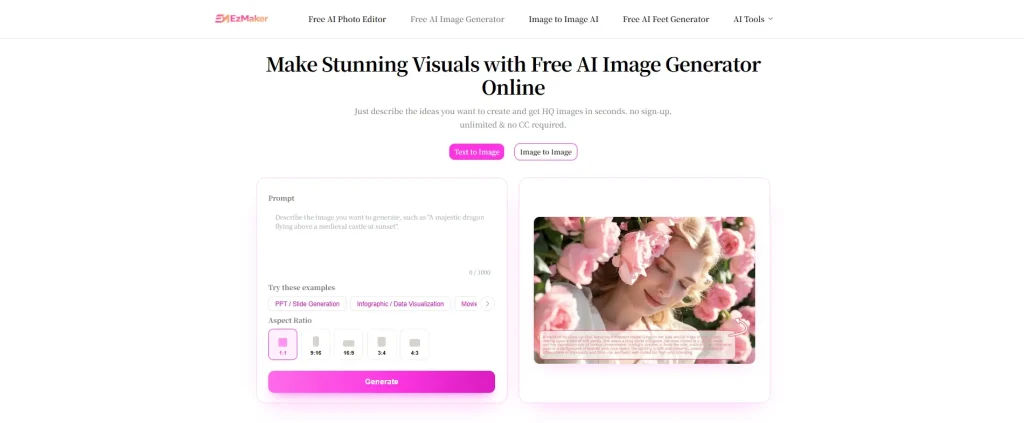
EzMaker AI image generator

Key Features

EzMaker AI supports two primary generation modes. Text-to-image turns a written description into a new image. Image-to-image uses an uploaded visual as a starting point, allowing users to change its style, setting, or overall direction while retaining elements from the original. Its wider toolset includes:

  • Text-to-image generation
  • Image-to-image transformation
  • Multiple visual styles and aspect ratios
  • Prompt-based image editing
  • Object and background removal
  • Background replacement
  • Image expansion
  • Image enhancement and upscaling
  • Support for common formats including JPG, JPEG, PNG, and WebP
  • Browser access on desktop and mobile devices
The editing tools matter because generation is rarely the final step. A visually strong image can still need a wider canvas, a transparent background, or the removal of one distracting object. EzMaker allows users to move into these tasks without adopting a full graphic-design workspace.

How It Works

Step 1: Describe the image
Enter a prompt describing the subject, setting, style, lighting, composition, and any details you want the image to include. You can also upload a reference image when using the image-to-image workflow.
Step 2: Create the First Version
Choose a suitable aspect ratio for the intended placement, then generate the image.
Step 3: Refine the Result
Review the output and adjust the prompt if necessary. You can clarify missing details, change the visual direction, or try a new composition before downloading the version you want to use.

Pros & Cons

Pros
  • Free to use & no account required to start generating
  • No credit calculation before each attempt
  • Integrated models such as GPT Image 2, Nano Banana Pro, and more
  • A straightforward image generation workflow
  • Common editing tools available on the same platform
  • A low learning curve for occasional users
  • Practical formats and aspect ratios for content
  • Personal data is safe and deleted within 24 hours
Cons
  • No long-term storage — users should download anything they want to keep
  • Fewer advanced controls for experienced users
  • No custom model training
  • Less visibility into specific settings
  • Fewer tools for maintaining a character or brand across large projects
  • No comparable team workspace or developer workflow

Pricing Strategy

User does not need to estimate the cost of every experiment before clicking Generate. It’s free.

Leonardo AI Overview

Leonardo AI is a creative platform built around image generation, editing, consistency, and production. A user can begin with a text prompt or an existing image, choose an automatic workflow, or manually select a model. The resulting image can then move into editing, guidance, background removal, or upscaling without leaving the platform.
This makes Leonardo AI more than a prompt box. Its value lies partly in the options surrounding the model: how a reference is applied, how a detail is corrected, how a character is carried into another scene, and how assets are organized for future use. Its interface therefore asks more from the user. There are more decisions to make, but also more ways to recover when the first output is not right.

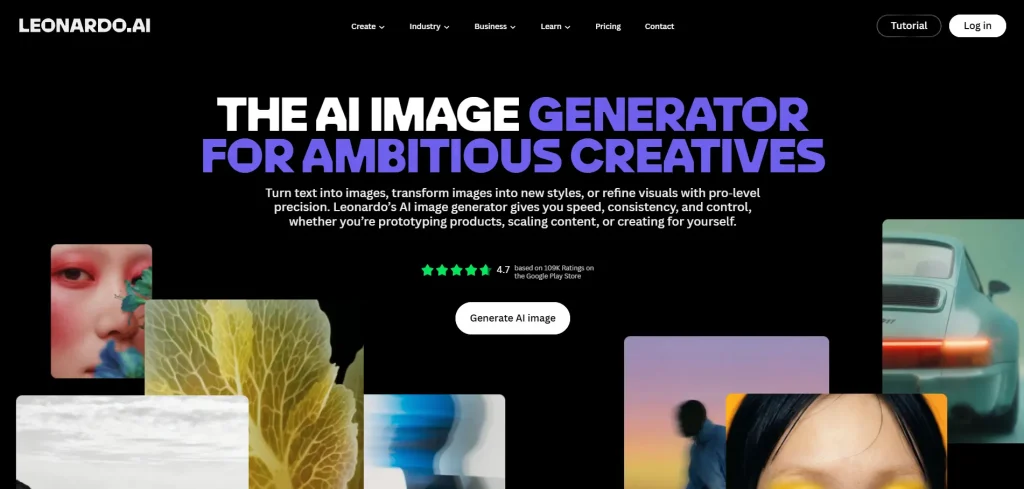
Leonardo AI Image Generator

Key Features

Leonardo AI image generator supports both text and image inputs. Users can choose Auto to let Leonardo select an appropriate model or select a model themselves. Its current image workflow includes:

  • Text-to-image generation
  • Image-to-image transformation
  • Automatic and manual model selection
  • Image Guidance
  • Consistent character and style tools
  • Blueprints for guided creative workflows
  • Custom model training
  • Team workspaces and shared assets
  • Developer API access

Leonardo also hosts a mix of proprietary and third-party models. The precise list changes as models are introduced or retired, which is both a benefit and a complication. Users can match a model to a particular task, but comparisons can become misleading if two people use different models under the same platform name.
For our main test, Leonardo should therefore be used in Auto mode or with its default recommended setup. That better represents the experience of a new user.

How It Works

Step 1: Sign In or Create an Account
Log in to Leonardo AI or create an account to access the image generator. Free accounts receive a daily token allowance, while paid plans provide additional tokens and features.
Step 2: Open the Image Generator
Go to the image-generation workspace and start a new creation. The interface brings together the prompt field, model options, dimensions, generation settings, and other tools.
Step 3: Select a Model
Use the automatic model option or choose a specific model manually.
Step 4: Add the Prompt and Settings
Write the image prompt, choose the output dimensions, and adjust the available generation controls. Reference images can also be added when the result needs to follow a particular subject, composition, or visual direction.
Step 5: Generate and Refine
Generate the images and compare the variations. Continue refining the chosen result with prompt-based editing, upscaling, background tools, or other available features. Once finished, download the image in the format required for your project.

Pros & Cons

Pros
  • A broad selection of image models
  • More detailed generation controls
  • Stronger reference-image workflows
  • Prompt-based editing after generation
  • Tools for consistent characters and styles
  • Custom Image Dimension
  • Private generation on eligible paid plans
  • Team and developer options for larger workflows
Cons
  • The token system takes time to understand
  • Model costs can vary
  • Some advanced features are limited to paid plans
  • The interface can feel dense for simple tasks
  • Reaching the best result may depend on knowing which model to choose

Pricing Strategy

Leonardo offers a free plan with a daily allowance of 150 Fast Tokens. The number of images this produces varies by model, resolution, output count, and quality settings. Leonardo AI also offers various pricing models, and its plans are structured as follows:

Plan Annual Billing Price Main Position
Free $0 Daily tokens for testing and light use
Essential $10 per month Higher limits, private generations, and personal models
Premium $24 per month More Fast Tokens and relaxed image generation on eligible models
Ultimate $48 per month Higher limits and relaxed image and video generation on eligible models

Leonardo’s pricing is better evaluated as a production budget than as a simple monthly fee. A higher-priced plan may be economical if its controls reduce failed generations. Conversely, even a free token allowance can feel restrictive when a user needs multiple attempts to fix one small detail.

EzMaker AI vs Leonardo AI: Real Test

How We Tested Two Image Generators

To keep the comparison fair, we separated the process into two parts: test setup rules and image evaluation criteria. The first group controls how each image is generated, while the second focuses on the quality of the results.

Test Setup

  • Each prompt was used exactly as written on both platforms
  • Matching aspect ratios were selected whenever possible
  • EzMaker AI was tested in its standard generation mode
  • Leonardo AI was tested with its Auto model selection
  • Images were compared before editing, enhancement, or upscaling
  • Generation time, errors, and unsuccessful attempts were noted

Image Evaluation Criteria

  • Prompt Accuracy: How closely the image follows the requested subject, environment, objects, actions, and details
  • Composition: The quality of the framing, subject placement, perspective, scale, and visual balance
  • Visual Quality: The overall level of detail, sharpness, lighting, color, texture, and finish
  • Detail Accuracy: The accuracy of faces, hands, bodies, products, furniture, and other important objects
  • Style Fidelity: How well the image matches the photographic, illustrative, cinematic, or graphic style requested
  • Text Accuracy: Whether the requested words are complete, readable, and naturally placed within the design

Test 1: Photorealistic Portrait

Prompt
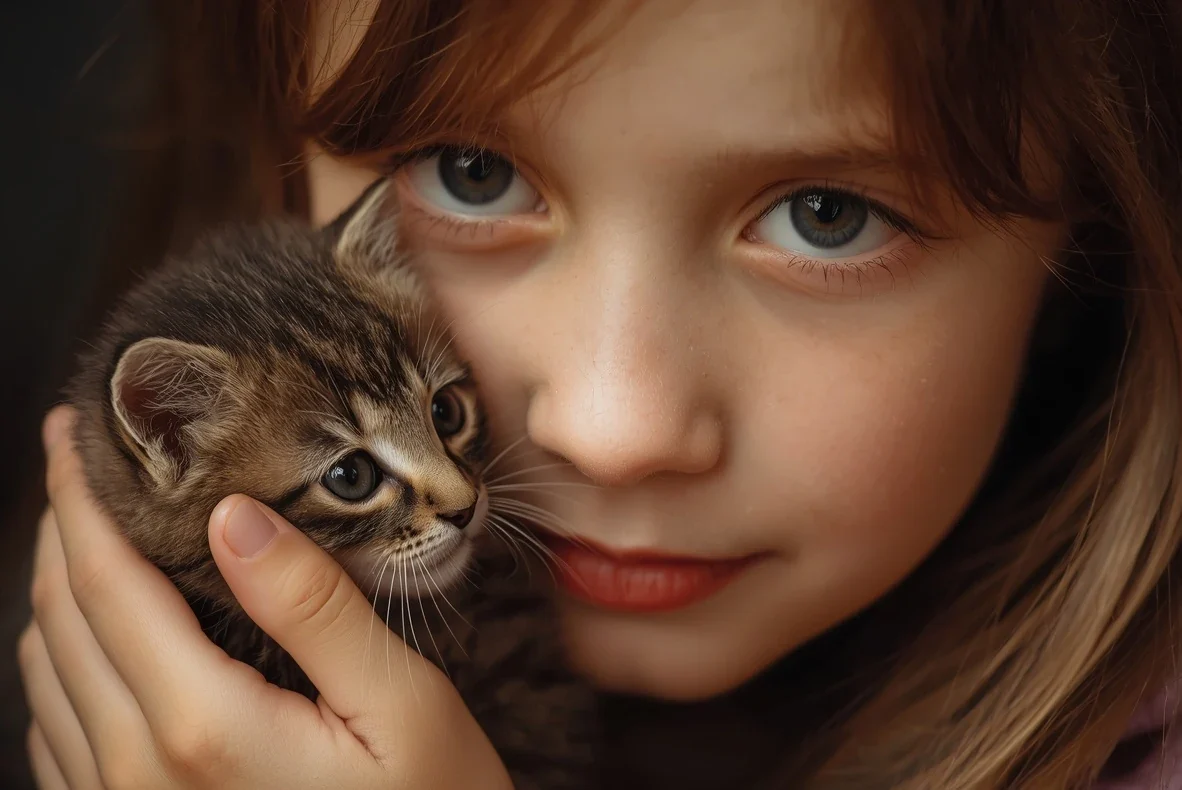
A young European girl gently petting a small kitten, close-up portrait, natural expression, soft lighting, realistic skin and fur.
Portrait generated by EzMaker AIPortrait generated by Leonardo AI

Both platforms produced a clear close-up portrait containing the requested girl and kitten. EzMaker AI used brighter, more even lighting and showed more of the interaction between the two subjects. The girl’s downward gaze and visible hand make the scene feel calm and affectionate.
Leonardo AI generated a tighter crop with warmer tones, deeper shadows, and more visible surface detail. The kitten’s fur and the girl’s skin are well defined, although the pose reads more as holding the kitten than actively petting it. The Leonardo generation used 8 tokens.
Overall, both images satisfy most of the prompt. EzMaker gives more visual emphasis to the interaction, while Leonardo places greater emphasis on facial detail and close-up framing.

Test 2: Product Photography

Prompt
A women's wristwatch on a white marble table, with a gold-tone case, metal bracelet, and simple dial. Soft studio lighting, subtle shadows, clean background, balanced composition, close-up product shot, realistic materials and reflections, professional product photography.
ezmakerproductProduct image generated by Leonardo AI

The image made by EzMaker AI has a stronger close-up composition, with the watch appearing larger and more prominent. It follows the “close-up product shot” requirement well and works nicely for product listings or promotional content. However, the bracelet looks slightly blocky and uniform.
While Leonardo AI’s is stronger overall in realism and photographic quality. The metal bracelet has finer details. Its main weakness is that the watch is relatively small in the frame. Overall, Leonardo AI handles material rendering, lighting, and realism better.

Test 3: Food Photography

Prompt
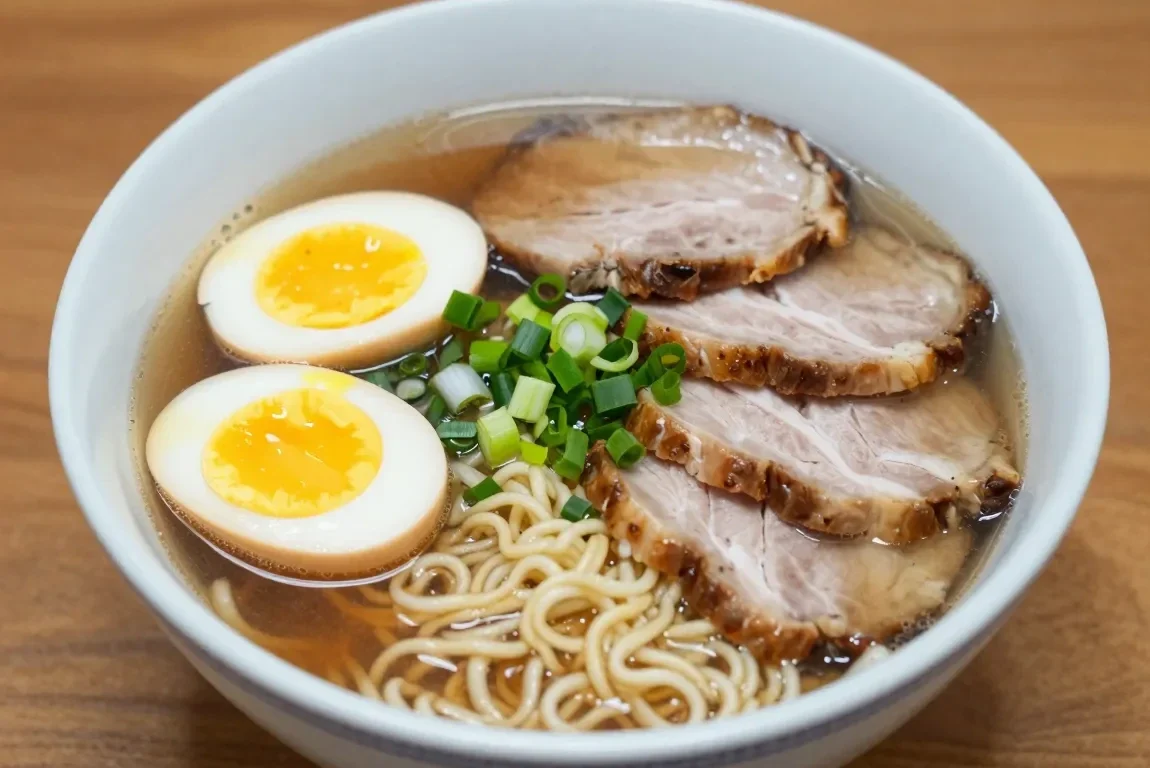
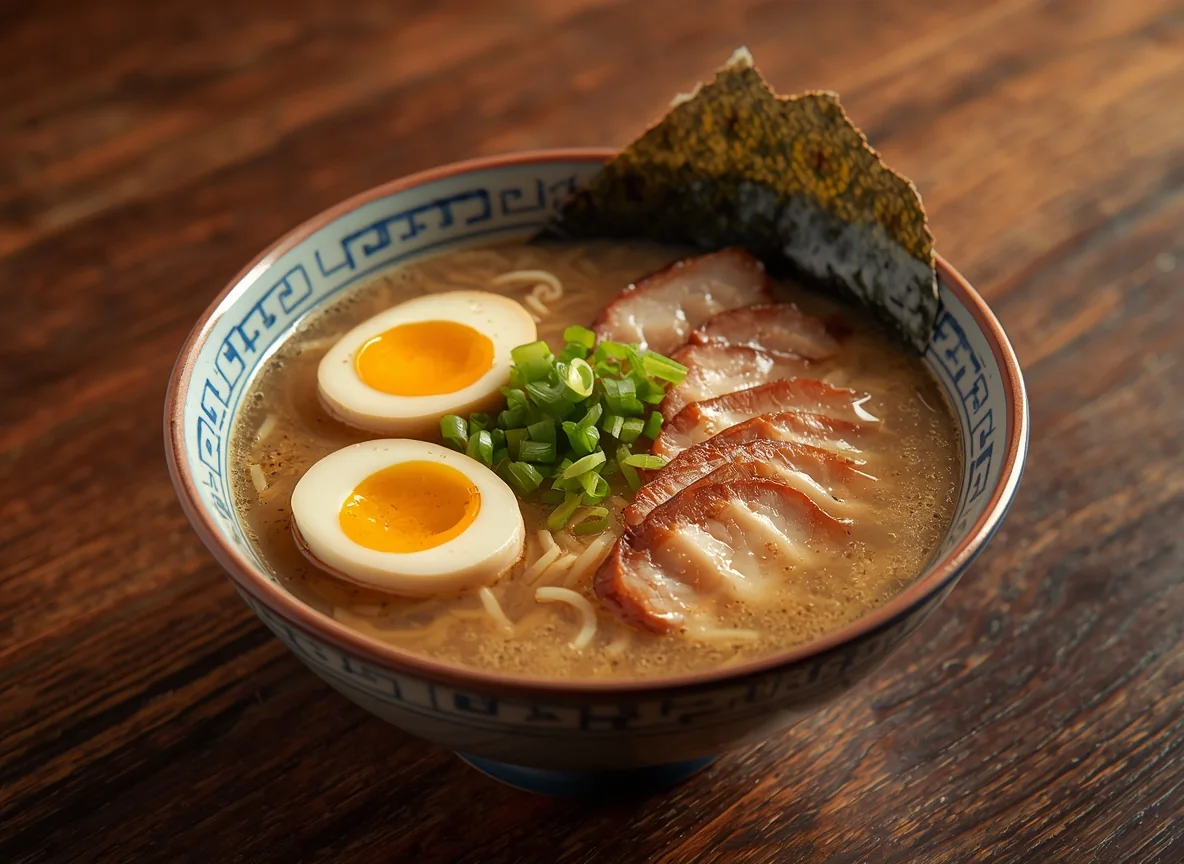
A bowl of ramen with eggs, sliced pork and green onions on a wooden table, warm lighting, realistic food photography.
Food image generated by EzMaker AIFood image generated by Leonardo AI

EzMaker AI follows the prompt well. The ramen, eggs, sliced pork, green onions, and noodles are all clearly visible, with natural proportions and good overall food realism. But the lighting is relatively neutral and the overall presentation feels more like straightforward food photography than a styled restaurant shot.
Leonardo AI creates a more cinematic and stylized result, with warmer lighting, deeper shadows, and richer textures. The overall composition feels more atmospheric and professionally styled. In comparison, EzMaker AI performs better in clarity and direct prompt adherence, while Leonardo AI has an advantage in mood, lighting, and visual polish.

Test 4: Landscape

Prompt
A beautiful mountain lake at sunset, golden sunlight reflecting on the calm water, dramatic clouds, distant mountains, peaceful natural scenery, cinematic landscape photography.
Landscape generated by EzMaker AILandscape generated by Leonardo AI

EzMaker AI produces a more natural and photographic-looking result, with softer colors, realistic cloud formations, and subtle reflections on the lake. The lighting feels less processed, although the foreground and mountains are relatively dark. Leonardo AI delivers a more dramatic and visually striking sunset, with stronger golden light, richer colors, and more pronounced water reflections. However, its higher saturation and contrast give the image a slightly more stylized look. Overall, EzMaker AI leans toward natural realism, while Leonardo AI emphasizes visual impact and cinematic atmosphere.

Test 5: Art Style

Prompt
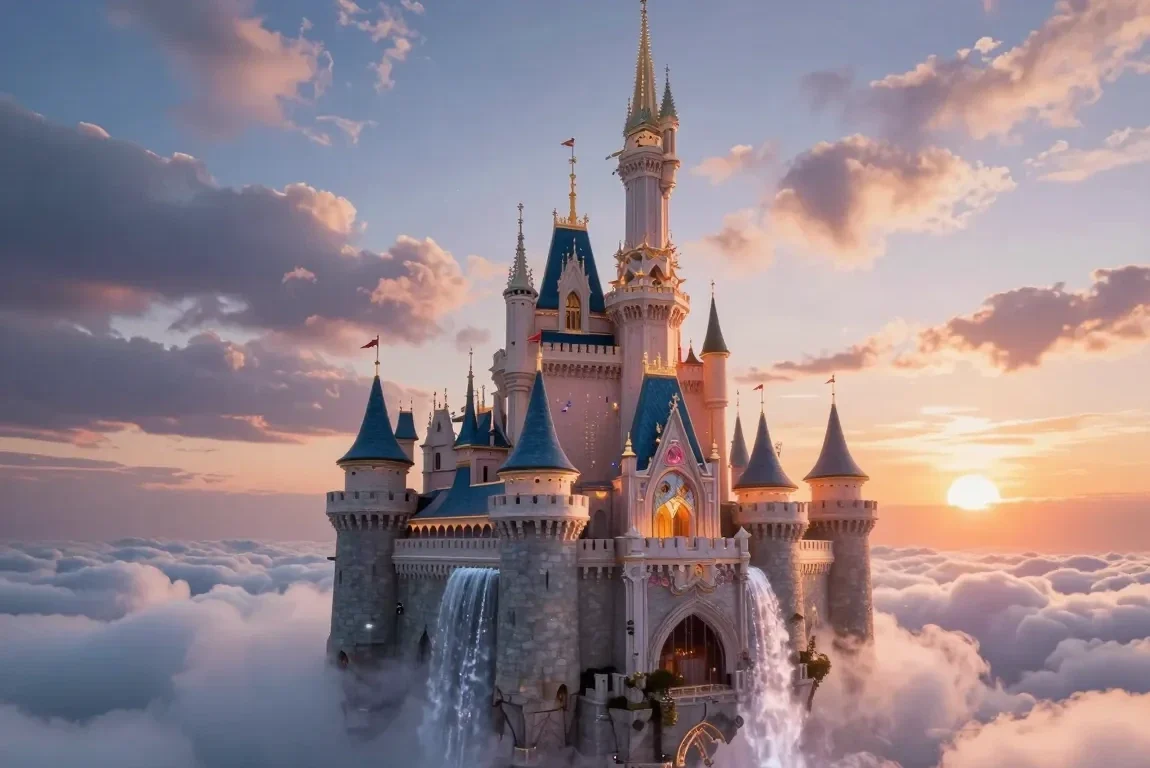
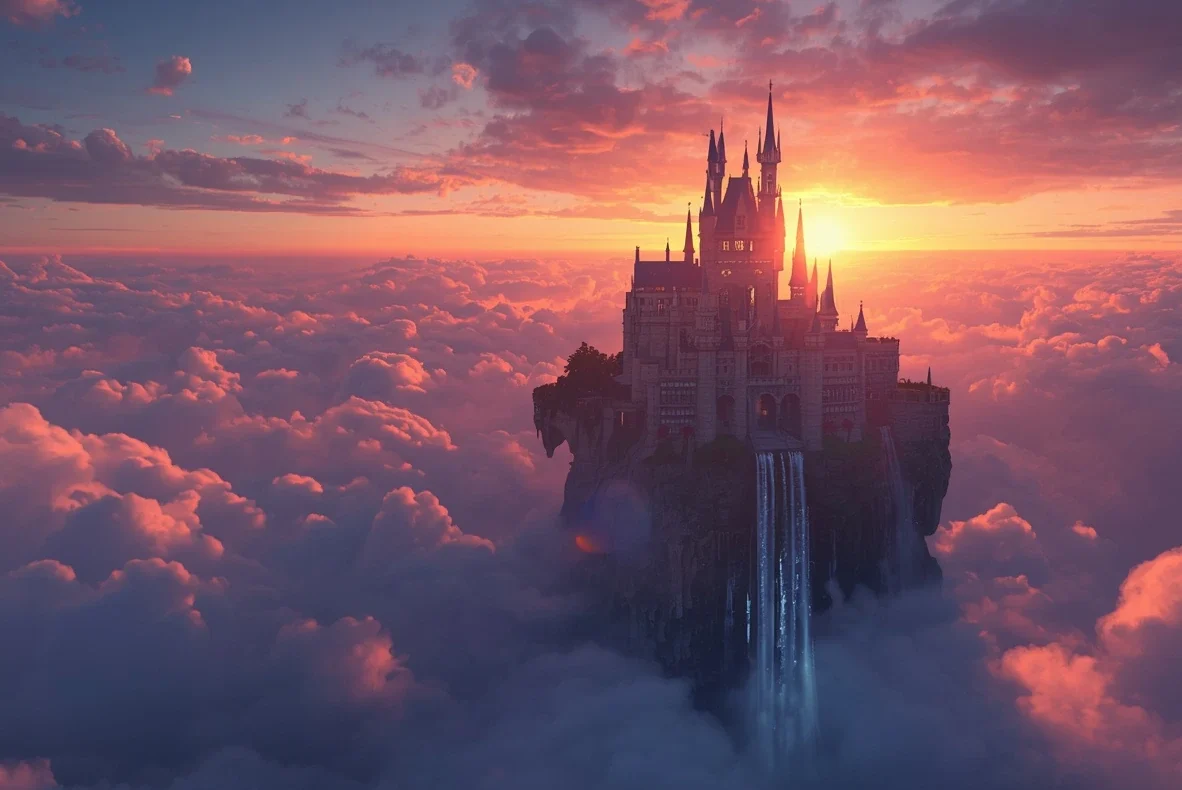
A magical castle floating above the clouds, waterfalls falling into the sky, glowing sunset, epic fantasy concept art.
Concept Art created with EzMaker AIConcept Art created with Leonardo AI

EzMaker AI creates a brighter and more detailed fantasy scene, with the castle as the clear focal point and the waterfalls, clouds, and architectural details all highly visible. The softer pastel lighting gives it a polished, fairy-tale aesthetic, though the castle design feels somewhat more stylized and idealized.
Leonardo AI takes a more cinematic and dramatic approach, using stronger sunset colors, deeper shadows, and a wider composition to emphasize the scale of the floating castle and surrounding clouds. The atmosphere feels more epic and mysterious, but some architectural details are lost in the darker lighting.
Overall, EzMaker AI performs better in clarity and fine detail, while Leonardo AI delivers stronger atmosphere, scale, and dramatic fantasy styling.

Test 6: Anime Photo

Prompt
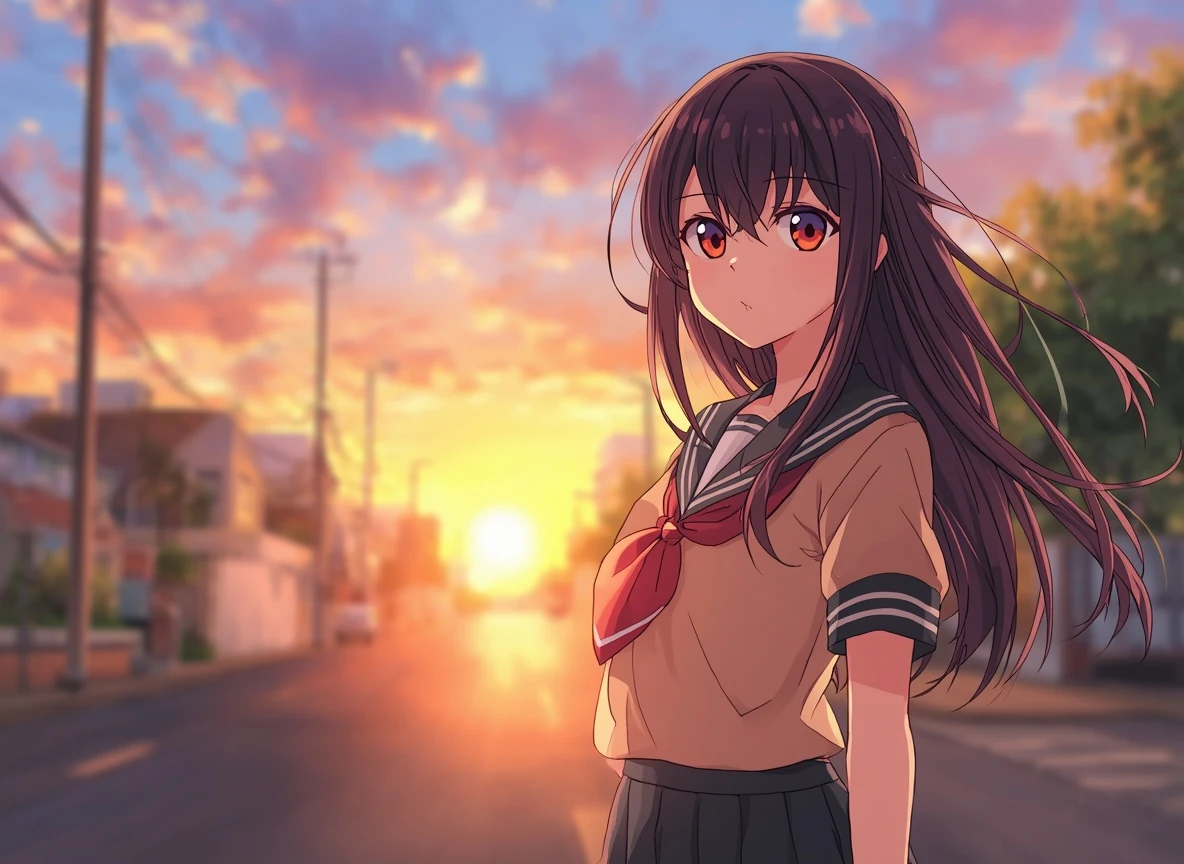
A young girl standing on a quiet street at sunset, school uniform, long dark hair moving in the breeze, warm sunlight, colorful background, expressive eyes, detailed Japanese anime style.
Anime photo made by EzMaker AIleonardoanime

EzMaker AI leans closer to the softer, more natural look commonly seen in Japanese slice-of-life anime. The character has simpler facial features, softer eye rendering, cleaner linework, and more restrained colors, while the suburban street and gentle sunset create a convincing everyday anime-scene atmosphere.
Leonardo AI uses more saturated colors, stronger contrast, larger and more expressive eyes, and more detailed hair and lighting. This gives it a polished modern anime-illustration feel, but it is also more stylized and dramatic than a typical anime frame. Overall, EzMaker AI is closer to a natural Japanese anime screenshot, while Leonardo AI looks more like a highly polished anime key visual or promotional illustration.

Test 7: Text Rendering

Prompt
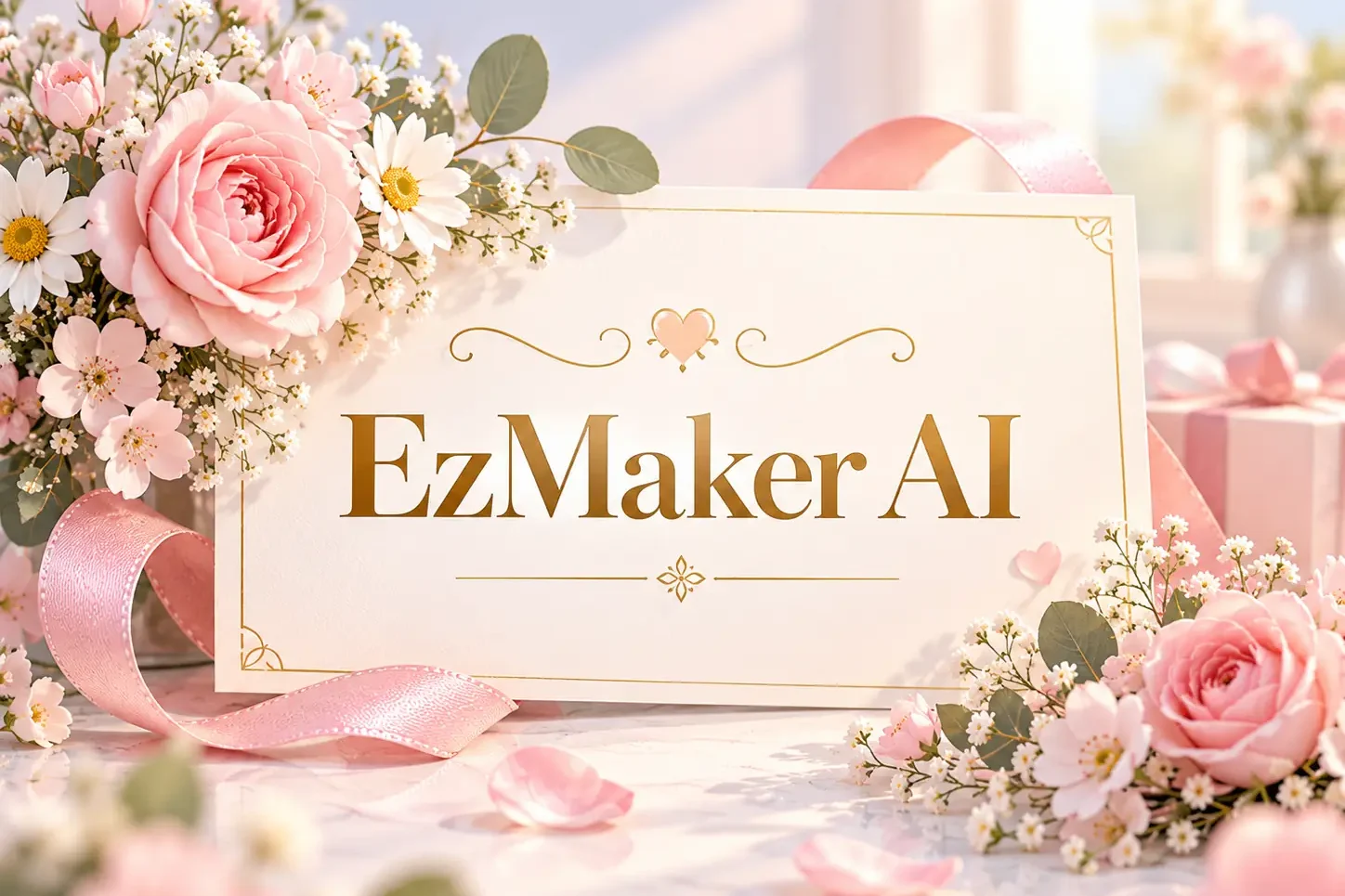
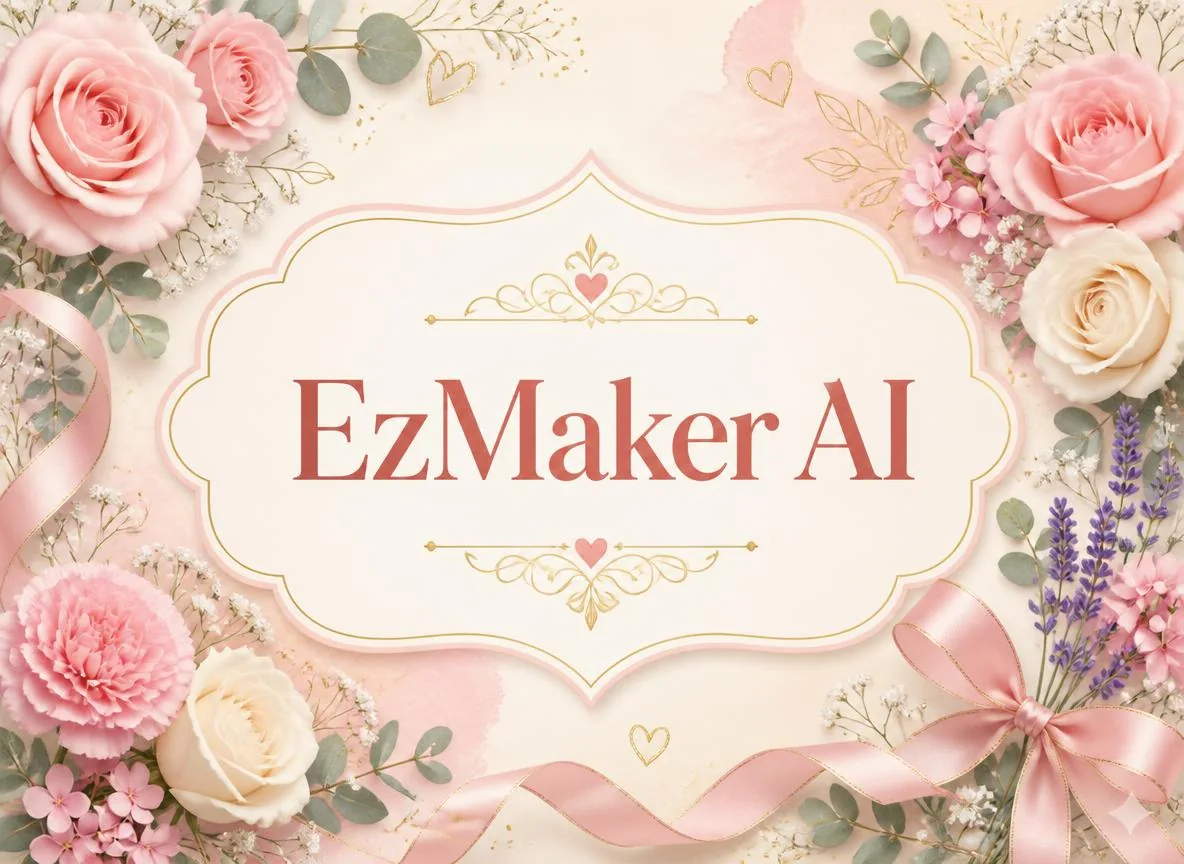
A beautiful greeting card with soft pastel colors, delicate flowers and elegant decorative elements, warm and cheerful design, with the exact text "EzMaker AI" clearly displayed in the center.
Text rendering created by EzMaker AIText rendering created by Leonardo AI

EzMaker AI renders the text clearly, with sharp lettering, strong contrast, and a clean central placement.
Leonardo AI also reproduces the text correctly and keeps it highly readable. Its composition is more symmetrical and decorative. Overall, both perform well in text rendering; EzMaker AI feels more realistic and dimensional, while Leonardo AI is more ornamental and illustration-like.

Test 8: Multi-Character Scene

Prompt
A busy coffee shop with a barista serving customers and several people sitting at different tables, natural interactions, realistic photography.
Multi-Character Scene Created by EzMaker AIMulti-Character Scene Created by Leonardo AI

EzMaker AI handles the multi-character scene more successfully, showing a genuinely busy coffee shop with many people engaged in varied and natural activities. The characters are distributed well across the scene, giving the image a convincing sense of activity and social interaction.
Leonardo AI produces a more restrained and photographic composition, with realistic lighting and depth of field, but the café feels noticeably less busy. There are fewer visible interactions, and the barista is relatively separated from the customers rather than actively serving them. Overall, EzMaker AI follows the multi-character and interaction requirements more closely, while Leonardo AI offers stronger photographic depth but a less dynamic group scene.

Test 9: Complex Prompt Adherence

Prompt
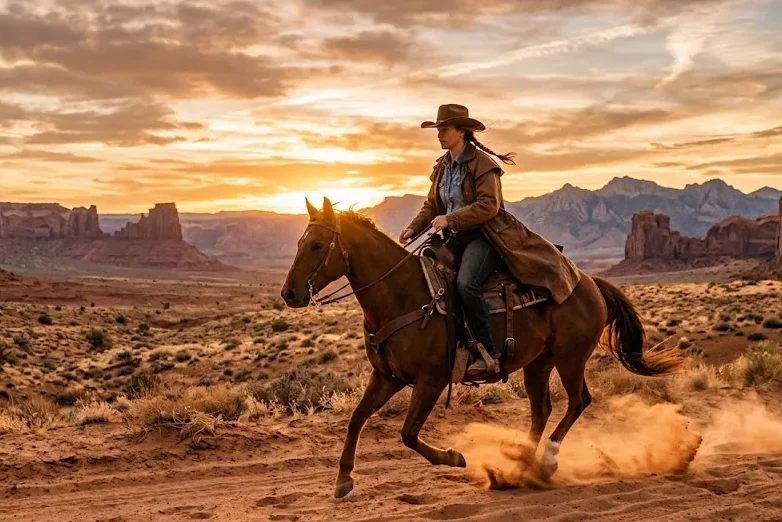
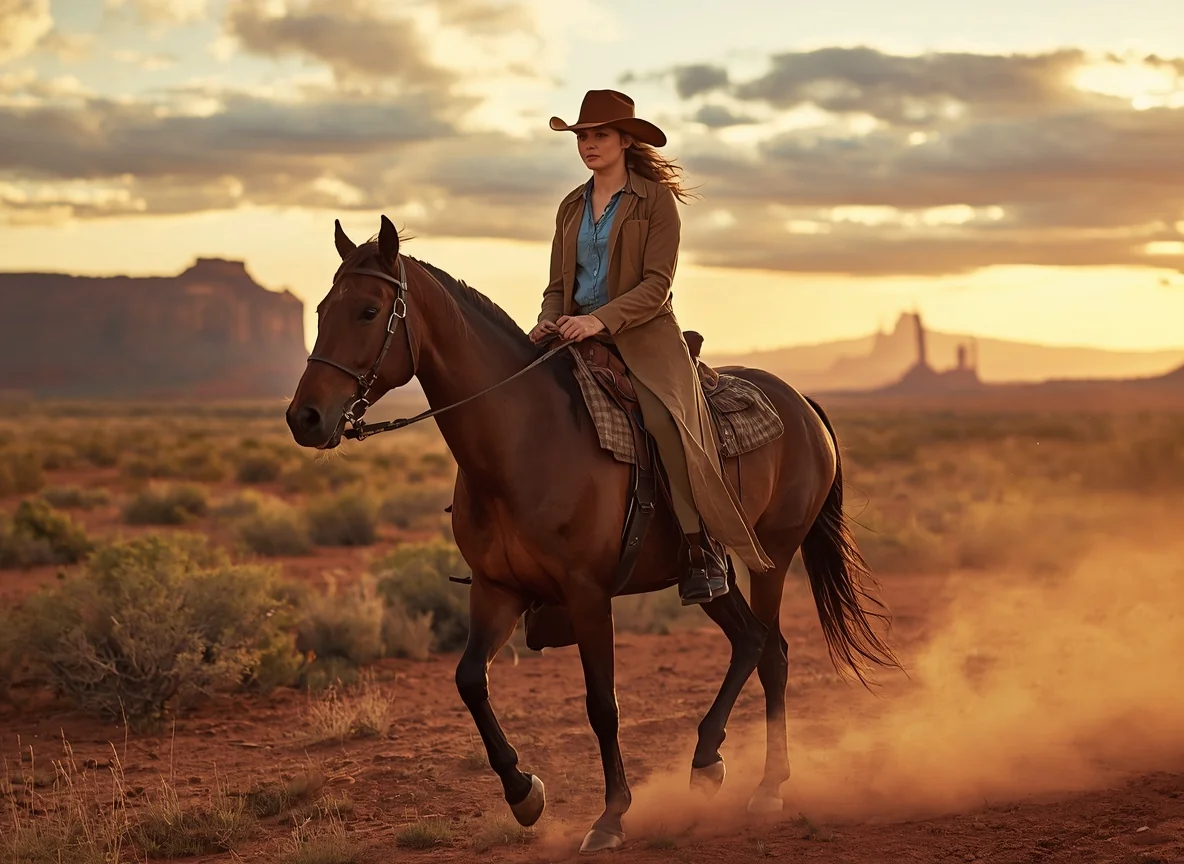
A female cowboy riding a brown horse through a vast desert at sunset, wearing a brown leather cowboy hat, denim shirt, leather boots, and a long brown coat, with red rock formations and distant mountains in the background, dust rising from the horse's hooves, warm golden sunlight, dramatic clouds, cinematic Western photography.
Complex prompt image generated by EzMaker AIComplex prompt image generated by Leonardo AI

EzMaker AI shows strong prompt adherence, capturing nearly all specified elements. It also conveys the requested riding action clearly, with the horse in motion and dust naturally reacting to its hooves. The wide composition preserves more of the “vast desert” environment and cinematic Western setting.
Leonardo AI also includes most of the requested clothing, character, horse, landscape, and lighting details with good realism. Its rider and horse are rendered with more prominent close-up detail, but the scene feels less expansive, and the riding action is less pronounced. Overall, both understand the prompt well, but EzMaker AI adheres more closely to the combination of action, environment, and specific visual details, while Leonardo AI places greater emphasis on character detail and photographic polish.

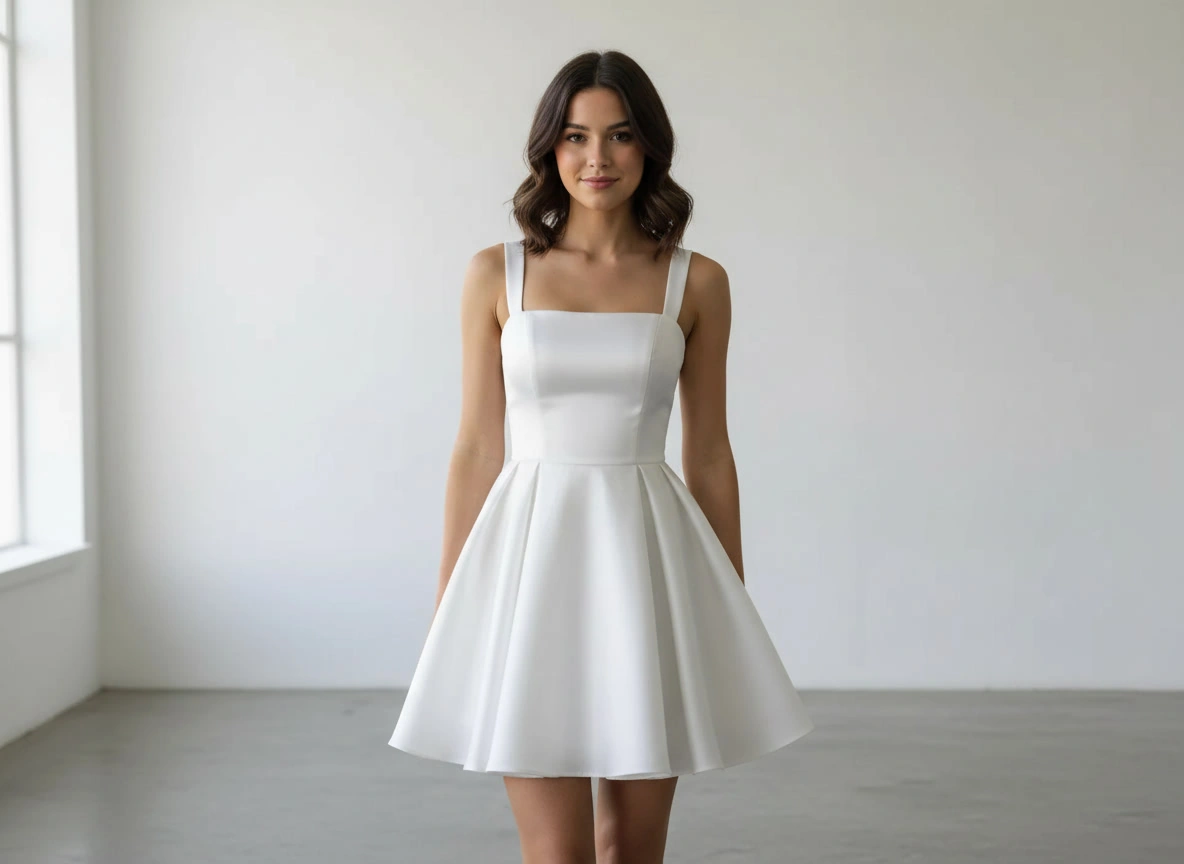
Test 10: Image to Image

Reference Image Prompt
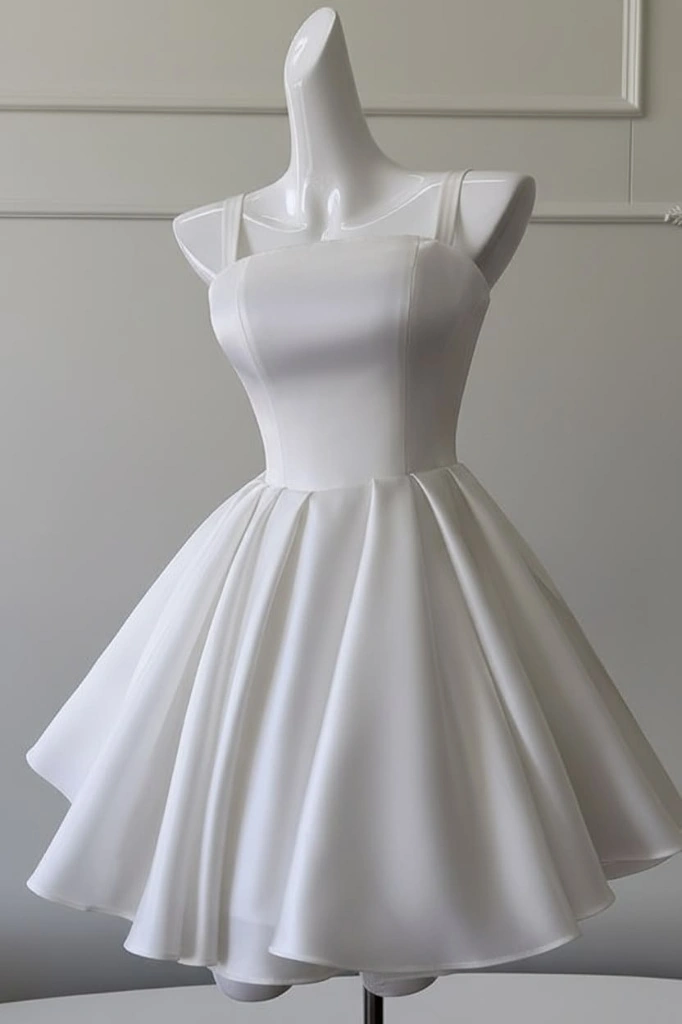
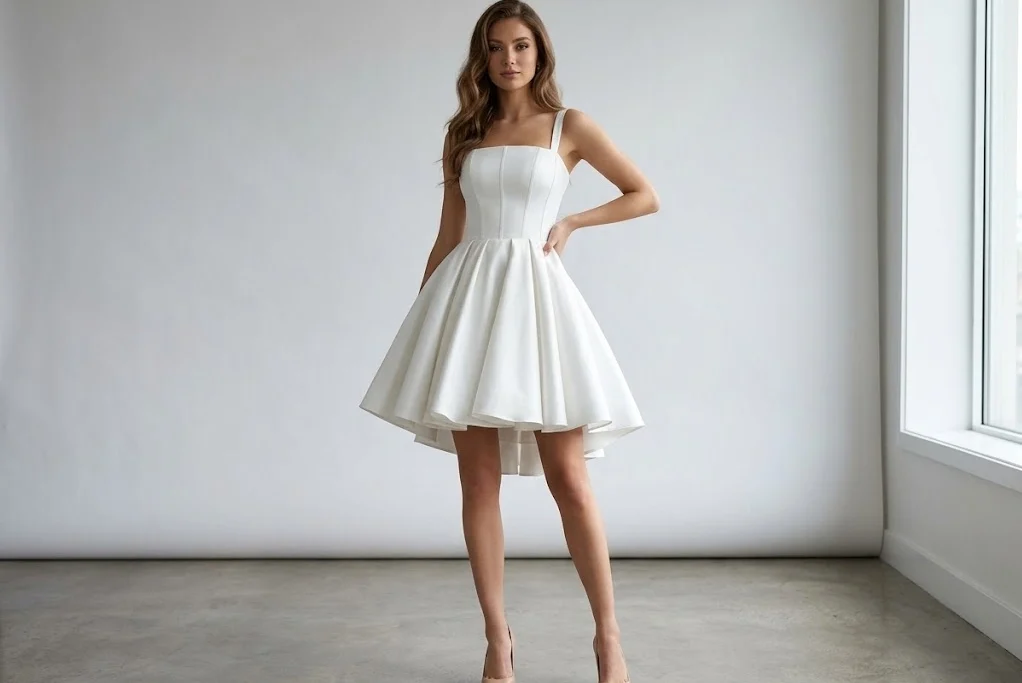
Reference image for the EzMaker AI and Leonardo AI image-to-image comparison Create a realistic fashion photo of a young adult female model wearing the exact dress from the reference image. Keep the dress design, color, pattern, fabric, and details accurate. Show the full body of the model standing in a bright modern studio, with natural lighting and a clean background. Make the dress fit naturally on the model with realistic folds and fabric texture.
Image-to-image result generated by EzMaker AIImage-to-image result generated by Leonardo AI

EzMaker AI follows the reference image well, successfully transferring the white dress onto a realistic model while keeping the overall style and appearance close to the original. The full-body composition also provides a clearer view of how the referenced outfit translates into a real fashion photo.
Leonardo AI also maintains good similarity to the reference and produces a natural, polished fashion image. However, it makes slightly more changes to the overall appearance and framing. Overall, both models handle the reference effectively, while EzMaker AI shows somewhat stronger reference consistency and Leonardo AI delivers a clean, realistic result.

Which Is Better: EzMaker AI or Leonardo AI?

EzMaker AI is the ideal choice for users who want to quickly turn ideas into images with minimal setup. You can get started without creating an account, there is no need to manage tokens before each generation, and the workflow is intuitive and straightforward. In testing, it adhered well to instructions, composition requirements, and reference images, producing results with a natural look.

Ease of Use 4.9
Prompt Interpretation 4.8
Generation Speed 4.6
Illustration & Style Range 4.8
Composition Handling 4.6
Output Consistency 4.7

Leonardo AI is better suited for users who require deep control over the generation and refinement processes. It offers a wider range of models, reference image tools, consistency features, editing options, and advanced workflow capabilities, providing greater flexibility for sustained creative production. Tests show it often delivers finer texture details, superior lighting and shadow effects, and a more refined visual quality.

Ease of Use 4.4
Prompt Interpretation 4.7
Generation Speed 4.7
Illustration & Style Range 4.8
Composition Handling 4.8
Output Consistency 4.6

If you want to create images on the fly, generate social media content, or quickly experiment, EzMaker AI is the more accessible option. However, for users who need to build reusable creative workflows, maintain visual consistency, or perform multiple iterations, Leonardo AI offers a more powerful suite of tools.

Is EzMaker AI a good alternative to Leonardo AI?

EzMaker AI is a practical Leonardo alternative for users who want free image generation without creating an account or managing a token balance.

Is EzMaker AI free?

EzMaker AI is an AI image generator as free and unlimited, with no account or credit card required.

Can I use Leonardo AI for free?

Yes. Leonardo offers a free plan with 150 Fast Tokens that refresh daily. The number of images available from those tokens depends on the model and generation settings. A minimum of eight tokens is required.

Is Leonardo AI worth paying for?

A paid plan can make sense for users who generate frequently, need private generations, use custom models, or rely on advanced editing and consistency tools.

Which tool should beginners choose?

EzMaker AI is the more beginner-friendly option because users can begin without an account, token planning, or model selection. Leonardo AI becomes more attractive once a user needs greater control over models, references, consistency, and production workflows.