














Free AI Watermark Remover for Images

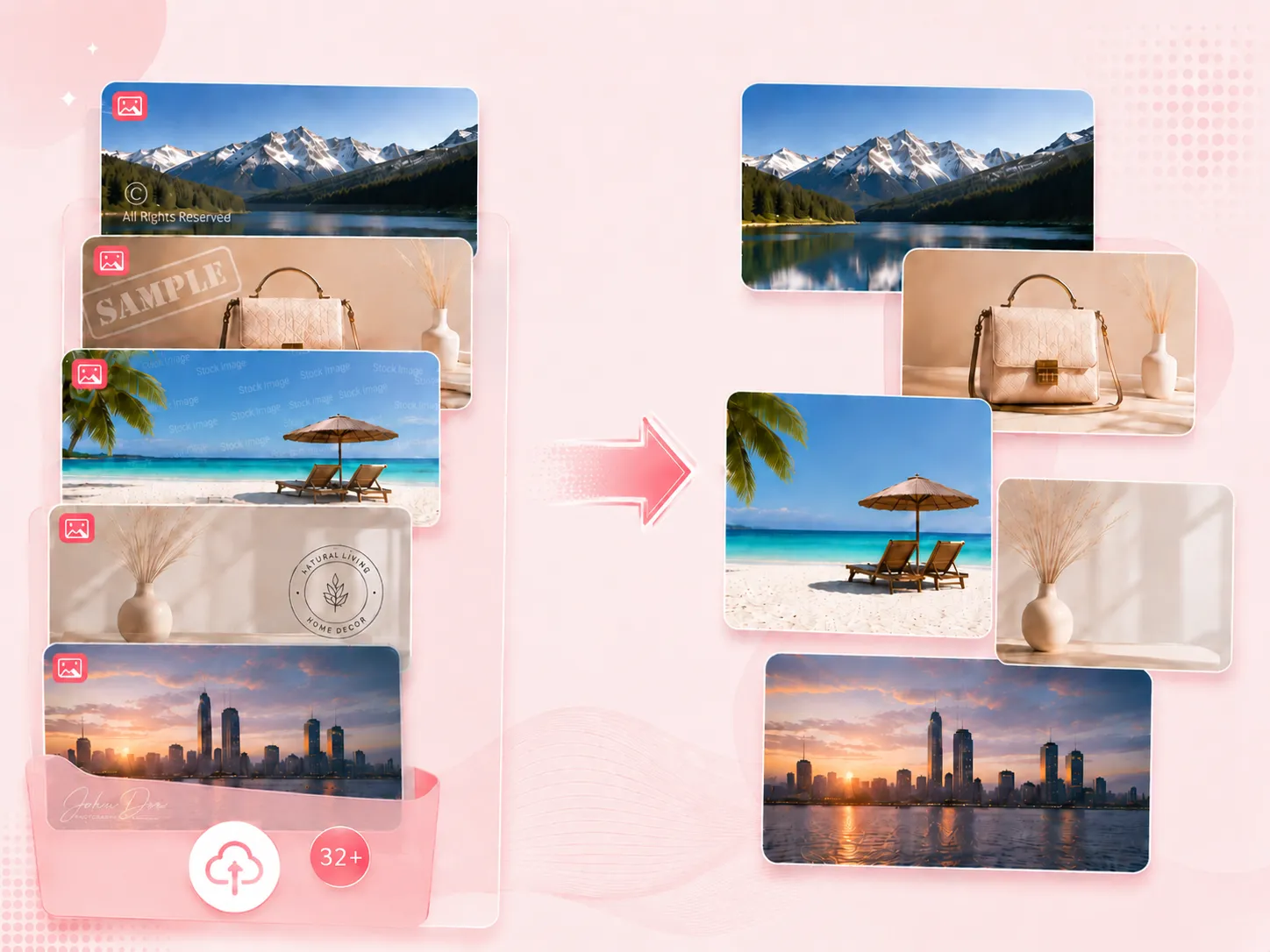
Magically erase watermarks from photos with our free AI watermark remover. Get 100% clean, natural results, no blur, no smudging.

user
User2
User3

Trusted by millions to simplify everyday image editing tasks.

AI watermark remover

Remove Any Watermarks from Photos

Instant, Clean Watermark Remover

AI Watermark Remover for Text, Logos & Objects

Before removing text watermarkAfter removing text watermark
Remove text watermarks & timestamps from images

With one click, you can remove text watermarks and timestamps from screenshots, downloaded images, or social media posts, leaving a clean version ready for editing or reposting.

Before removing passerbyAfter removing passerby
Magically erase any unwanted objects online

Just highlight unwanted people or objects in your photo, no editing skills required. Our AI watermark remover intelligently reconstructs the background, seamlessly filling in textures for a natural-looking result.

Before removing logoAfter removing logo
AI logo remover for clean, natural-looking image editing

Logos and corner marks can be erased cleanly while keeping the original lighting and structure intact, making the final result look smooth and unedited.

Instantly Remove Any Watermark from Images Online

Instantly Remove Any Watermark from Images Online

Our free AI watermark remover can accurately detect and remove different types of watermarks, including text, logos, and semi-transparent overlays, without requiring any manual selection or adjustment. Even on complex backgrounds, it preserves a natural look and delivers clean results.

Erase Watermarks Seamlessly While Preserving Every Detail

Even when watermarks overlap faces or appear across lighting transitions and shadows, there's no need to worry about damaging the original image texture. Our AI watermark remover doesn't simply erase the watermark, it intelligently reconstructs the missing area based on surrounding content, ensuring smooth and seamless blending.

Erase Watermarks Seamlessly While Preserving Every Detail
High-Quality Photo Watermark Removal Without Quality Loss

High-Quality Photo Watermark Removal Without Quality Loss

Our AI watermark remover does not reduce resolution or compress image quality. The removal process only affects the selected watermark region, while the overall sharpness, color depth, and detail remain intact. The output is crisp and ready for direct use, even when zoomed in.

Bulk Watermark Removal Without Photoshop

No Photoshop skills or manual editing techniques are required. The entire process is as simple as upload and export. Our image watermark remover also supports batch processing, making it especially efficient for users with high-volume image tasks and significantly reducing repetitive work.

Bulk Watermark Removal Without Photoshop

How to Remove Watermark from Photo for Free?

Upload Image

Upload the photo you want to remove the watermark from. It supports common formats like JPG and PNG, and you can start right away without signing up.

1

One-Click Removal

No manual brushing or selection needed. The AI watermark remover automatically detects and removes watermarks, including full-screen ones.

2

Download

Within seconds, you can download the clean, watermark-free high-resolution image. The output is ready to use directly without any further editing.

3
Testimonials

Real User Feedback on Our AI Watermark Remover

Here's what users say about their experience with the watermark remover in everyday use, join them and start simplifying your photo editing process today.

User2
Emily Carter E-commerce Operations Manager

Previously, I used other AI tools to remove watermarks from product images, but the results were never very stable and I often had to go back and fix things manually. This image watermark remover actually exceeded my expectations, it usually gets the job done cleanly in one try, so I don't really need to redo or adjust anything afterward.

User3
Jason Miller Graphic Designer

I was initially worried that the AI would remove important details along with the watermark, but it actually preserves facial textures and background details really well. Now I usually run my content images through it first before anything else, and it's already become a natural part of my workflow.

user
Brendan Buck Content Creator

This AI watermark remover is really convenient, I don't even need to manually select or mark the watermark area. I just upload the image and leave it for a few seconds, and it's done. I've already gotten used to using it for quick image cleanup.

Help Center

AI Watermark Remover FAQs

Quick answers to common questions about the AI watermark remover. Can't find what you're looking for? Feel free to contact us.

AI watermark remover is a practical tool that removes different types of watermarks, including full-screen overlays, text, logos, and more. It cleans them up naturally without leaving obvious traces, while keeping the original image details and resolution intact.

Yes, the watermark is removed without affecting image quality, and the original resolution stays fully intact, so the image still looks sharp.

Yes, all features on EzMaker AI are currently completely free to use, with no usage limits.

Yes. It works well on skin textures, hair, and complex backgrounds. Our photo watermark remover not only removes the watermark but also naturally fills in the missing areas, so the result blends smoothly without noticeable editing marks.

Yes. You can use our AI watermark remover for commercial purposes, as long as you have the proper rights to the original content.

Generally, most images are processed within a few seconds. The exact time depends on the image size and complexity.