Free Image to Image AI Online

Effortlessly turn any photo into stunning art online in seconds. With this free image to image AI tool, you can transform any image into any style you like. No design skills required—just a few clicks.

  • Free to Use
  • Unlimited
  • 24/7 Support

Recreate Any Photo with AI Image to Image – Free Online

0

Images Downloaded

0 K

Active Creators

0 K

Max Resolution

0 %

Free to Use

Image to Image AI for Every Editing Need

From image edits to style transformations, our free AI image to image tool flawlessly realizes your ideas.

1

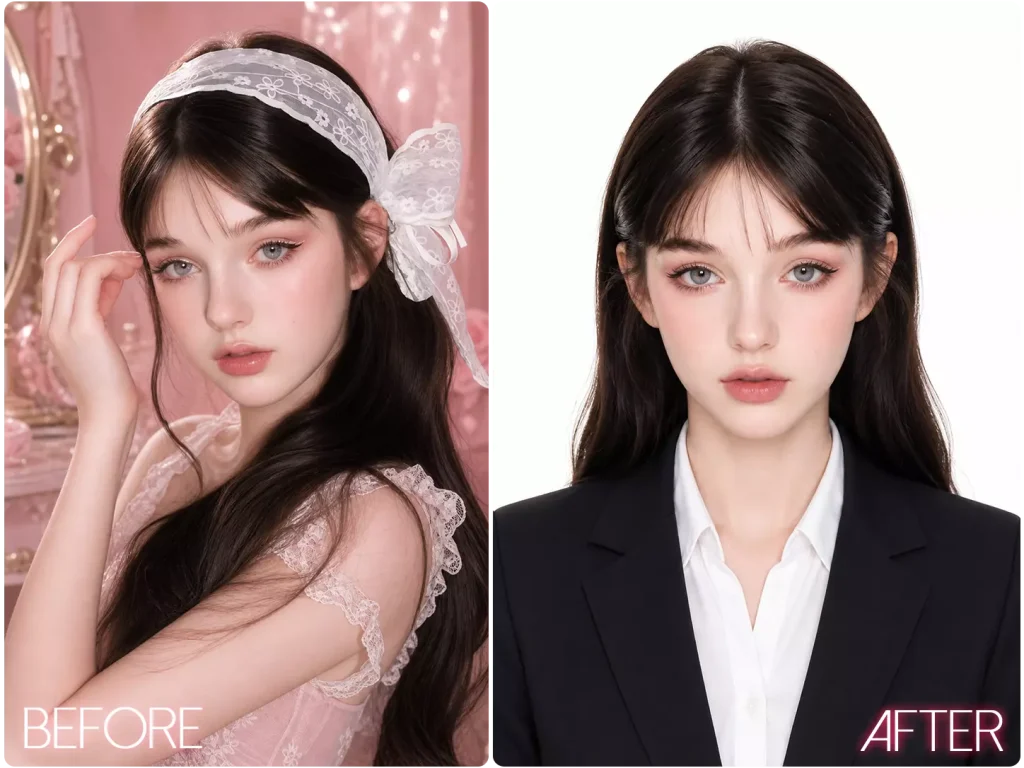
Transform Any Image Exactly as You Imagine

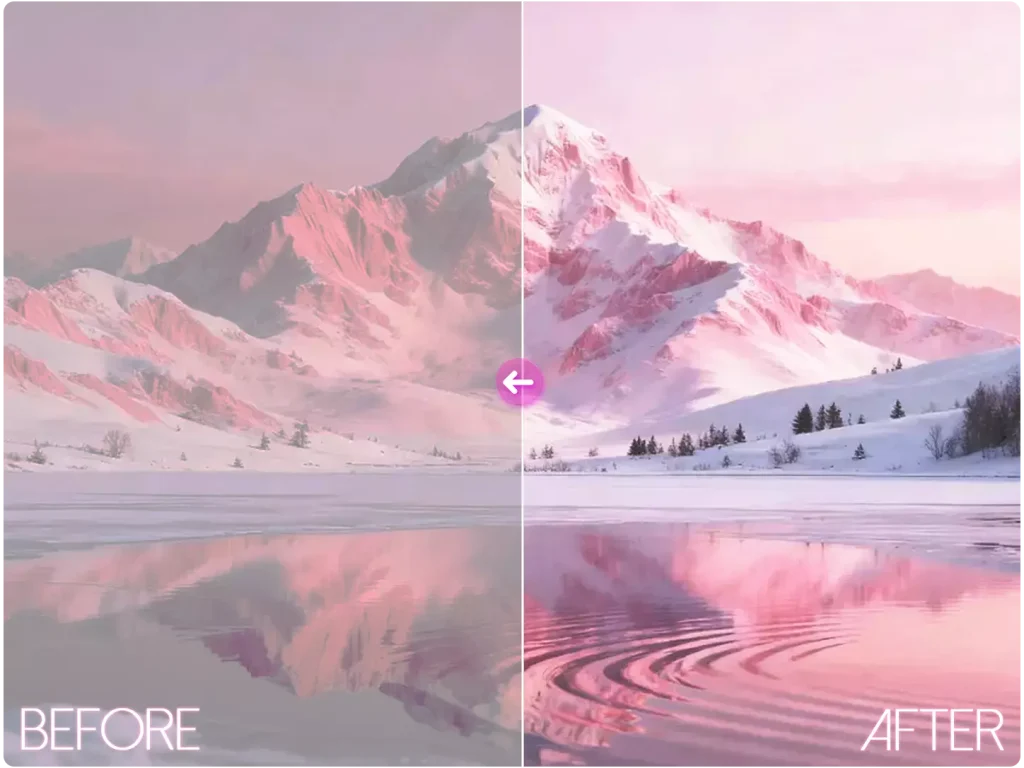
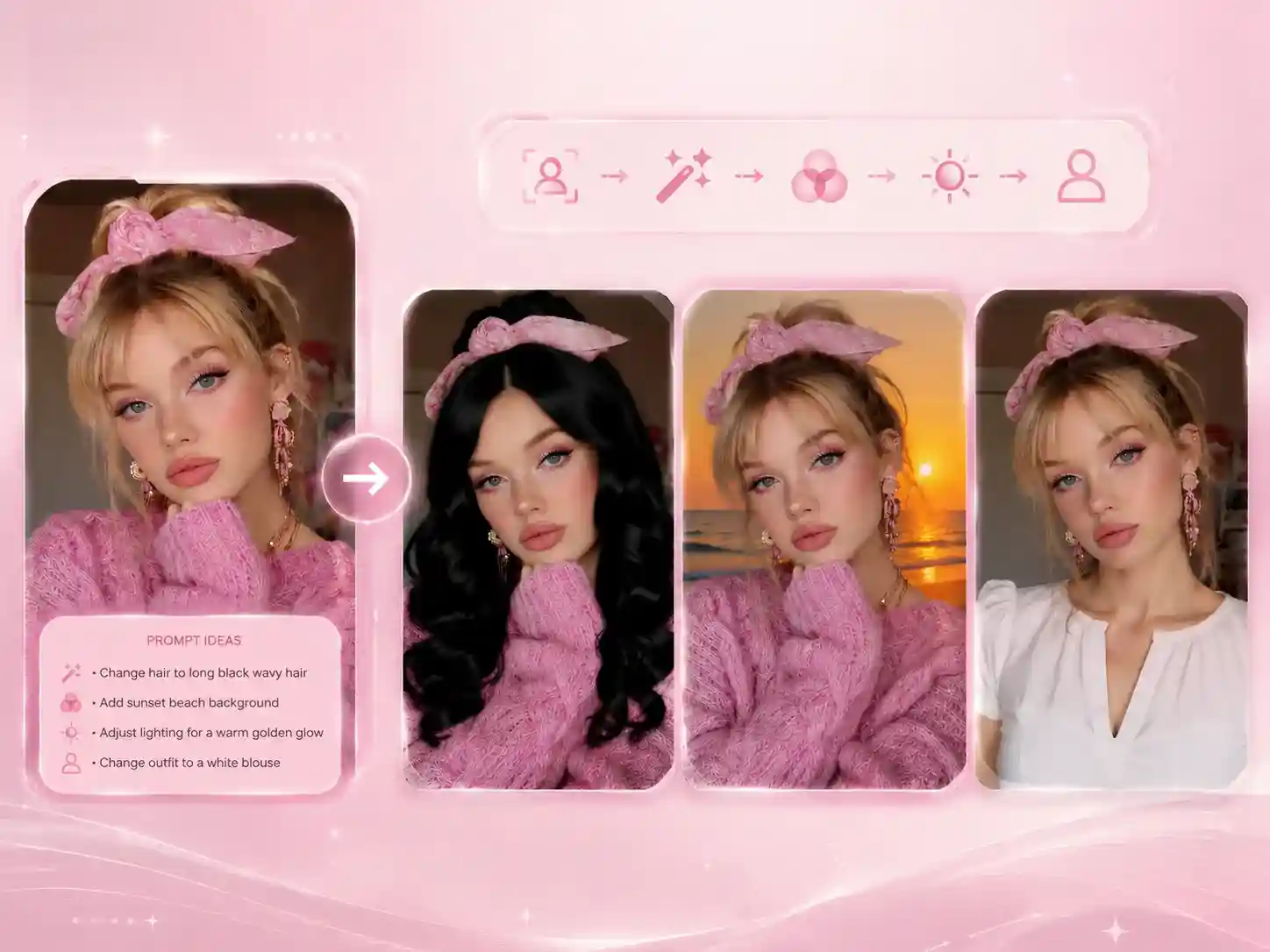
Just by using simple prompts, you can add new objects to the original image, change the background, remove unwanted elements, and adjust lighting. No matter how complex the edits are, our image to image AI strives to understand and faithfully preserve fine details, turning your creative ideas into fully visualized results.

Transform Any Image Exactly as You Imagine
2

Restyle Your Images Without Affecting the Main Subject

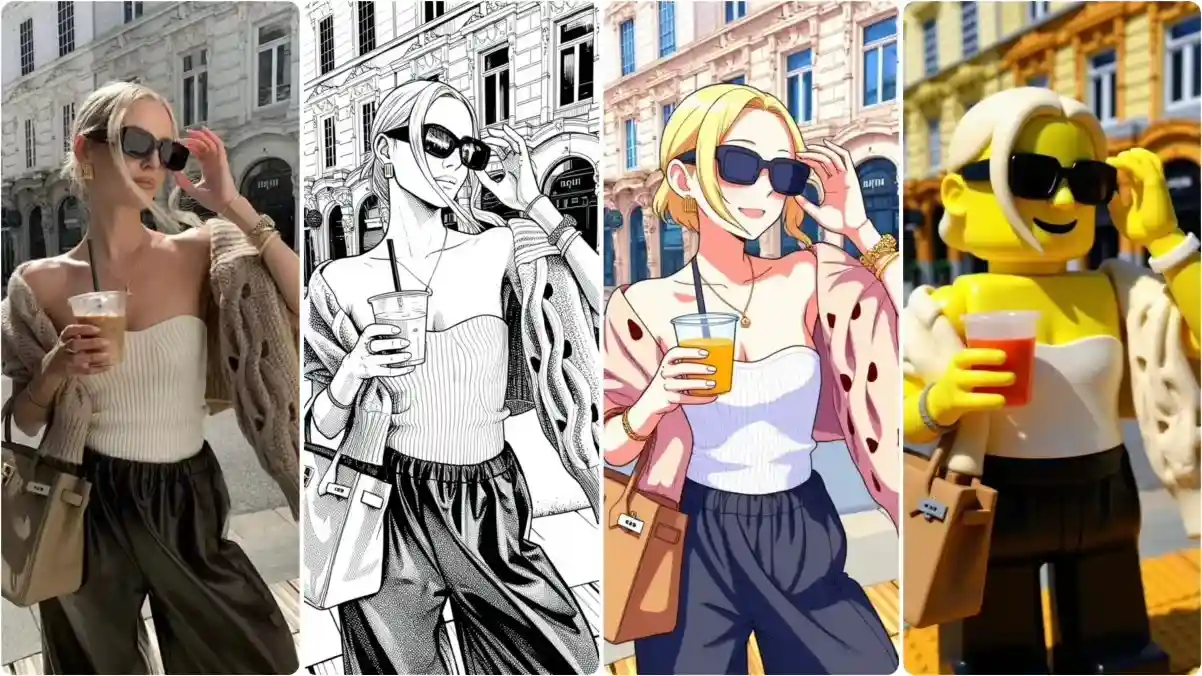
You can freely restyle the overall look of your images in pixel style, cartoon, anime, and more using our free image to image AI generator. The core subject and main content of the image remain intact and will not be replaced. Feel free to transform classic anime characters into realistic styles or anything else you can imagine.

Restyle Your Images Without Affecting the Main Subject
3

Turn One or Multiple Images into New, Unique Creations

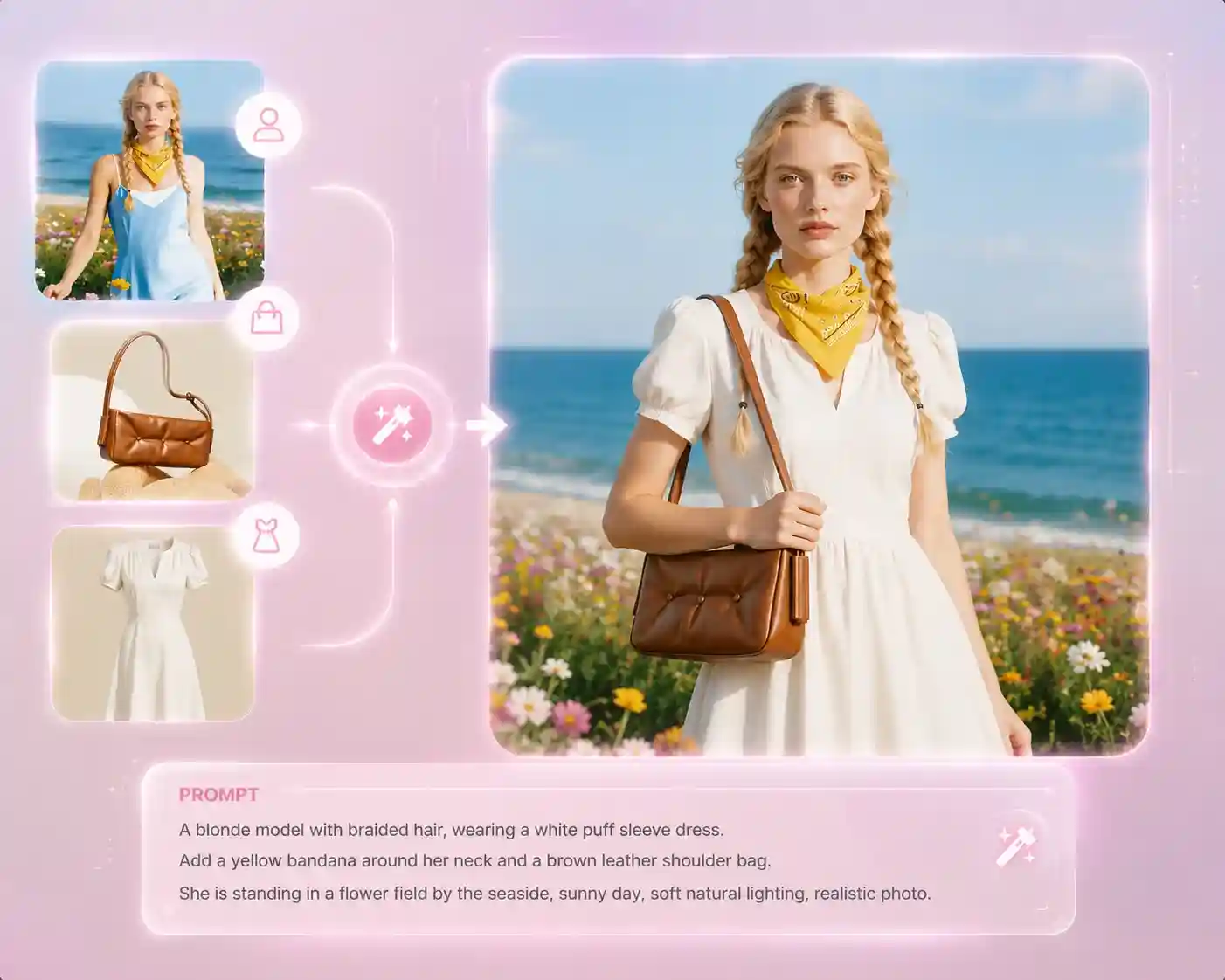
Not only can it recreate a single image, our powerful image to image AI also supports multi-image blending to create entirely new visual compositions. For example, you can try different outfits on different models. You have the freedom to combine or reconstruct elements from multiple images, without being limited to a single source.

Turn One or Multiple Images into New, Unique Creations
Use Cases

Who Can Benefit from Our Free Image to Image AI Tool?

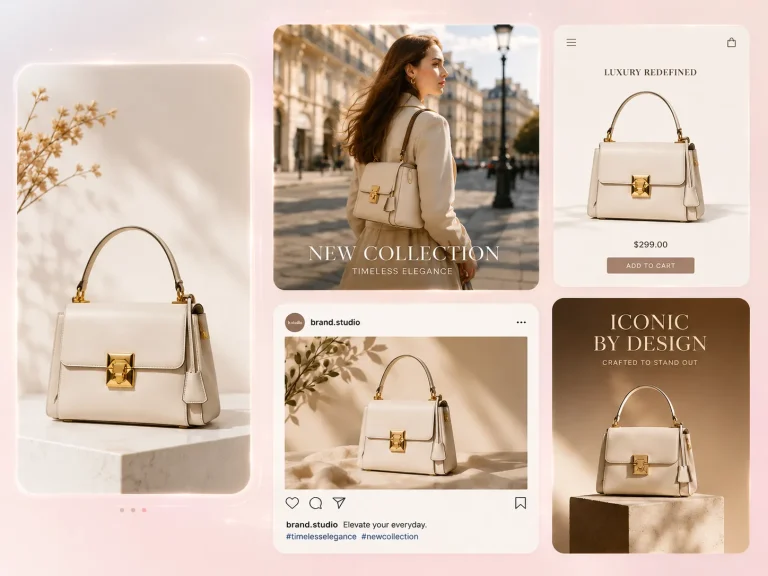
EzMaker AI for E-commerce Sellers

E-commerce Sellers

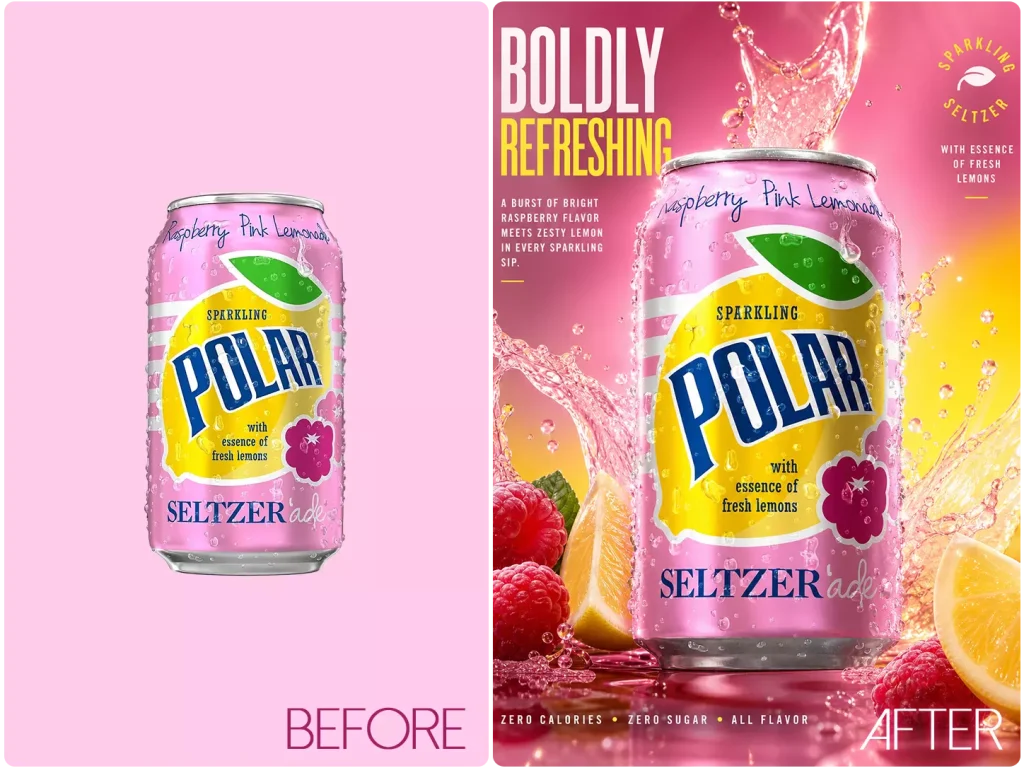
Create multiple versions of product images for storefront displays and advertising, without the need for expensive photo shoots.
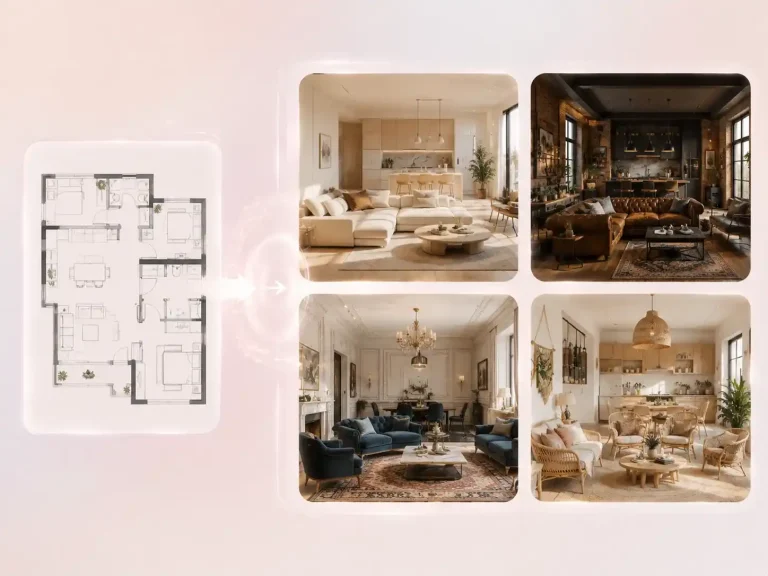
EzMaker AI for Interior Designers

Interior Designers

Generate multiple interior design styles from floor plans or images, and quickly build early-stage concepts to visualize spatial design ideas.
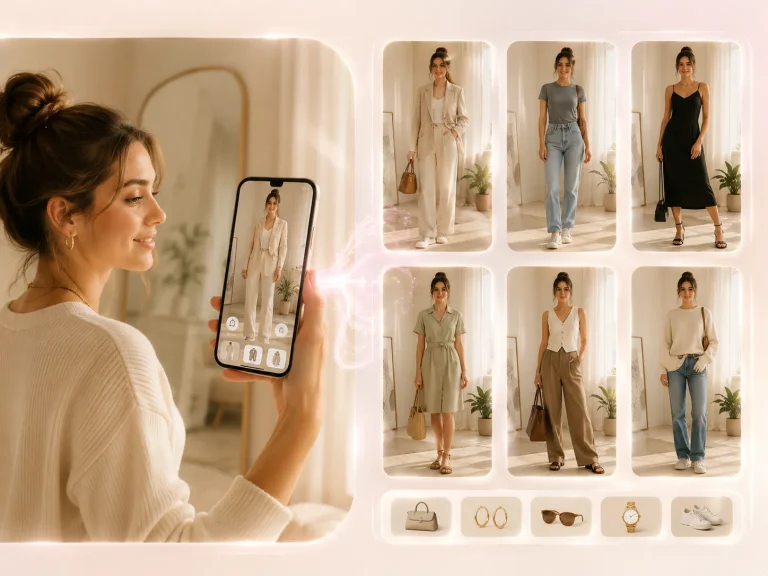
EzMaker AI for Everyday users

Everyday Users

Try on clothes or accessories at home without going out, and instantly see how different outfits or items look on you.
How it works

3 Steps to Recreate Striking Images

Upload Reference Images

You can upload any images, such as selfies, sketches, or landscape photos. Both single and multiple image uploads are supported as references for generation.

STEP 1
Write Your Prompt

Describe what you want to generate, such as a new style, background, outfit, mood, or visual concept, to guide the image to image AI.

STEP 2
Generate & Download

Adjust parameters like resolution and aspect ratio, then click Generate. You can also continue editing your prompt until you're satisfied with the result.

STEP 3
Help Center

Image to Image FAQs

Quick answers to common questions about our AI image to image converter . Can't find what you're looking for? Feel free to contact us.

The Image to image AI tool is a free tool that transforms your reference image into a variety of artistic styles, or edits and recreates it based on your prompts, allowing you to generate unique visuals for every workflow.

Yes, you can use the generated images commercially, but please ensure your original uploaded images do not infringe copyright.

Yes, it is completely free to use with no hidden fees. EzMaker AI is aimed at providing free and convenient tools.

Yes, you can edit the generated image by adjusting your prompts until it matches your expectations.

With our free AI image generator from image, you can easily process all types of images, including selfies, landscapes, and pets.

No, our AI image to image generator supports up to 4K output, delivering clear and high-quality images without resolution loss.