
EzMaker AI vs DeepAI: Which AI Photo Editor Fits Your Needs?
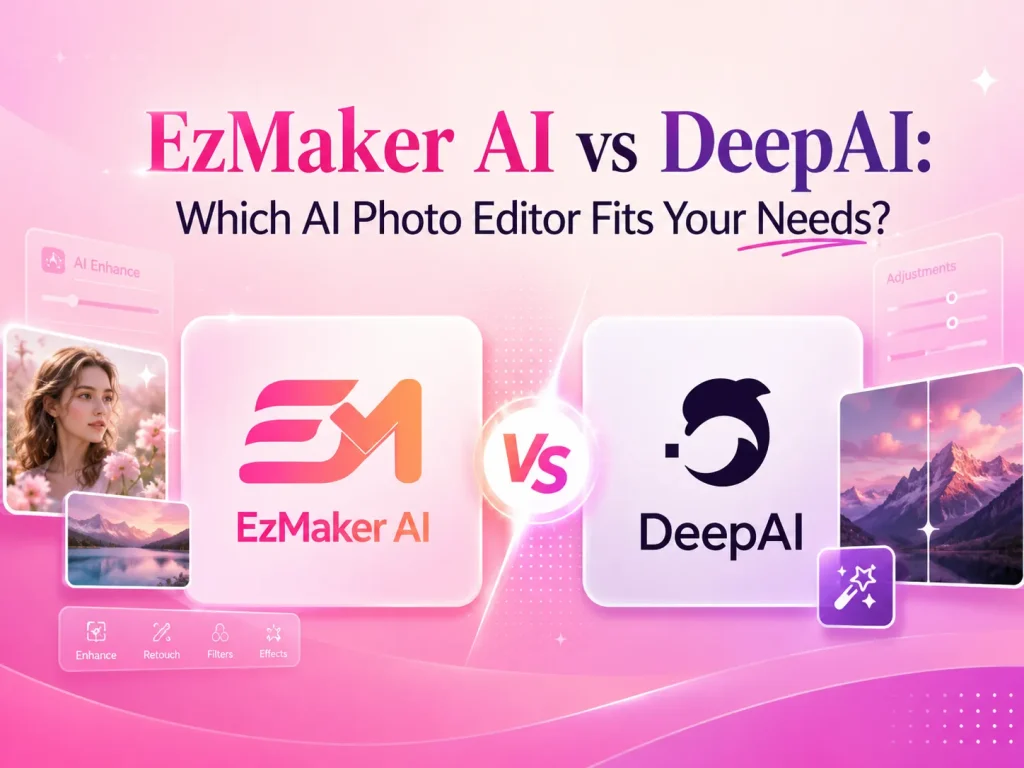
When choosing an AI photo editor, having more features does not always mean having a better experience. What really matters is whether the tool can deliver the editing results you are looking for.
Both EzMaker AI and DeepAI allow users to edit images with text prompts, making it possible to modify or create images based on their own needs. However, after testing both tools, we found differences in their performance and overall experience.
In this article, we compare EzMaker AI and DeepAI through real editing tests, looking at areas such as image results, ease of use, and pricing to help you find the AI photo editor that best fits your needs.
Quick Comparison Table of EzMaker AI vs DeepAI
| Feature | EzMaker AI | DeepAI |
|---|---|---|
| Best For | Simple AI image editing | AI tools & model exploration |
| Pricing | ✅ 100% Free | Freemium |
| Sign-up | ✅ No sign-up required | ❌ Required |
| Usage Limits | ✅ Unlimited | ❌ Limited free uses |
| Multi-Image Editing | ✅ Supported | ✅ Supported |
| Prompt Examples | ✅ Available | ❌ Not available |
| AI Models | ❌ No model selection | ✅ 3 AI models |
| Output Ratios | ✅ 8 options | Default options |
| History | ✅ 48-hour storage | ❌ Not available |
| Other AI Tools | Photo editing focused | Multiple AI tools |
What Is EzMaker AI?
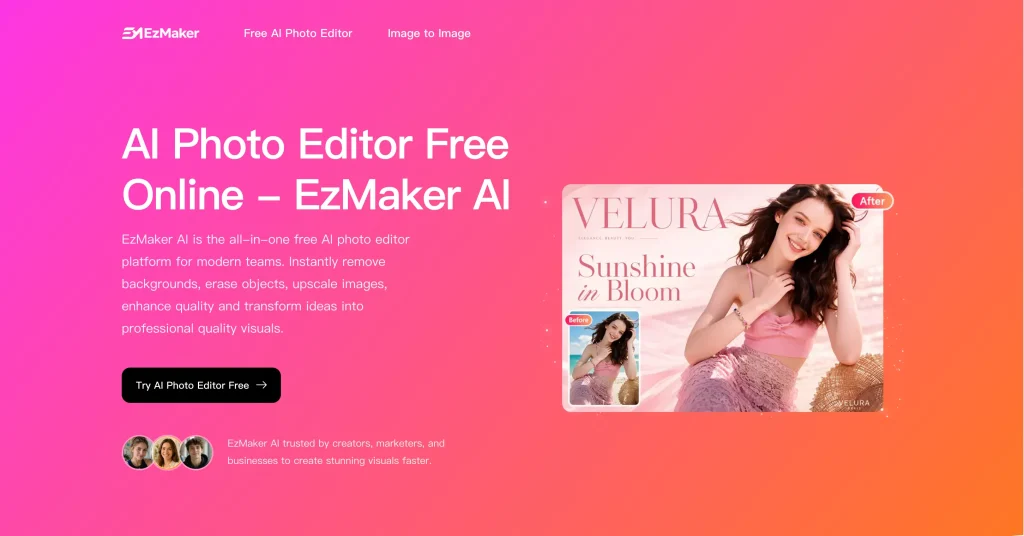
EzMaker AI is a free online AI photo editor that stands out for allowing users to edit images without creating an account. Users can simply upload an image and describe the changes they want through text prompts.
Besides single-image editing, EzMaker AI also supports uploading multiple images for blending and adjustments, making it useful for editing scenarios that involve combining different visual elements. For users who are not familiar with writing prompts, the platform provides common prompt examples to help them get started quickly, making it more beginner-friendly.
Key Features
100% free to use, with no hidden costs or subscription requirements.
No sign-up required, allowing users to start editing images instantly.
Supports both single-image editing and multi-image blending with AI prompts.
Provides prompt examples to help beginners create edits more easily.
Offers 8 output aspect ratios for different image usage scenarios.
What Is DeepAI?
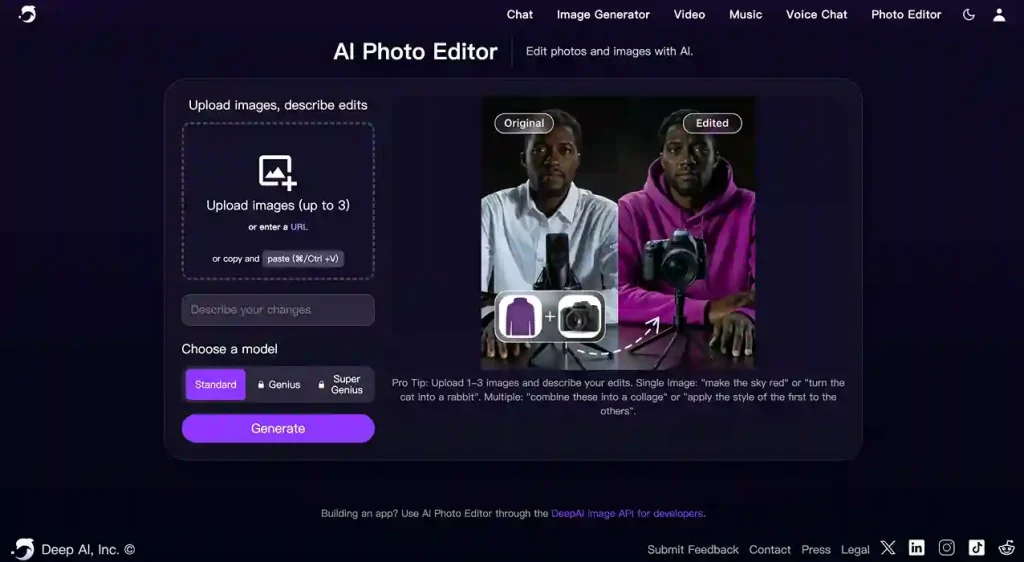
DeepAI is a comprehensive AI platform that offers various AI tools, including image editing features. Its image editor also allows users to modify images through text prompts, with support for both single-image and multi-image editing based on their needs.
During the image generation and editing process, DeepAI provides multiple model options, including Standard, Genius, and Super Genius. For users who want to explore different AI model outputs, these options offer more flexibility in achieving different editing results.
Key Features
Edit images with text prompts and let AI make changes based on your instructions.
Supports both single-image edits and combining multiple images in one workflow.
Provides three AI models: Standard, Genius, and Super Genius, for users to choose from.
Includes other AI tools beyond image editing as part of its broader platform.
EzMaker AI vs DeepAI: Real Image Editing Results
Test 1: Background Replacement
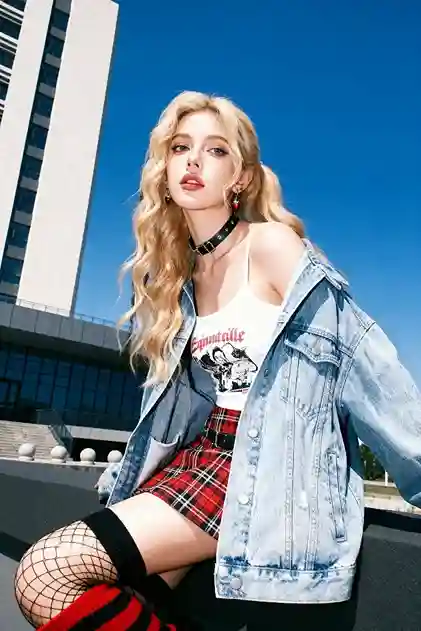
Prompts: Change the background to a beach while keeping the person unchanged. Preserve the original face, outfit, and pose, and make the final image look realistic.
| Original Image | EzMaker AI | DeepAI |
|---|---|---|
|

|

|
Testing Notes
Both tools successfully replaced the original background with a beach scene while keeping the person’s pose and overall appearance unchanged. Neither tool showed obvious cutout edges or noticeable blending issues.
The main difference was how they handled the surrounding environment. EzMaker AI replaced the supporting structure beneath the person with elements that better matched the beach setting, making the overall image feel more consistent. In comparison, DeepAI kept the original structure, which made the transition between the person and the new background feel slightly less natural.
Test 2: Multi-Image Fusion
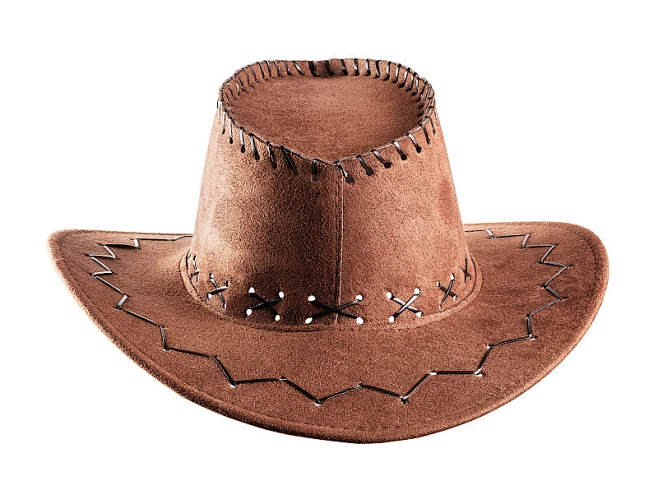
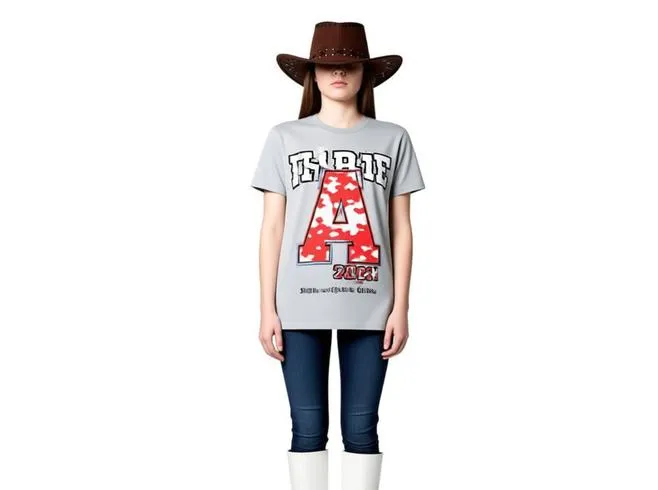
Prompts: Change the background to a beach while keeping the person unchanged. Preserve the original face, outfit, and pose, and make the final image look realistic.
| Original Images | EzMaker AI | DeepAI |
|---|---|---|

|

|
|
Testing Notes
EzMaker AI handled the multi-image edit more naturally. It added the hat from the reference image while keeping the original person, background, and other details unchanged. The hat also blended well with the person’s head position and overall appearance.
DeepAI, however, did not preserve the original image well. It changed the person, background, and composition instead of only adding the hat. The final result looked like a different image with a hat added, with noticeable changes in pose and image proportions.
Test 3: Style Transformation
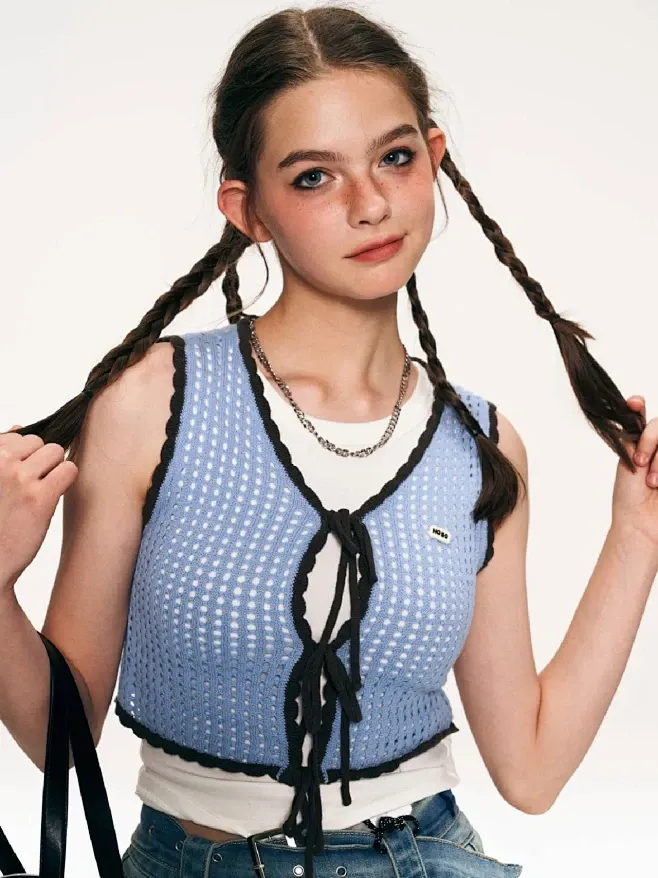
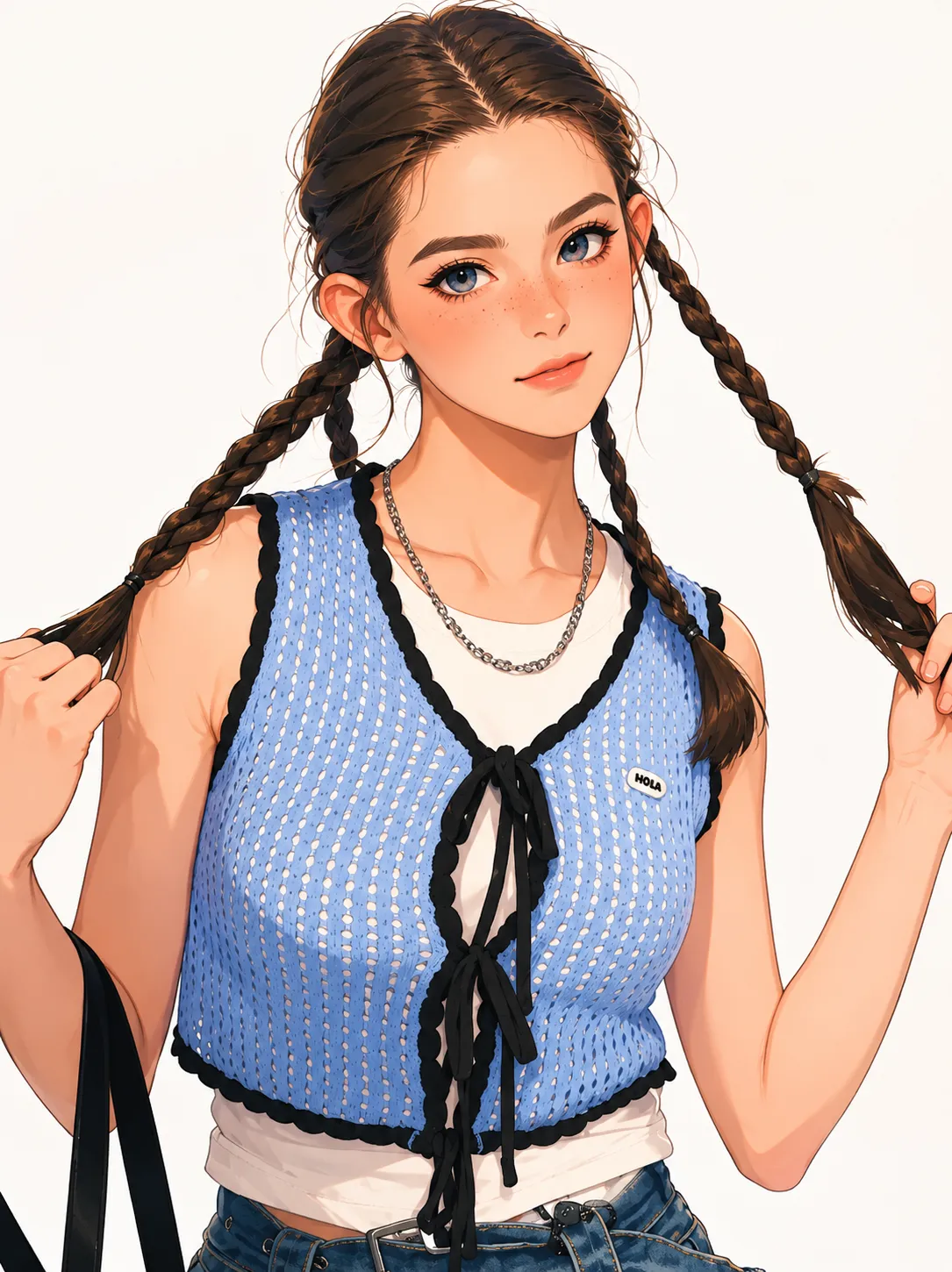
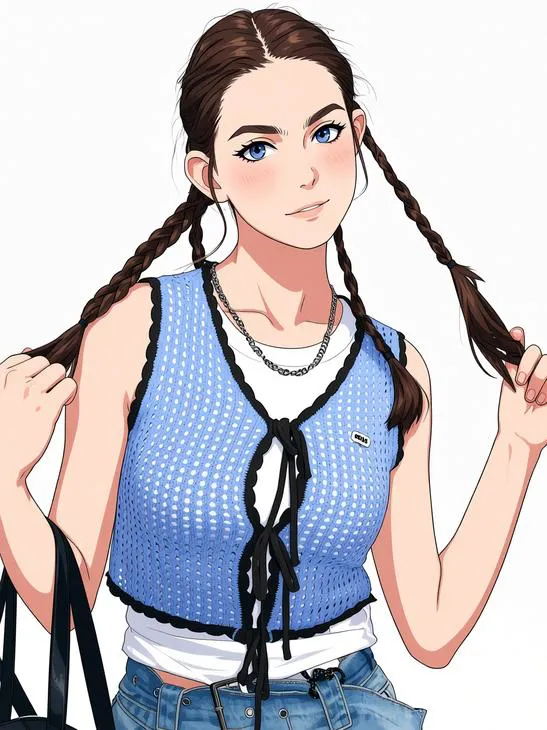
Prompts: Turn this realistic photo into an anime-style image while keeping the person’s face, hairstyle, and pose unchanged. Make the result look natural with detailed anime-style features.
| Original Image | EzMaker AI | DeepAI |
|---|---|---|
|
|
|
Testing Notes
Both EzMaker AI and DeepAI successfully transformed the realistic photo into an anime-style image while keeping the person’s main features and overall appearance. The main difference was in the style interpretation. DeepAI produced a brighter, more washed-out look, while EzMaker AI kept more of the original image details and a more natural overall appearance.
Summary
Based on these tests, both EzMaker AI and DeepAI were able to complete different AI image editing tasks, including background replacement, multi-image fusion, and style transformation. However, EzMaker AI showed better consistency in preserving original image details, especially when the editing task required keeping the person and composition unchanged.
DeepAI could still deliver decent results for basic style transformations, but it was more likely to modify elements beyond the original request in some scenarios.
EzMaker AI vs DeepAI: Ease of Use
| Feature | EzMaker AI | DeepAI |
|---|---|---|
| No Sign Up | ✅ No login required | ❌ Login required |
| Multi-Image Editing | ✅ Supported | ✅ Supported |
| Usage Limit | ✅ Unlimited | ❌ 5 free uses |
| Output Ratio | 8 options | Default |
| Prompt Templates | ✅ Available | ❌ Not available |
| Model Selection | ❌ No model selection | ✅ 3 models (Free: Standard only) |
EzMaker AI
EzMaker AI offers a more straightforward experience for users who want to start editing quickly. No account creation is required, and users can continue editing without usage limits. The available prompt examples also make it easier for beginners to create edits without spending time figuring out how to write instructions.
DeepAI
DeepAI provides more flexibility through its model selection, but the experience is more restricted for free users. Free users can only access the Standard model and are limited to 5 uses before needing to upgrade. In addition, creating an account is required before using the tool.
Summary
EzMaker AI provides a more accessible editing experience with fewer entry barriers and no usage restrictions. DeepAI gives users more control through different AI models, but some features and usage limits depend on the user’s plan.
EzMaker AI vs DeepAI: Pricing
EzMaker AI: Free Access Without Restrictions
EzMaker AI offers a simple pricing model: it is 100% free to use. Users can access its AI editing tools without paying for a subscription or worrying about additional costs, making it a convenient option for those who only need occasional image edits.
DeepAI: Paid Plans for Extended Access
DeepAI uses a freemium pricing model. While users can try its AI tools with limited free usage, more frequent users need to upgrade to a paid plan.
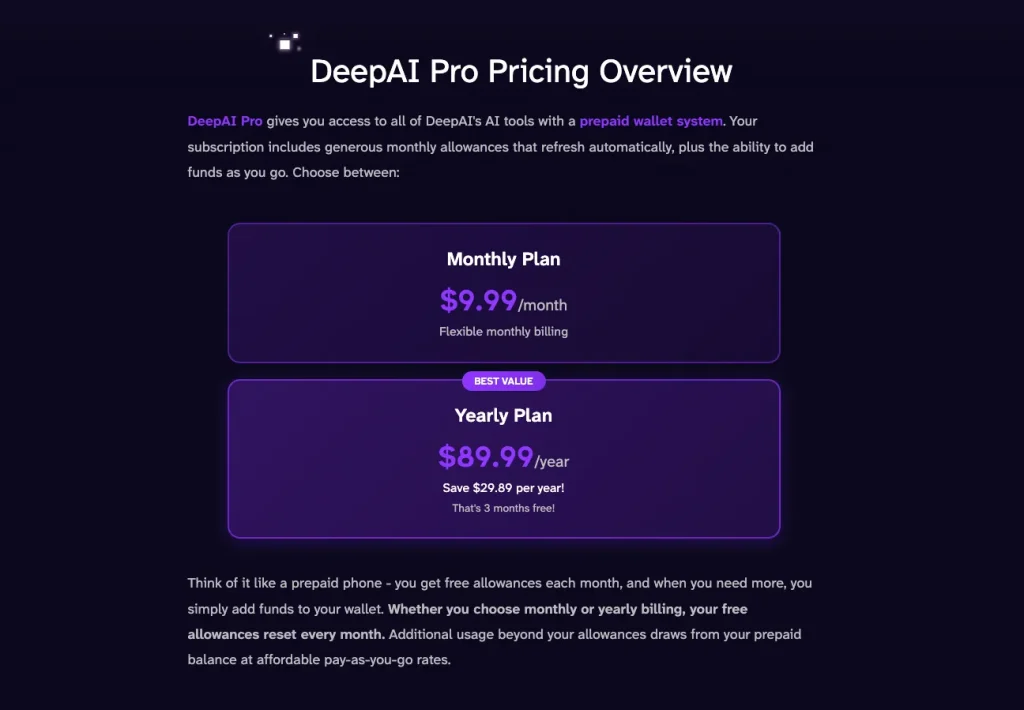
DeepAI offers two subscription options:
- Monthly Plan: $9.99/month
- Annual Plan: $89.99/year
The annual plan provides a lower average monthly cost compared with the monthly subscription, making it more suitable for users who use DeepAI regularly.
Summary
For users who don’t want to pay for an AI photo editor, EzMaker AI is a straightforward choice with 100% free access. DeepAI can be useful for users who need more frequent access and don’t mind subscribing, but the free plan is more limited.
EzMaker AI vs DeepAI: Storage & Privacy
EzMaker AI: Temporary History Storage
EzMaker AI saves users’editing history for 48 hours, allowing them to revisit recent edits without uploading the same image again. After this period, the stored history is no longer available.
Advantages:
Keeps recent edits accessible for a short period
Allows users to review previous results
Temporary storage reduces long-term data retention
DeepAI: No Editing History
DeepAI does not provide a history feature for previous edits. Users need to upload their images again if they want to process them another time.
Lorem ipsum dolor sit amet, consectetur adipiscing elit. Ut elit tellus, luctus nec ullamcorper mattis, pulvinar dapibus leo.
Advantages:
- No stored editing history to manage
- A simpler approach for users who prefer minimal data storage
Summary
Both EzMaker AI and DeepAI provide privacy policies that explain how user data is handled. The main difference is that EzMaker AI keeps temporary editing history for 48 hours, while DeepAI does not save previous editing sessions. Users who want quick access to recent edits may prefer EzMaker AI, while those who prefer no history storage may find DeepAI’s approach more suitable.
Final Verdict: Which One Should You Choose?
After comparing EzMaker AI and DeepAI across image editing results, ease of use, pricing, and privacy, the right choice depends on what you need from an AI photo editor.
Choose EzMaker AI if you want a free and simple AI photo editor
EzMaker AI is a better choice for users who want to edit images without creating an account or paying for a subscription. It provides 100% free access, making it easier for users to try AI editing tools without worrying about extra costs or usage restrictions.
In our tests, EzMaker AI also showed better consistency when preserving original image details, especially for tasks like background replacement and multi-image editing where keeping the original subject and composition unchanged is important.
Choose DeepAI if you need more AI model options
DeepAI may be a better fit for users who want to explore different AI models and access a broader range of AI tools. It provides multiple model options and includes features beyond image editing. However, free users should keep in mind that usage limits apply and an account is required before using the tool.
Based on our testing, EzMaker AI stands out as one of the best free AI photo editors for users who want a simple and accessible way to edit images. It delivers consistent results across different editing tasks, especially when preserving original image details and keeping the overall composition unchanged. Whether you need to make quick adjustments, combine multiple images, or try AI-powered edits for the first time, EzMaker AI provides a reliable option for everyday image editing.
Edit Your Photos Today
Edit, enhance, and transform your photos effortlessly with AI. Start creating amazing images for free today.