Ezmake AI vs Picsart: Which Is The Best AI Photo Editor for You?

Choosing an AI photo editor that suits your needs is, frankly speaking—no simple task, given the dizzying array of options available today.

The experience changes significantly when you actually start using the tools. Some offer a comprehensive creative workspace integrating templates, filters, asset libraries, video editing capabilities, and generative AI tools; others focus on helping users complete specific editing tasks—such as removing watermarks, resizing images, or enhancing image quality, as quickly as possible.

These differing needs are the focus of this article and highlight the primary distinction between EzMaker AI and Picsart.

ez-vs-picsart

Picsart is a comprehensive creative design platform built for users who want a wide range of editing and design options within a single app. While its strategy emphasizes breadth and variety, this approach can sometimes stray from specific user needs. In contrast, EzMaker AI takes a more direct and efficient path: there is no need to create an account, simply open the tool, upload your image, edit it, and download the result.

So, which AI photo editor is the best fit for you? It depends on the specific tasks you want to accomplish. Read on to help you decide.

EzMaker AI vs Picsart: Key Differences at a Glance

Feature EzMaker AI Picsart
Core positioning Fast, browser-based AI photo editor All-in-one creative and design platform
Best for Quick edits, product photos, background cleanup, image enhancement Social content, filters, templates, branded designs, creative projects
Main AI features Object removal, background removal, image to image, enhancement and upscaling Background and object removal, retouching, filters, AI Replace, effects and generation
Sign-up No sign-up required Login required
Free access 100% free and unlimited Free tools available; advanced access depends on the plan
Watermark No watermark Depends on the selected tool and plan
Learning curve Low Moderate due to the broader feature set
Mobile & PC Compatible with both PC and mobile Established web and mobile apps
Best overall choice Quick, accessible AI editing Full creative production
In summary, the comparison table clearly shows that Picsart offers a broader creative ecosystem, whereas EzMaker AI focuses on addressing specific needs, aiming to further lower the barrier to entry for everyday photo editing.

What Is Picsart?

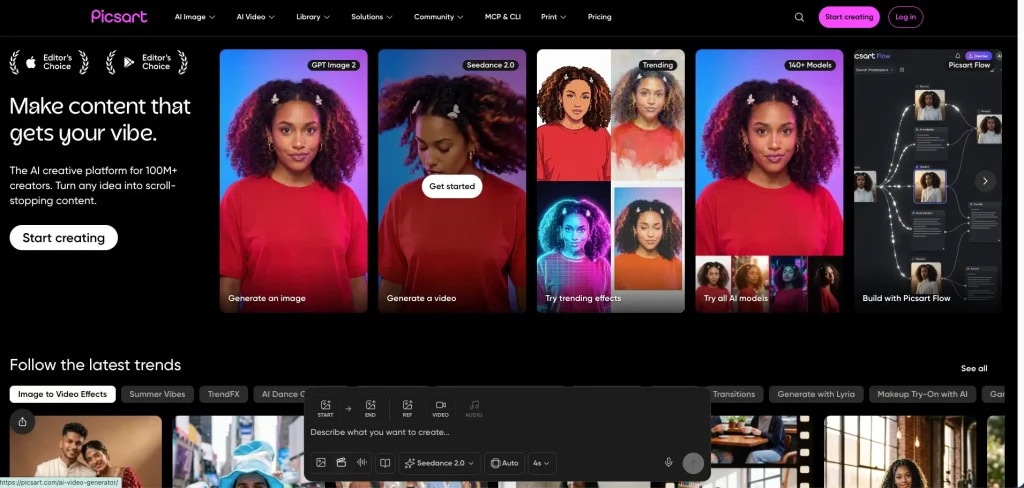
Picsart isn’t just an AI photo editor—it’s an all-in-one creative hub featuring photo editing, graphic design, generative AI, video tools, templates, effects, and a stock library.
Picsart AI photo editor

Its AI photo editing suite currently packs over 25 AI-driven features, letting users handle background removal, object replacement, portrait retouching, color correction, image sharpening, filter application, photo expansion, and text-to-image editing.

With such a versatile toolkit, Picsart is a huge draw for creators who want to push past basic touch-ups and explore endless creative possibilities.

Key Features of Picsart AI Photo Editor

Picsart’s biggest edge is definitely its all-in-one versatility.

For instance, after you remove the background from a product shot, you don’t need to switch apps—you can instantly add text, throw on a filter, drop in a logo, pick a template, and churn out a finished post ready for social media.

Its main standouts include:

● AI background removal and replacement
● Object removal and AI Replace
● Face retouching and beauty edits
● Color correction and image enhancement
● AI filters and style transfer tool
● Photo editing from text-prompt
● Templates, fonts, stickers and stock assets
● Supports running on mobile and PC browsers
● Tools for images, videos, GIFs and social content

If you are planning to create the creative assets for a full-scale marketing campaign, these interconnected tools will be invaluable to you.

Picsart Main Pitfalls

The main pain points with Picsart:

Too much clutter: If you just want to remove a random passerby or do a quick edit, opening a bloated “all-in-one” app means you end up digging through a ton of features and menus you don’t even need.

Too many rules and hoops to jump through: You have to stop and think while using it: Is this feature locked behind a paywall? Will this AI action burn my credits?

Steep pricing and subscription tiers: It splits its plans into Pro and Ultra, packing them with cloud storage, templates, and advanced models. While that’s a decent deal for power creators, it’s major overkill and pretty unappealing if you just want to tweak a photo once in a blue moon.

What Is EzMaker AI?

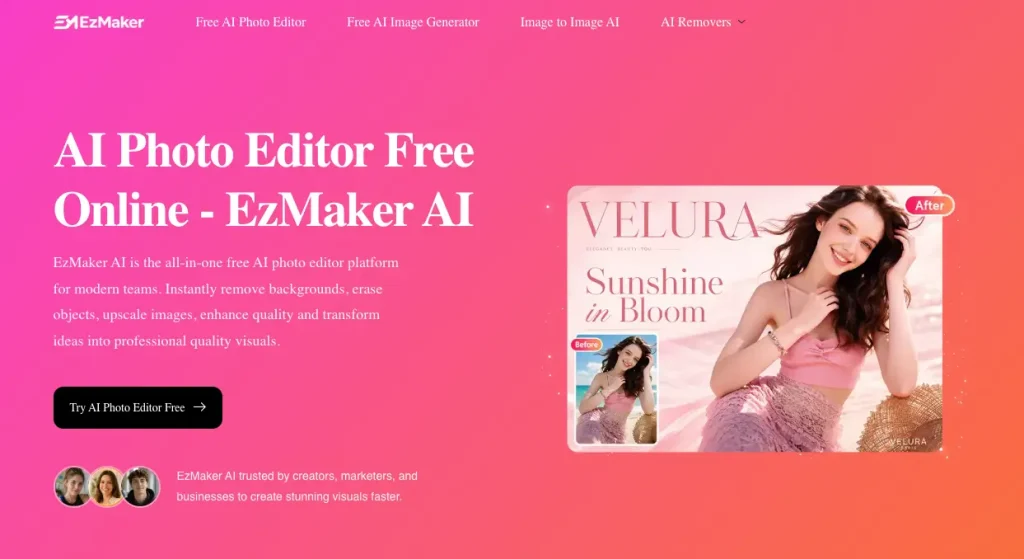
EzMaker AI is a handy browser-based photo tool built specifically for tackling everyday editing tasks.

Instead of throwing a massive, complicated design interface at you, it zeroes in on the essentials—like removing backgrounds, erasing random objects, expanding images, fixing quality, or upsizing low-res photos.

The workflow is super straightforward: upload your pic, type out or pick what you want changed, let it work its magic, and download the final result right away.

Key Features of EzMaker AI

EzMaker AI’s biggest selling point is how ridiculously easy it is to use.

According to their official site, you don’t need to register an account, cough up payment info, or download any bulky software to get started. Plus, when you download your edited pictures, they come completely clean—no annoying watermarks forced on them.

Its core features include:

  • Free AI Image generator from text
  • Free AI image to image tool
  • AI object removal tool
  • background removal and replacement
  • Completely free to use
  • Prompt-based editing
  • Support for JPG, PNG and WebP
  • High-resolution downloads
  • No account required to begin editing
  • AI watermark remover
  • Free Magic Eraser AI online

These features cover pretty much all the regular tasks that online sellers, bloggers, marketers, and everyday users need to deal with on a daily basis.
EzMaker AI Main Pitfalls

From its inception, EzMaker AI was not positioned to replace a full-fledged design studio; instead, it focused on addressing specific image editing needs.

It lacks an extensive template library and relies on image and text prompts for modifications, which may prove limiting for designers seeking granular manual control or the ability to handle complex, multi-layered projects.

Furthermore, while the tool is completely free to use, the high volume of users often necessitates waiting in a queue—a trade-off that many may find not worth the time.

Which AI Photo Editor Is Better for Each Task?

Simply counting how many features an app has doesn’t tell you much about how useful it actually is. The real question worth asking is: which editor is the best fit for the exact task you have on your hands right now?

1. Removing Unwanted Objects

Both platforms can wipe out unwanted elements in your shots.

● Picsart is built for a chain of actions: you use it to clear out random people or clutter, and then jump straight into using its massive suite of design tools to keep tweaking things. If you’re tackling a big project where cleaning up the photo is just step one, it saves you a lot of hassle.

● EzMaker AI keeps it fast and clean: you just brush over whatever you want gone, and it automatically patches up the gap using the surrounding background. We’re mostly looking at how natural the fix looks, how clean the edges are, and whether it’s totally foolproof to use.

The Winner:

If you just want to zap away a distraction in a flash, EzMaker AI wins on sheer speed. But if you need to roll right into complex layout design the second you’re done cleaning up, Picsart is still the way to go.

2. Photos Background Removal

Background removal is one of the most common tasks in photo editing, especially for anyone selling things online.
Both tools can easily separate a subject from its background and drop it into a new scene:

● Picsart shines when you want to keep going: it lets you immediately add all sorts of design elements, turning a product shot into a polished promotional poster in no time.

● EzMaker AI keeps things lean and fast: upload your pic, ditch the background, switch it to a solid white or clean color, and hit download. For things like marketplace listings, product catalogs, or profile pics, it makes life super easy.

The Winner:

If you just want a clean, no-fuss cutout or white background for a product, EzMaker AI takes the crown. But if cleaning up the background is just the prelude to designing a full-blown ad, Picsart is the way to go.

3. AI Photo Enhancer & Upscaler

● Picsart goes the “all-in-one” route, packed with AI enhancement, unblurring, sharpening, color correction, and retouching tools. If you need to make several types of adjustments to a single photo, getting it all done in one workspace is pretty handy.

● EzMaker AI focuses heavily on one-click enhancements and upscaling. Its website prominently features 2x, 4x, and 8x enlargement, alongside noise reduction, sharpening, and detail boosts. Whether your product shots look blurry, you need high-res images for a presentation, or you’re worried about quality on social media, it’s a great go-to.

Just keep one catch in mind: AI upscaling doesn’t magically recover actual original details. It just guesses and generates plausible-looking textures based on the surrounding pixels. So whenever faces, text, or product features are involved, it’s always smart to double-check everything before you publish it.

The Winner:

For quickly cleaning up blurry photos and getting massive, high-res enlargements, EzMaker AI takes the win hands down.

4. Prompt-Based Image Editor

Both EzMaker AI and Picsart let you boss them around with just a few typed words: swapping a background, deleting an element, tweaking a color, or messing with a specific spot. You don’t have to go digging through menus for manual tools.

● EzMaker AI keeps it super straightforward: upload your pic, type what you want changed, and boom, you’ve got your result.

● Picsart treats it as part of a much bigger playground: once you’ve swapped out whatever you needed via prompt, you can keep stacking filters, overlays, text, or effects on top of it.

The Winner: Tie.

If you just want to type a line and get it done, go with EzMaker AI. If that prompt edit is just step one of a massive design session, Picsart is the way to go.

5. Photo Filters, Templates and Effects

This is where Picsart really shines.

It’s packed with tons of AI filters, style transfers, effects, templates, fonts, and stickers. It’s not just some serious tool for basic photo touch-ups or cleaning up clutter—it’s basically a playground built for people who love to mess around and get creative.

You can take any ordinary photo and turn it into anime style, slap a cinematic filter on it, make a photo collage, add custom text, or throw together a gorgeous social media post in seconds.

Sure, EzMaker AI can handle basic photo edits, but when it comes to this kind of wild and massive creative library, it’s not even in the same league.

The Winner: Picsart

If you’re a content creator, a designer, or just someone who loves mixing and matching different visual styles, Picsart gives you way more room to play.

6. Ecommerce and Marketing Images

The winner here depends on what “marketing image” actually means in your workflow.

● If you’re an independent seller: Your needs are pretty straightforward—you just want to knock out a cluttered background, sharpen a blurry product shot, wipe away reflections, or tweak the aspect ratio. EzMaker AI handles all of that effortlessly without forcing you to learn some heavy, complicated design suite.

● If you’re running marketing for a bigger team: You’re probably dealing with promotional copy, brand guidelines, multi-layout designs, templates, and keeping a consistent look across a bunch of different platforms. For that kind of heavy lifting, Picsart is way better equipped.

The Bottom Line:

● Quick e-commerce product pics: EzMaker AI
● Full-scale brand marketing campaigns: Picsart

7. Free, No-Sign-Up Editing

This comparison isn’t about picture quality—it’s all about how easy it is to just jump in and use.

● EzMaker AI keeps things totally friction-free: no registration required, no credit card info, and you don’t even have to make an account. Plus, their site explicitly states that downloaded images don’t come with a watermark. That means you can throw your own photo in and test it out to see if it fits your routine before committing to anything.

● Picsart makes you jump through a few more hoops. Sure, it has free options, but its massive ecosystem is built around accounts, paid subscriptions, AI credit limits, premium assets, and tiered access levels. Some people feel that’s a fair tradeoff for all the extra muscle you get. But if you just want to tweak a single picture and bounce, it can feel like overkill.

The Winner:

If you want to dodge all the sign-up hassle and paywalls, EzMaker AI takes this one easily.

8.The Hidden Cost: When Using AI Photo Editor

It is tempting to declare Picsart the winner just because it packs in so many features. But having more tools doesn’t mean you’re getting things done faster.

Imagine you just want to get rid of some random stranger in the background of your vacation photo. Even if a platform throws everything and the kitchen sink at you—templates, video generators, brand kits, stock libraries, animations, social layouts, and hundreds of filters—none of that fluff makes the unwanted person vanish any quicker.

On top of that, every extra menu to click through, account screen to log into, upgrade pop-up to dodge, and project management hoop to jump through just adds a little more annoying friction to your editing flow.

Summary

A comparison across these dimensions clearly leads to the conclusion that EzMaker AI is better suited for integration into your workflow—and it involves no hidden fees.

Why EzMaker AI Is Better for Daily Photo Editing

EzMaker AI demonstrates significant advantages thanks to its focused positioning. Its ready-to-use nature is inherently valuable; users can experience the tool’s capabilities using real images immediately, without needing to study plan details or enter payment information first.

● EzMaker AI is currently positioned as a free, unlimited tool that requires no registration and produces outputs without watermarks.

● Picsart offers both free tools and paid Pro and Ultra subscription plans. Paid subscriptions unlock additional editing features, AI usage credits, templates, storage space, branding tools, batch processing capabilities, and creative models.

When making a choice, you should consider not only the price but also how frequently you edit images and your actual need for the platform’s various features.

Which AI Photo Editor Should You Choose?

User Type Recommended Tool Why
Casual users EzMaker AI Simple workflow with no account required
Ecommerce sellers EzMaker AI Fast product cleanup, enhancement and background editing
Bloggers EzMaker AI Quick preparation of article and social images
Small marketing teams EzMaker AI Useful for routine image-editing tasks
Social media designers Picsart More templates, effects and creative assets
Mobile-first creators Picsart More established mobile editing experience
Brand teams Picsart Brand kits, stock assets and broader production tools
One-time editing tasks EzMaker AI Lower setup and learning costs
Complex creative projects Picsart Larger collection of connected design features

Final Thoughts

If you’re looking for a fully equipped creative powerhouse, Picsart is definitely the way to go. With its endless templates, effects, retouching gear, mobile apps, generative features, stock assets, and design options, it’s a total dream for social media creators, designers, and marketing teams pumping out branded content around the clock.

On the other hand, if you already know exactly what needs fixing, EzMaker AI is much more your speed. It cuts straight to the chase for object removal, background edits, image expansion, touch-ups, and upscaling. Plus, since you don’t have to deal with annoying sign-ups or watermarked downloads, testing it out on a quick little project is a total breeze.

There’s no single tool that completely dominates every single creative task. But if you’re just hunting for a fast, hassle-free, and free AI photo editor to get things done, EzMaker AI makes for a much more practical starting point.

Go ahead and throw an image up there, knock out your edits, and see how it feels for yourself before you commit to a heavy, heavy-duty creative platform.

Help Center

Frequently Asked Questions

Quick answers to questions you may have. 

EzMaker AI is better for quick, task-focused edits without registration. Picsart is better for users who need templates, filters, mobile apps, stock content, and a broader design environment.
EzMaker AI’s current website states that its AI photo editor is free, does not require registration, and does not add watermarks to downloaded images. Users should check the latest terms because access policies may change.
EzMaker AI is more direct for removing a background and downloading the result. Picsart is more useful when you want to turn the background-free image into a complete social post, advertisement, or branded design.
EzMaker AI is the stronger option for quickly cleaning, enhancing, enlarging, and replacing the backgrounds of product photos. Picsart is more suitable when those photos need to become full promotional designs.
Yes. Picsart currently promotes more than 25 AI-powered editing features and has a much larger collection of templates, effects, fonts, stock assets, and creative tools.
According to its current website, EzMaker AI can be used without signing up or entering payment information.
EzMaker AI is easier for clearly defined editing tasks because it presents fewer steps and fewer platform-level decisions. Picsart remains beginner-friendly, but its larger feature set takes more time to explore.