
EzMaker AI vs Higgsfield AI: Choosing the Right AI Image Editor
Can a free AI image tool deliver the results you need, or is a platform with multiple models a better fit? EzMaker AI and Higgsfield AI are both AI image editors and generators, but their results can differ in how closely they follow instructions, preserve details, and interpret a visual style.
We put both tools through seven practical tests: background replacement, object removal, image generation, text rendering, character consistency, style transfer, and photo enhancement. Using the same prompts and, where applicable, the same source images, we examined the results side by side to see what each tool handled well and where it changed more than requested. We also noted differences in pricing and generation limitations to help you decide which tool better suits your workflow.
Introduction of EzMaker AI
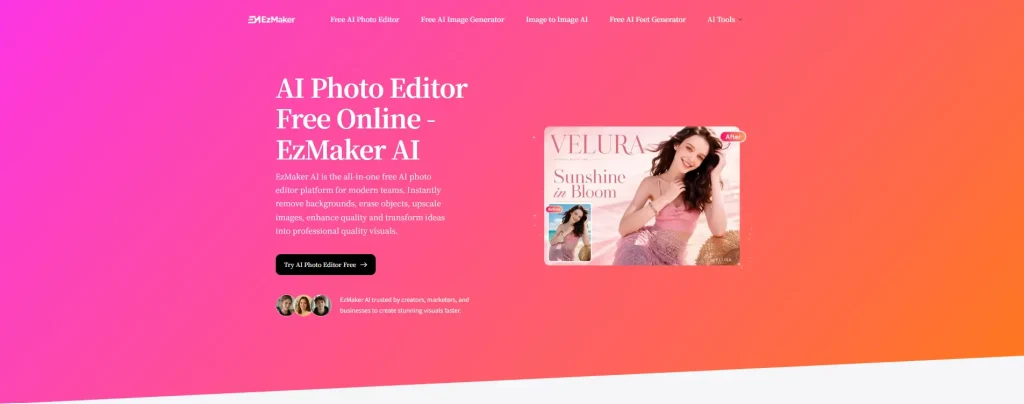
EzMaker AI is a free online AI image editing and generation tool that requires no registration or login. It helps users quickly complete various image editing tasks, including background removal, background replacement, object erasing, image expansion, and image enhancement. Users can simply upload an image and describe their editing needs, and the AI will automatically process the changes.
EzMaker is suitable for a wide range of scenarios, such as optimizing product images, creating social media content, and retouching personal photos. With no account creation or subscription required, users can start editing instantly, making it a simple and convenient solution for anyone who needs fast and efficient image processing.
Key Features of EzMaker
- Completely Free, No Sign-Up Required: Start generating and editing images without a subscription or an account.
- Easy to Use: Simply upload an image or enter a prompt to get started. No complicated setup or photo editing experience needed.
- Fast Results: Generate and edit images quickly, so you can review the results, refine your ideas, and try again.
- Watermark-Free Output: No watermarks are added to your images, leaving them ready to use in your content.
Introduction of Higgsfield AI
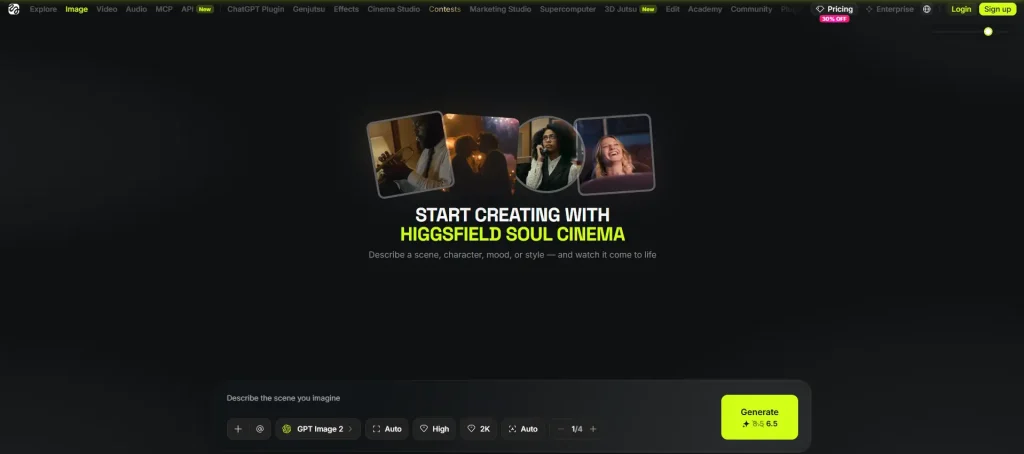
Higgsfield is a comprehensive creative platform for AI image generation, image editing, and video creation. It brings together a range of leading AI image models, along with its own Higgsfield Soul model, giving users more options to explore different visual styles and creative possibilities.
Users can choose the model that best fits their needs, generate high-quality images, and further refine their work with features like image editing, character consistency, and video generation. From creating still visuals to producing dynamic videos, Higgsfield offers a flexible workflow for designers, content creators, and anyone looking to develop visual projects for social media, branding, or creative work.
Key Features of Higgsfield
- Access to Multiple Models in One Place: Explore different AI image models on a single platform without the need to switch between multiple services.
- More Creative Flexibility: A combination of popular models and the proprietary Soul model gives users more options for exploring different creative approaches.
- Ideal for Consistent Content Creation: Features like character consistency make it easier to create a series of visuals featuring the same character or subject.
- Image-to-Video Workflow: Static images can be further developed into videos, so users can expand content into different formats.
EzMaker AI vs Higgsfield AI: Major Differences
To see how EzMaker and Higgsfield compare in practice, we provided both platforms with the same image briefs and source images. Given Higgsfield’s range of AI image model options, we selected “Auto” mode to observe how the tool matched the appropriate model to the user’s needs. We compared the outputs side by side and briefly discuss each result.
The results shown here are individual examples, not a statistical benchmark. Outputs may vary across models, settings, and repeated generations.
Test 1: Background Replacement
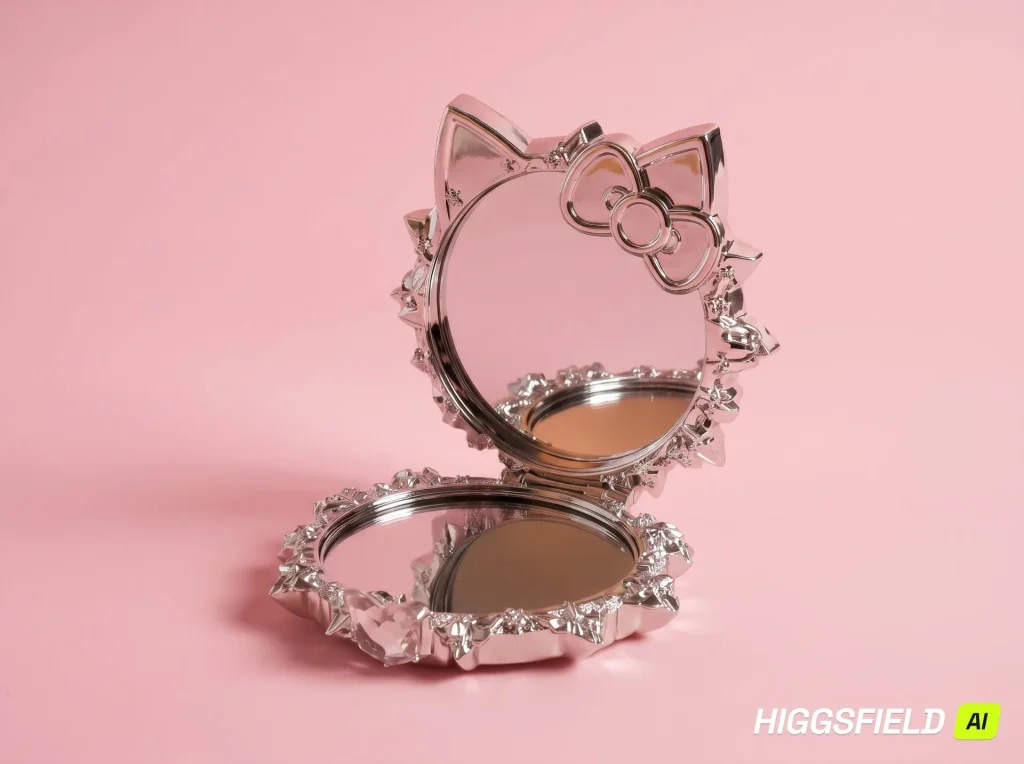
Compare background quality and product accuracy by checking how well each tool creates a light pink studio backdrop with natural shadows while preserving the product’s original color, shape, and details. Also assess framing and adherence to the requested aspect ratio.
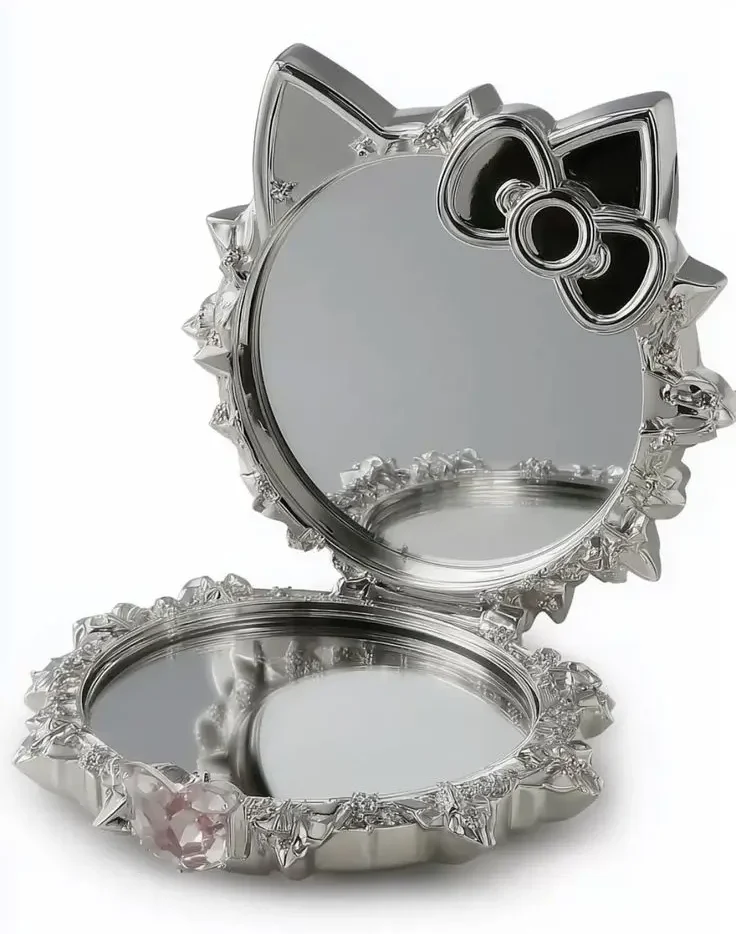
Prompt: Replace the background with a light pink studio backdrop and add a natural shadow. Keep the product unchanged.
Aspect Ratio: 4:3
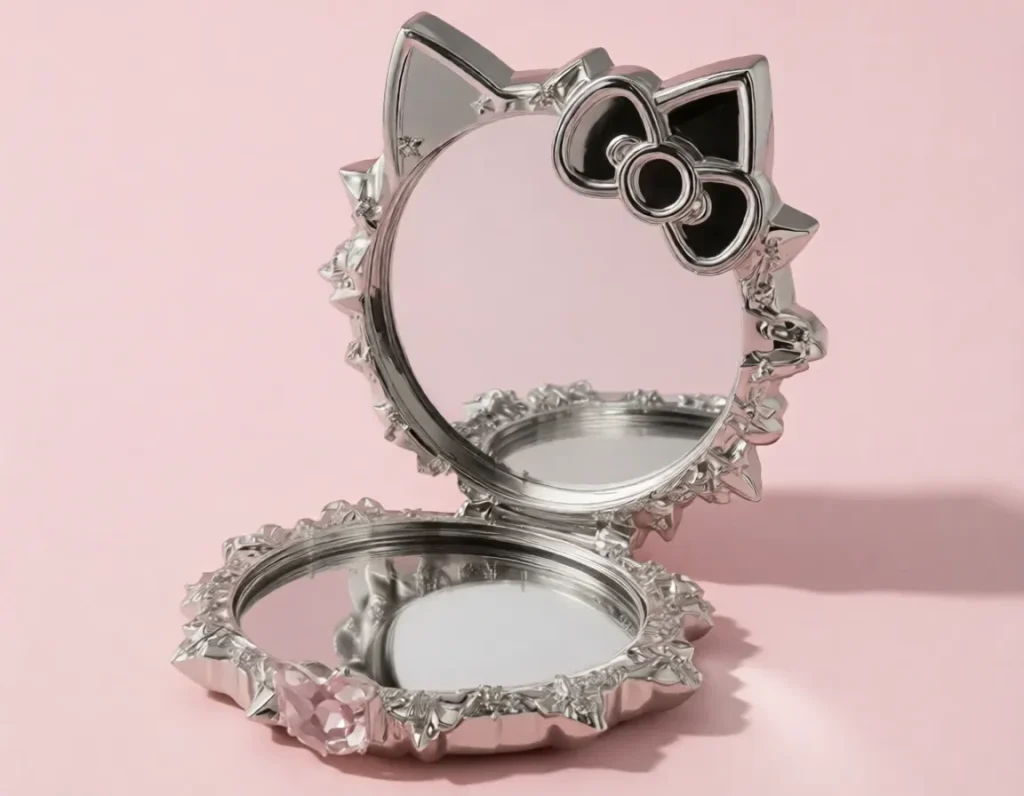
Real Results
EzMaker AI: Successfully replaced the background with a light pink color and added directional shadows. The product’s color, black bow detail, and overall shape remained close to the original image, better matching the requirement of “Keep the product unchanged.” However, the space above the product is relatively limited. No watermark was visible in the output. The actual image size is 1152 × 896, with an aspect ratio of approximately 1.286, showing a noticeable deviation from 4:3.
Higgsfield AI: Also replaced the background with a pink tone, with softer shadows and more generous spacing, creating a more consistent studio style. However, the product color was altered, and some reflection and decorative details were changed. Compared with EzMaker AI’s result in this test, it preserved fewer elements of the original product appearance. In addition, the output included a visible watermark. The actual image size is 2400 × 1792, with an aspect ratio of approximately 1.339, which is closer to 4:3.
Test 2: Object Removal
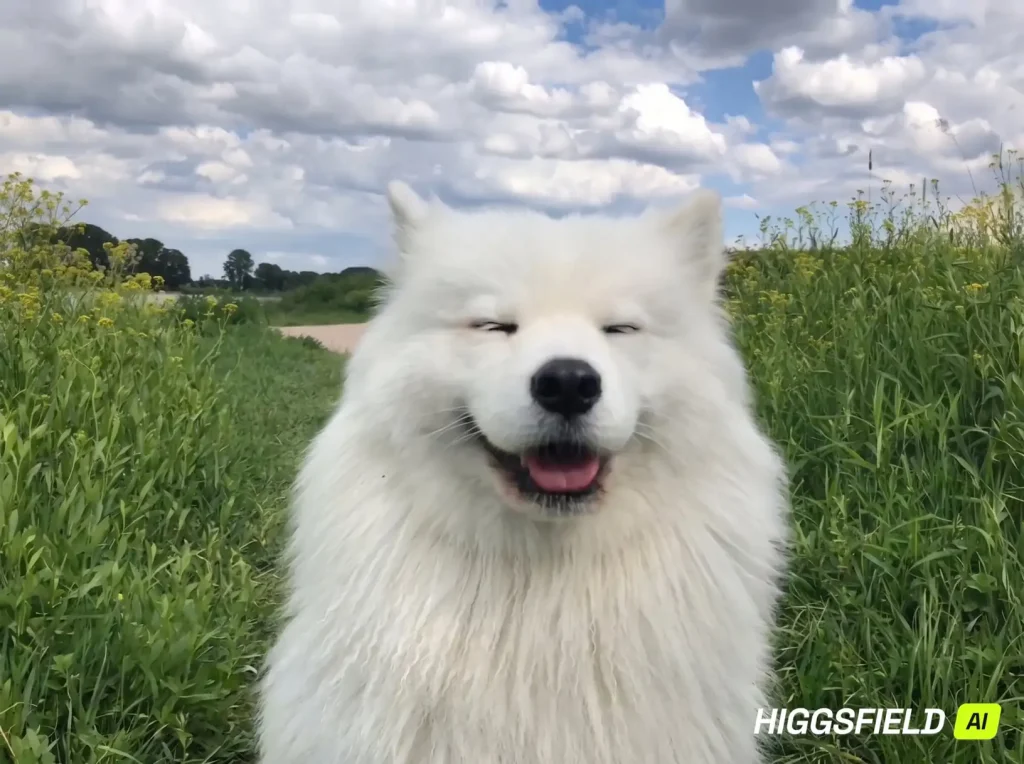
This test compares how effectively each tool removes the flower and its stem, restores natural-looking fur, and preserves the rest of the image.
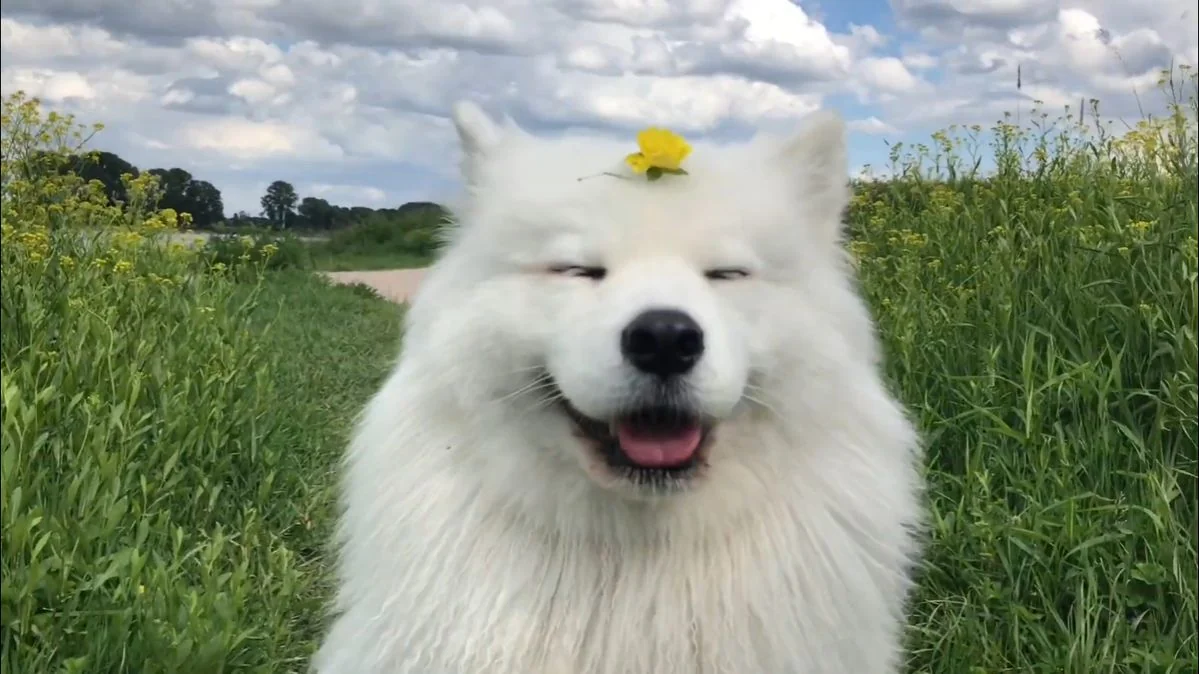
Prompt: Remove the yellow flower and its stem from the dog’s head, naturally restoring the white fur underneath. Keep everything else unchanged.
Aspect Ratio:
EzMaker AI: Default
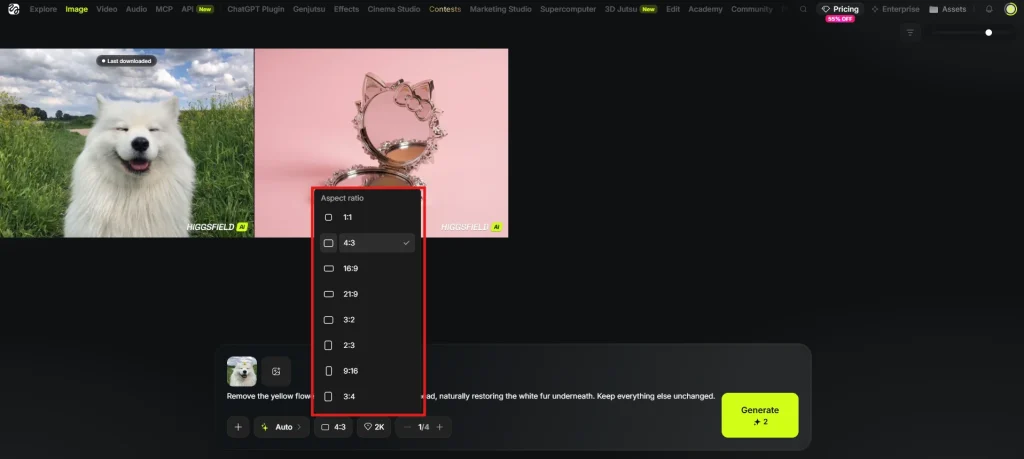
Higgsfield AI: 4:3 (no Default option available in the tested interface)
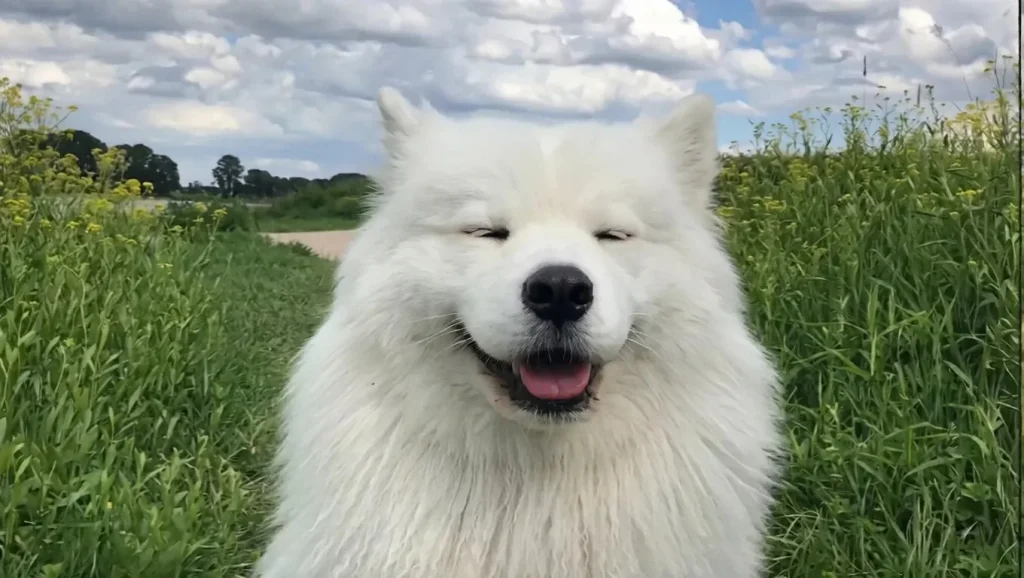
Real Results
EzMaker AI: This tool removed the flowers and stems from the puppy’s head. The restored white fur blends naturally with the surrounding area, with no obvious signs of editing. The overall composition remains close to the original image. However, changes were also made to the facial details, fur texture, and background elements. The image appears sharper overall, but the edit extended beyond the edited area where the flowers were removed.
Higgsfield AI: It also removed the objects, with a natural transition in the fur on the top of the puppy’s head while preserving the puppy’s expression and the field background. Since the tested Higgsfield interface did not offer a Default option, so we used 4:3. Its output included more vertical content than the original., adding more space above and below the original frame.
Test 3: AI Image Generation
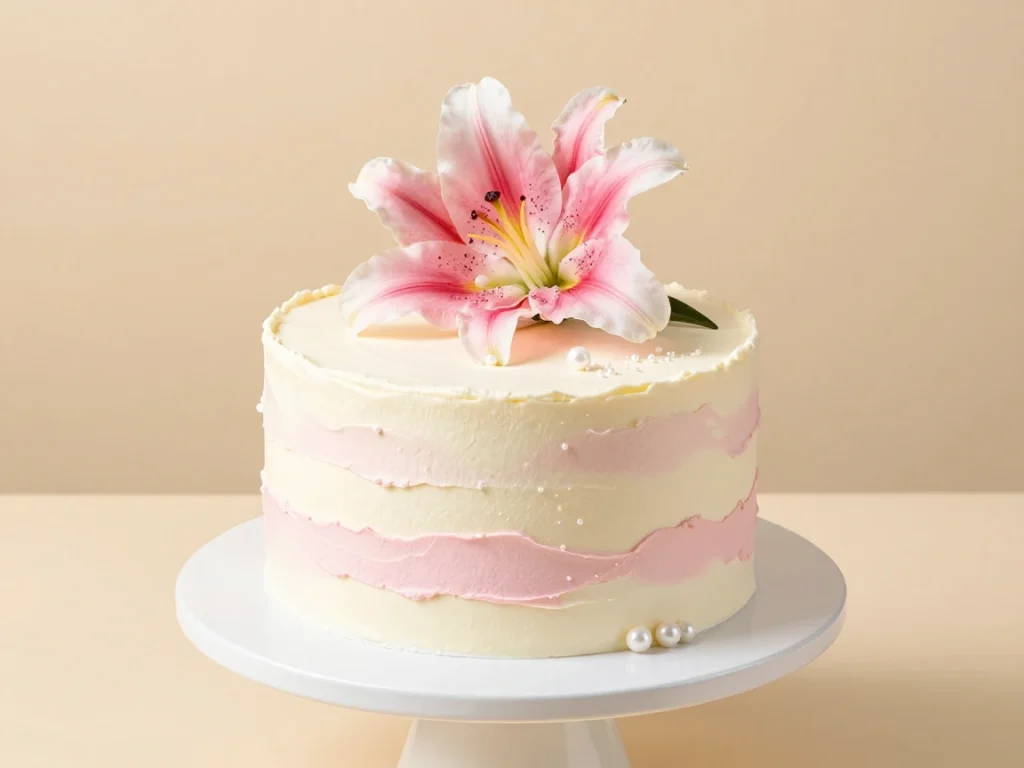
Evaluate prompt accuracy and visual quality by checking whether each tool includes the specified design. Assess texture realism, natural lighting, and any missing or added elements.
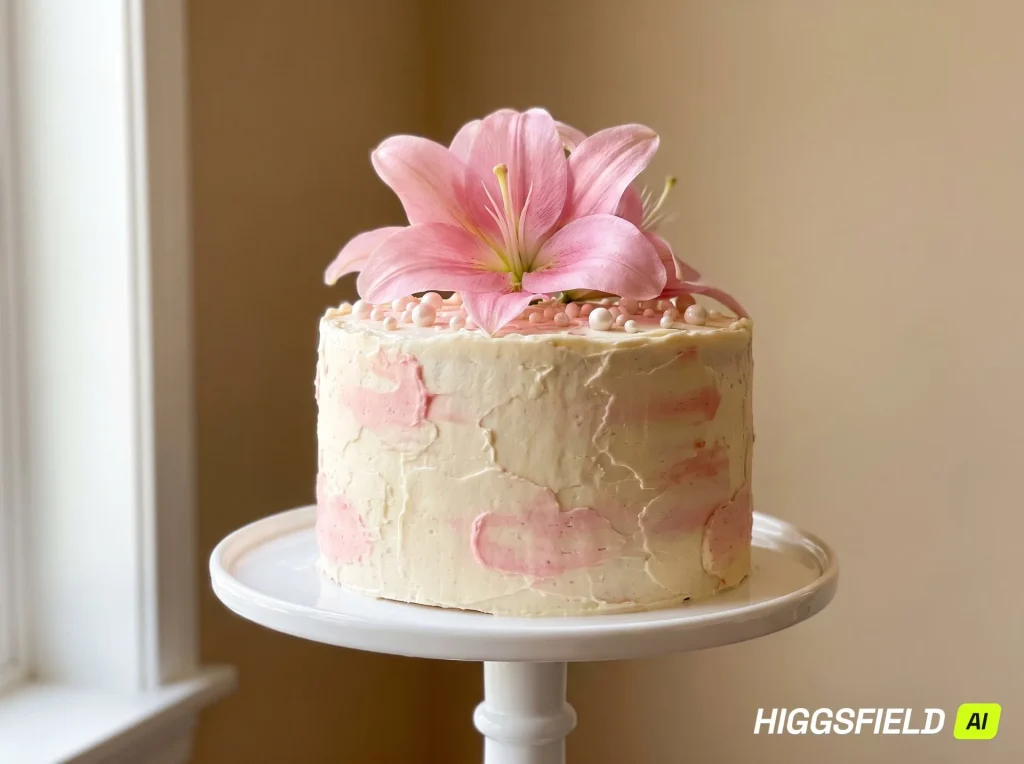
Prompt: A photorealistic single-tier round cake with ivory buttercream and soft pink strokes. Decorate it with one large pink lily on the top, pearl-like sugar decorations. Place it on a white pedestal cake stand against a warm beige background, soft natural light.
Aspect Ratio: 4:3
Real Results
EzMaker AI: It captured the main elements described in the prompt quite well. The image is bright, with a clean background and clearly rendered petals and cream textures.
Higgsfield AI: It also generated a cake that matched the theme. Higgsfield handled lighting and shadows effectively, resulting in a more natural indoor food photography style. However, the cake appears to feature more than one flower on top, so the requirement of including “a single lily” was not followed as precisely.
Test 4: Text Rendering
To see how each tool renders specified text, including spelling, numbers, and punctuation, while maintaining a clear, readable layout.
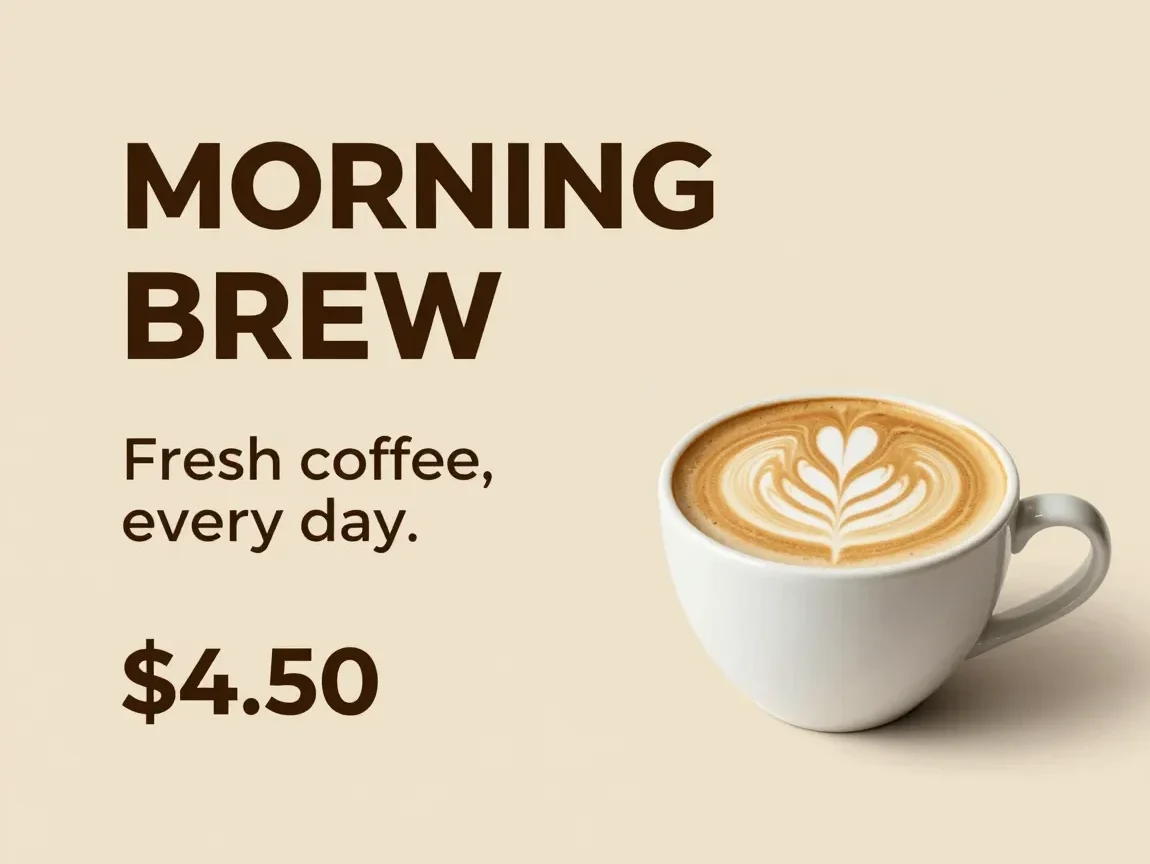
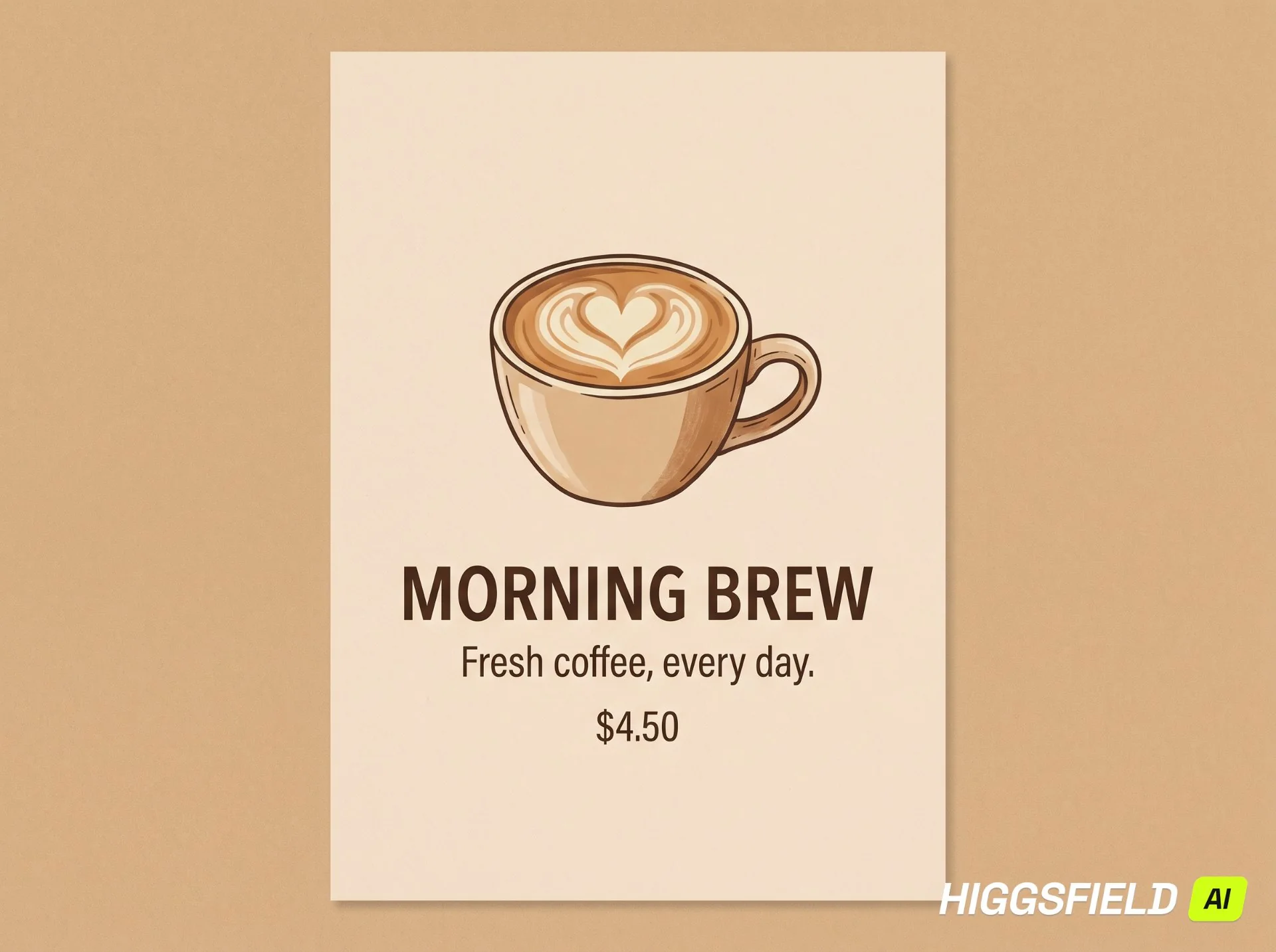
Prompt: Create a minimalist coffee shop poster with a warm beige background and a cup of latte. Include exactly these three lines of text: “MORNING BREW”, “Fresh coffee, every day.”, and “$4.50”. Make the text clear, correctly spelled, and easy to read. Do not add any other text.
Aspect Ratio: 4:3
Real Results
EzMaker AI: It accurately reproduced the copy, price, and punctuation. The text is clear and easy to read, with the title and price standing out against a realistic coffee cup. The overall design is simple and clean. However, both the title and subtitle were split across two lines, so while the text itself was accurate, the output did not strictly follow the requirement of having exactly three lines of text.
Higgsfield AI: It also accurately reproduced the text, price, and punctuation, with each of the three sections placed on a separate line, better meeting the three-line requirement. The centered layout and illustrated coffee cup create a clear visual hierarchy. However, the image was presented as a poster with an external background, leaving a large amount of empty space, while the price was less prominent.
Test 5: Character Consistency
To evaluate how well each tool preserves a reference character's appearance, including facial features, colors, proportions, and distinctive details, when placed in a new setting.
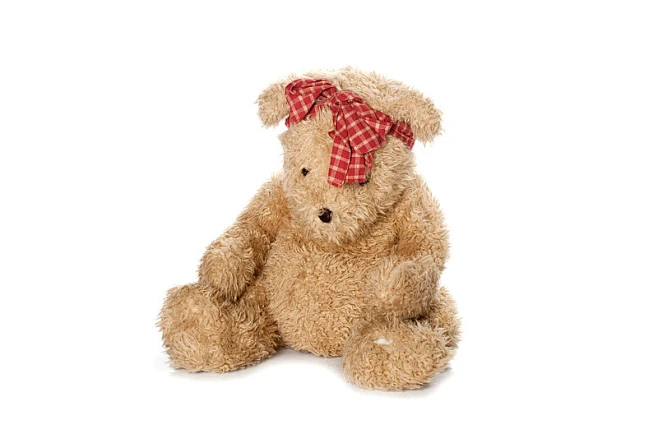
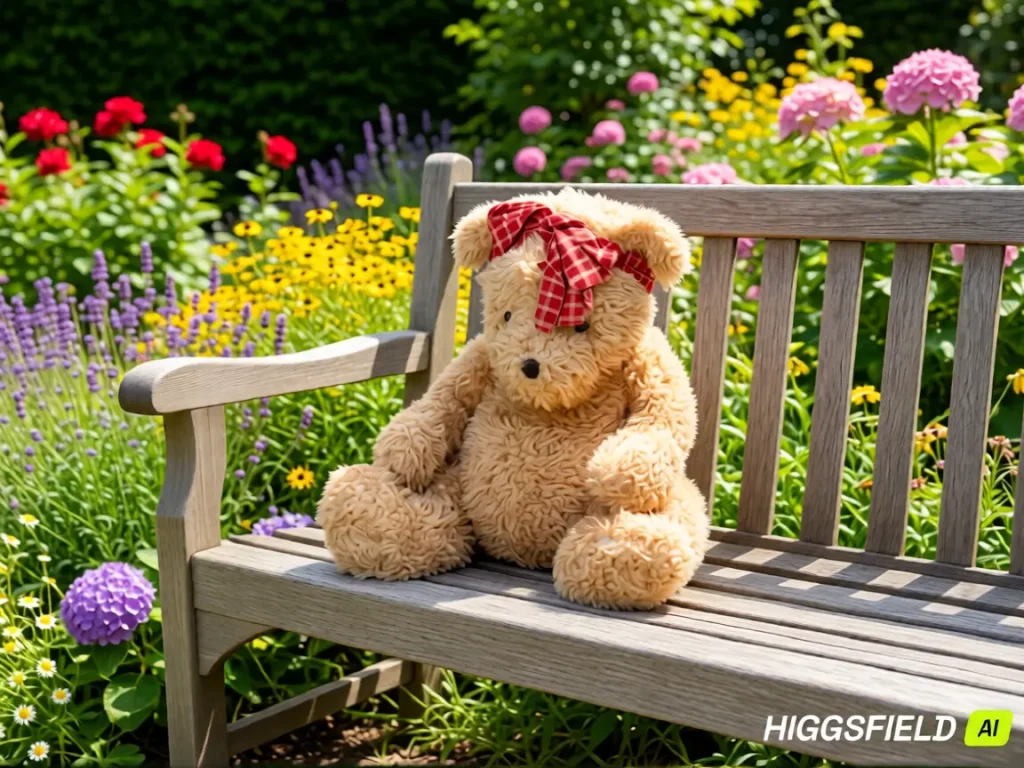
Prompt: Place this teddy bear on a wooden bench in a flower garden. Keep its face, fur color, body proportions, red plaid bow, and seated pose unchanged.
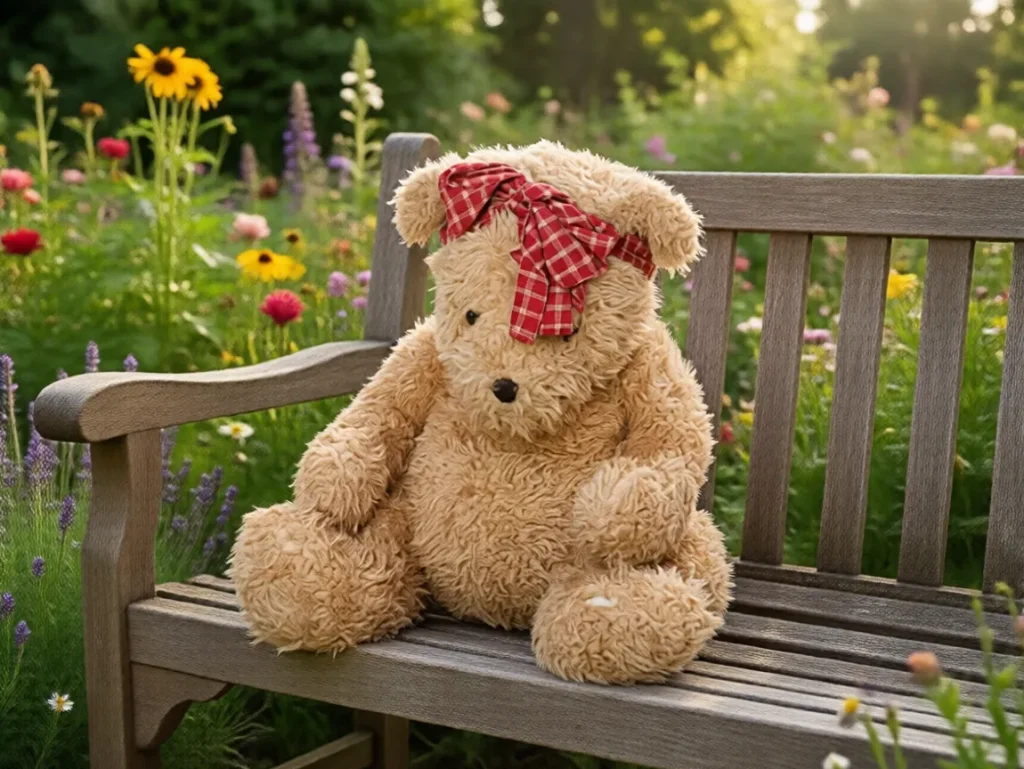
Real Results
EzMaker AI: It preserved the toy’s overall appearance and pose, staying relatively close to the reference image. The lighting is soft, and the teddy bear blends naturally into the surroundings. However, some details from the original image were not fully preserved.
Higgsfield AI: It retained the teddy bear’s main color scheme, bow, and seated pose. The surrounding colors are more vibrant, with more noticeable sunlight and shadows. However, the teddy bear’s details changed more noticeably. Based on this sample, EzMaker preserved the reference character’s appearance more closely to the original image.
Test 6: Style Transfer
Evaluate how well each tool applies the requested artistic style while preserving the original subject, composition, and recognizable details.
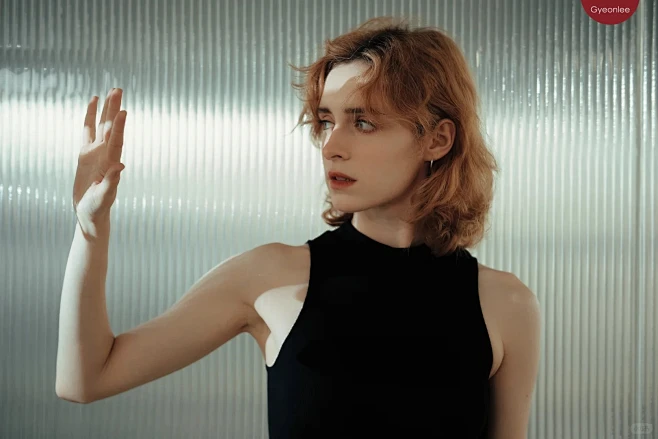
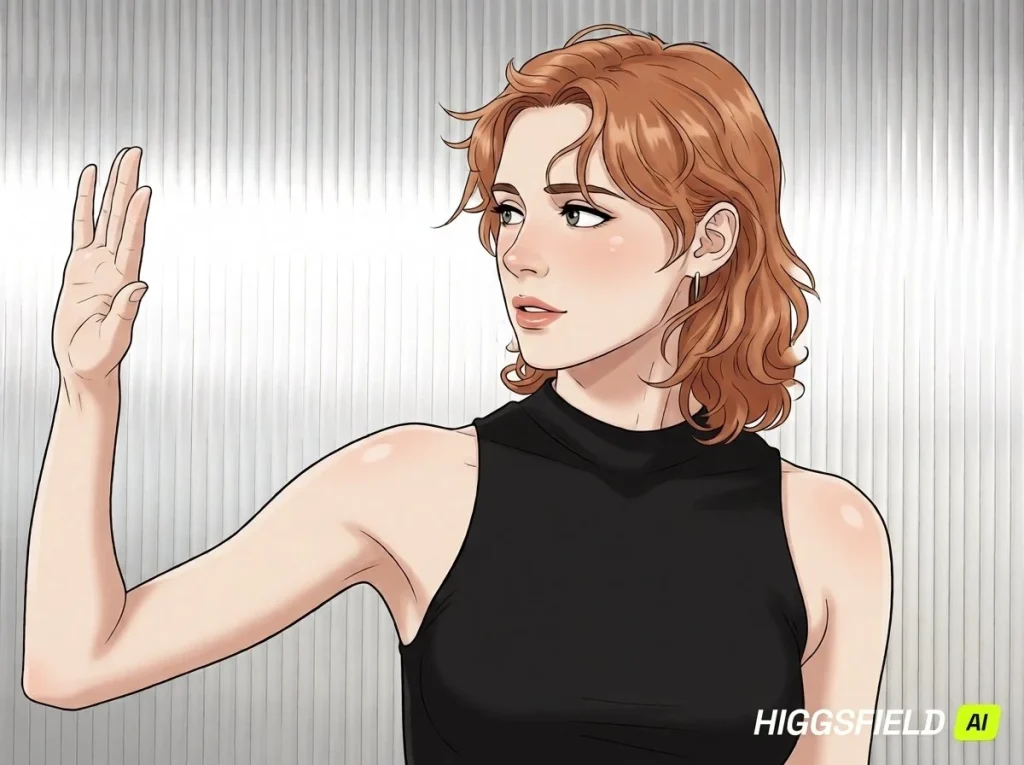
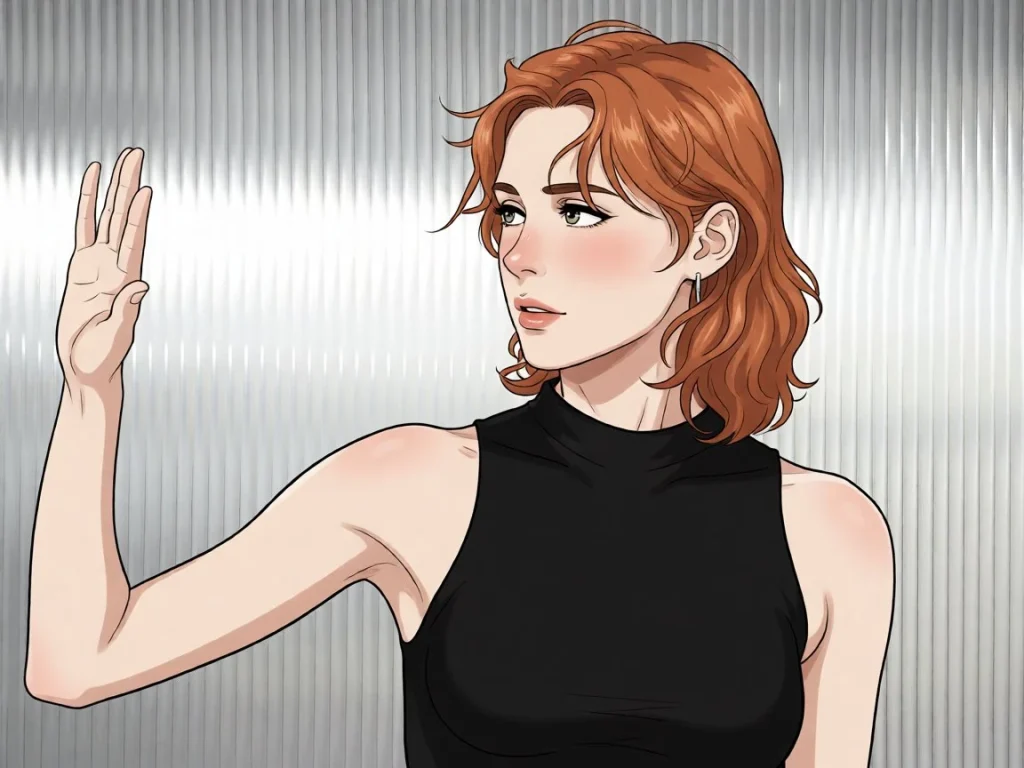
Prompt: Turn this photo into a hand-drawn anime illustration with clean lines and soft shading. Preserve the person’s recognizable features, raised hand pose, hairstyle, black outfit, and composition.
Aspect Ratio: 4:3
Real Results
EzMaker AI: The lines are clear, with distinct areas of color and shadow, while preserving the main features of the original character. However, the lighting and shading could be handled more effectively.
Higgsfield AI: It also preserved the main character elements and overall composition. The shadows transition more smoothly, while the highlights on the hair and skin are more pronounced, making the result closer to the prompt’s requirement for “soft shading.” The overall result also appears more natural.
Test 7: Photo Enhancement
Assess how well each tool improves sharpness and reduces noise while preserving the original colors, textures, and details without introducing artifacts.
Prompt: Enhance this image by improving clarity, reducing noise, and sharpening fine details. Keep the original content, colors, and composition unchanged. Avoid adding new details.
Aspect Ratio: 4:3
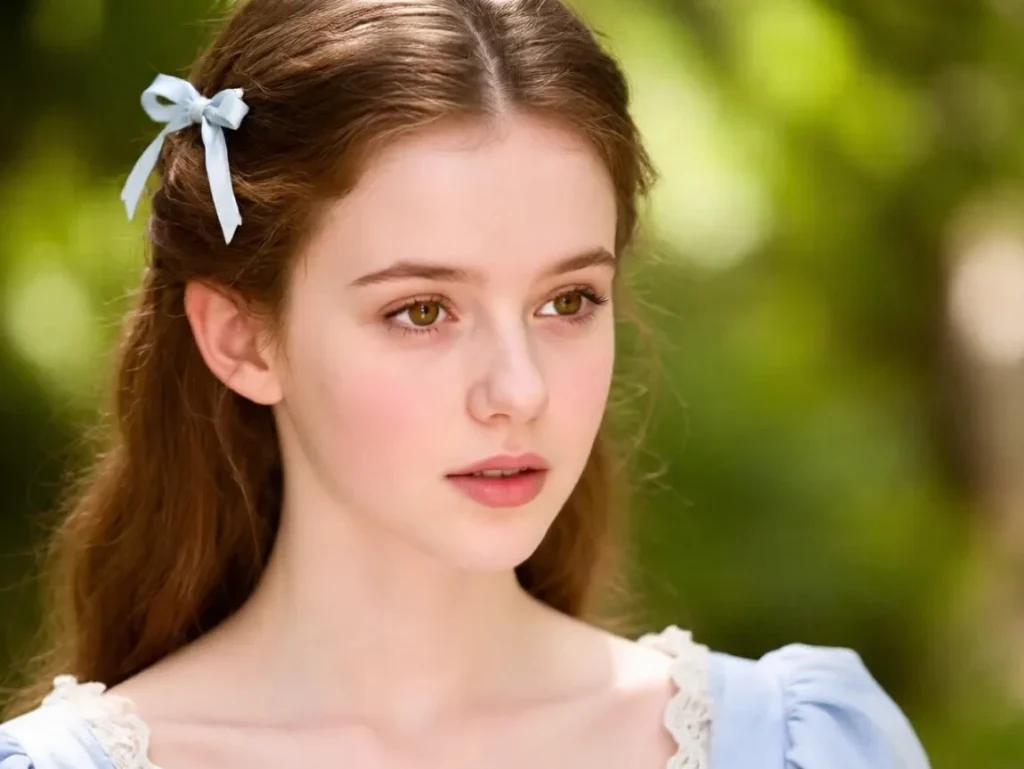
Real Results
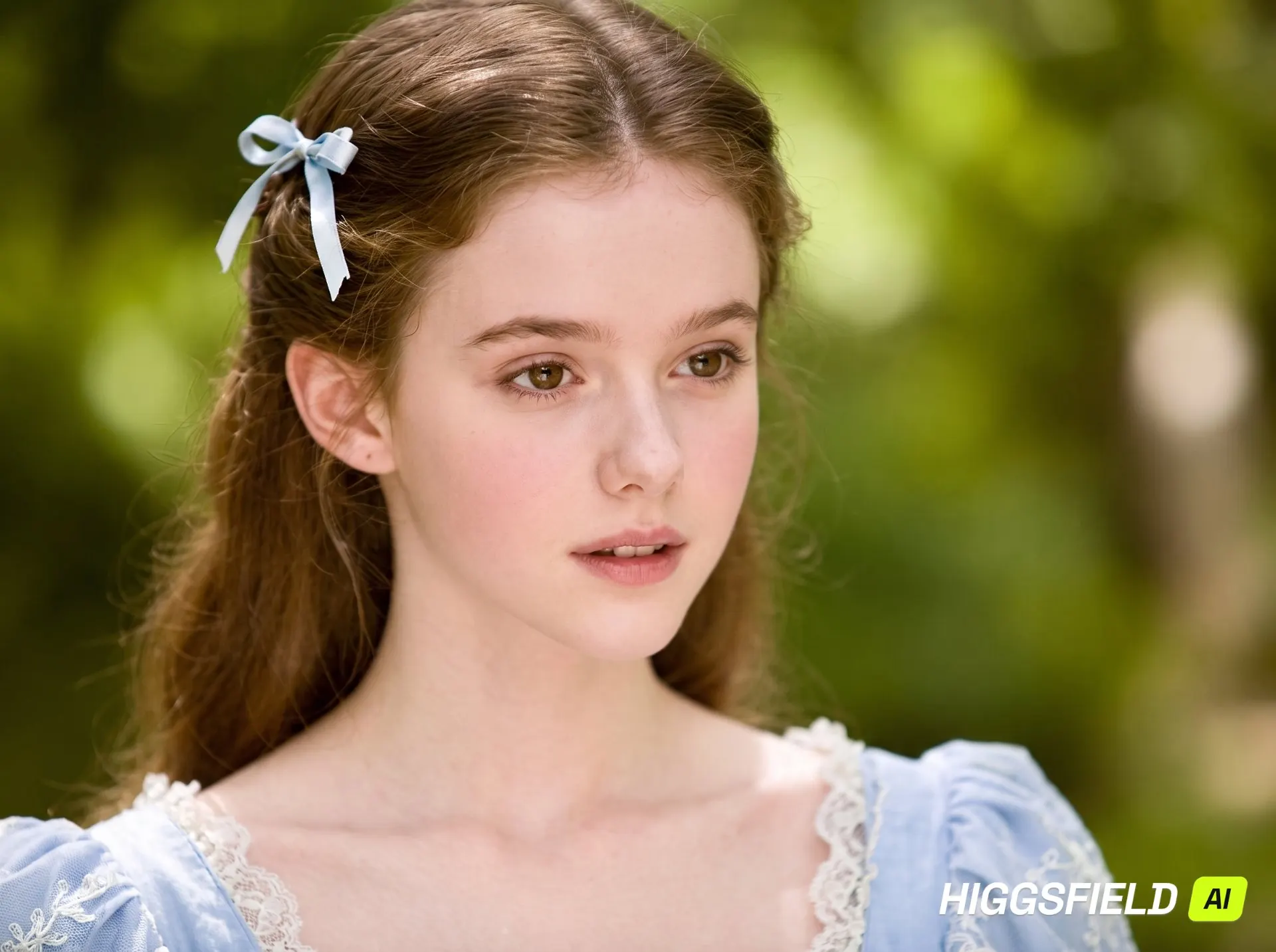
EzMaker AI: Compared with the blurry input, the eyes, eyebrows, and hair appear noticeably clearer, while the overall color scheme of the green background and light blue clothing is preserved. However, the skin looks slightly over-smoothed, and there are some changes to the shape of the eyes and mouth. There is still room for improvement in preserving fine details.
Higgsfield AI: The improvement in clarity is more noticeable, with richer detail and texture in the hair, eyelashes, and clothing. The skin texture also appears more refined. Based on the results of this test, Higgsfield delivered stronger overall clarity and detail.
EzMaker AI vs Higgsfield AI: Pricing Comparison
EzMaker AI: It is completely free. Each feature allows up to 10 uses per day. There is no subscription fee, but users who need frequent revisions or larger batches should keep the daily limits in mind.
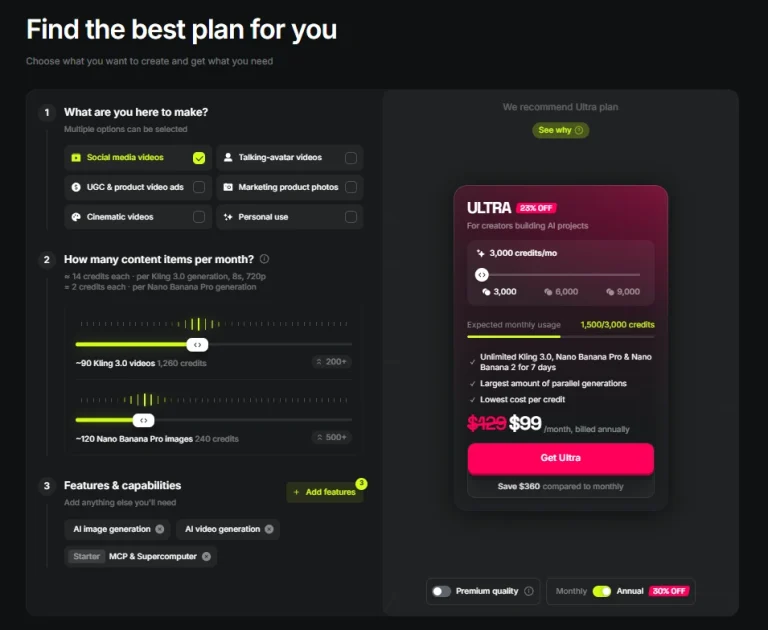
Higgsfield AI uses subscriptions and credits, with selected plans also offering Unlimited access or free generations for specific models. Credit costs vary by model and settings, and the amount required is displayed on the Generate button before you proceed.
Users can choose a Higgsfield plan based on their budget and generation needs.
Which AI Image Editor Should You Choose?
Both tools produced useful results, but their strengths differed. In our examples, EzMaker preserved product and character details more closely, while Higgsfield stood out for image clarity and softer lighting. Both occasionally changed details beyond the requested edits.
EzMaker AI is a practical choice for everyday tasks, while Higgsfield is worth considering if you need multiple models and broader creative options, with costs depending on your plan and usage. The better choice depends on the edits you need, how often you create, and your budget.
More Comparisons👇
FAQ
Which tool is free to use?
EzMaker AI offers free image generation and editing. Higgsfield provides 10 free credits to try.
Why can the same prompt produce different results?
The selected model and settings influence how a request is interpreted. When details are unspecified, each tool may make different choices about lighting, composition, textures, and decoration.
Is EzMaker AI a good alternative to Higgsfield AI?
EzMaker may cover your needs if you mainly perform everyday image edits and stay within its daily limits. If you rely on specific models or broader workflows such as video creation, Higgsfield is still a good choice.
How should I compare two image editors fairly?
Use the same source images, prompts, and comparable settings. Record any differences in aspect ratio, model choice, and attempt count, then assess instruction accuracy alongside visual quality.
Do I need editing experience to use EzMaker AI or Higgsfield AI?
You can start with a written prompt or an uploaded image. EzMaker offers a straightforward entry point, while Higgsfield provides more model choices and settings to explore.