

Pixelcut Alternative
Free Online Pixelcut Background Remover Alternative
Tired of Pixelcut's limit of just three downloads a day? If you're looking for a Pixelcut background remover alternative, give EzMaker AI background remover a try. It's completely free, with no download limits.
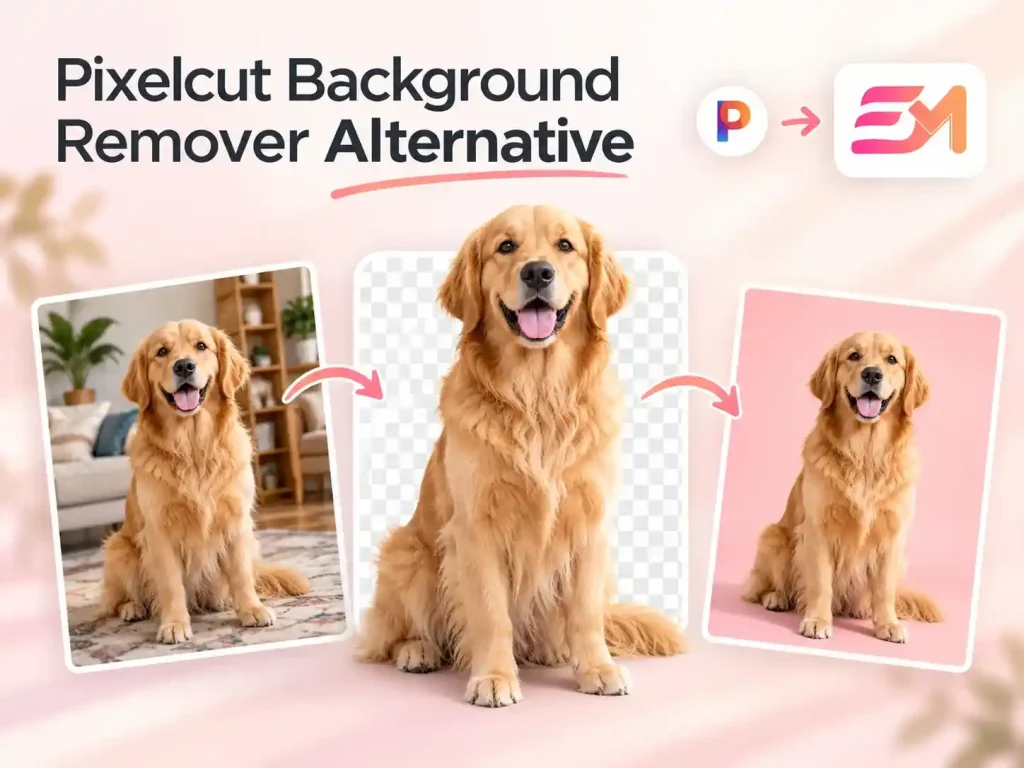
Free Pixelcut Background Remover Alternative Online
Looking for a completely free alternative to Pixelcut background remover? Upload your images and get faster, cleaner results with EzMaker AI.
What Is Pixelcut Background Remover?
Pixelcut is an online AI image editing tool, and Pixelcut background remover is popular for quickly removing image backgrounds and offering a range of editing options. Users can add solid colors, replace backgrounds with other images, or enter prompts to generate new scenes with AI. This all-in-one workflow lets users handle everything from background removal to background design in one place.EzMaker AI background remover follows a similar approach, focusing on a smooth editing experience that lets users remove backgrounds and customize their images with ease.
Pros and Cons of Pixelcut Background Remover
Pixelcut background remover offers several useful editing features, but it has a few drawbacks too. Looking at its pros and cons can help you decide if it's the right fit for your needs.
Pros
-
Offers both automatic and manual editing modes.
-
Provides a rich library of background templates
-
Supports AI background generation with prompts
-
Removes image backgrounds in seconds, making the process quick and easy.
Cons
-
Free users are limited to three downloads per day.
-
The interface can be complex, with a learning curve for new users.
-
Some advanced editing features may require a paid plan.
EzMaker AI vs. Pixelcut Background Remover at a Glance
| Feature | EzMaker AI | Pixelcut |
| Background Removal | Automatically removes backgrounds with AI | AI background removal with manual erase and restore tools |
| Processing Speed | Usually takes a few seconds | Usually takes a few seconds |
| Pricing | Completely free | Free and paid plans |
| Daily Download Limit | No daily download limit | Free users can download up to 3 images per day |
| Login Required | No signup or login required | Free users can use it without logging in; paid users need to log in |
| Background Customization | Replace backgrounds with solid colors, custom images, or templates | Replace backgrounds and generate AI backgrounds |
| Supported Formats | Common formats, including PNG, JPG, and WebP | Common formats, including PNG, JPG, and WebP |
| File Size Limit | No file size limit | Up to 50 MB |
| Other Image Tools | Background removal and customization | Image upscaling, object removal, AI background generation, and batch editing |
| Best For | Quick, free background removal for product photos, social media, and simple designs | More detailed edits and workflows that combine background removal with other image tools |
Why Choose EzMaker AI as a Pixelcut Alternative?
Compared with Pixelcut, EzMaker AI has fewer restrictions and offers a simpler, more flexible background removal experience.
Free to Use with Unlimited Downloads
EzMaker background remover is completely free to use, with no daily download limits. Once your image is ready, you can download it without worrying about extra costs or running out of downloads.
No Login Required
You can start removing backgrounds as soon as you open EzMaker AI. There's no need to create an account or log in, making it easy to edit images whenever you need to.
Fast, Automatic Background Removal
Upload your image, and the AI will automatically detect the subject and remove the background. No manual cutouts needed, and the result is ready in seconds.
Simple Background Customization
After removing the background, you can add a solid color, upload your own background image, or choose a preset template. It's an easy way to adjust the look of your image in just a few steps.
What Can You Do with Pixelcut Alternative?
EzMaker AI makes it easy to remove backgrounds and customize your images for different needs, whether you're working on personal projects or business content.
-
Remove distracting backgrounds and keep the focus on your products.
Product Photos -
Give your images a look that fits your social media style.
Social Media -
Make products and people stand out in your promotional designs.
Marketing Materials
When displaying products online, a cluttered background can take attention away from the item itself. With the EzMaker background remover, you can remove the original background and replace it with a solid color or another image that better fits your product. This works well for online store listings, product catalogs, and product displays, helping your images look cleaner and more consistent.

A well-matched background can make your social media content look more put together. After removing the original background, you can choose a new color or use a preset template to match your post, story, or profile. It's a simple way to make your images fit your feed without spending too much time editing.

Ads, flyers, and promotional posters work better when the main subject is easy to spot. The EzMaker background remover lets you remove the background from a product or person, making it easier to place them into a new layout. You can then use the edited image in different materials, from sale announcements to product promotions.

How to Use EzMaker AI Background Remover Online?
Upload Your Image
Upload the image you want to edit, and EzMaker background remover will automatically remove the background. No manual cutouts needed.
Customize the Background
Once the background is removed, you can download the image right away or keep editing. Choose a background color, upload your own image, or pick a preset template to get the look you want.
Download Your Image
When you're happy with the result, download the finished image and use it for product photos, social media posts, or other designs.


Help Center
Pixelcut Background Remover Alternative FAQs
Quick answers to common questions. Still need help? Contact us by email.
Like Pixelcut background remover, EzMaker AI makes background removal quick and easy. It's a free alternative for editing product photos, preparing social media posts, and creating marketing materials.
No. EzMaker AI is completely free to use, with no daily download limits. You can remove backgrounds and download your images as often as you need.
Yes. EzMaker AI prioritizes your privacy. Your uploaded images are kept private and won't be leaked or shared with others.
Both Pixelcut and EzMaker AI offer automatic background removal and process images quickly. The actual processing time may vary depending on the current queue.
No. EzMaker AI doesn't require you to sign up or log in. Just upload your image to get started.
Yes. EzMaker AI lets you customize the background after removal by choosing a color, uploading an image, or selecting a preset template.
Most common image formats, including PNG and JPG, are supported by background removers. File size limits vary by tool: Pixelcut limits uploads to 50 MB, while EzMaker AI has no file size limit.