
EzMaker AI vs Magic Hour AI: Features, Results, and Pricing Reviewed

EzMaker AI and Magic Hour AI are two popular AI art generators in 2026. Both of them offer AI image editing and generation, but they take different approaches. Magic Hour covers over 20 image, video and voice tools with more than 100 art styles. EzMaker AI, by contrast, specializes in images, offering free tools for image generation, background editing, object removal, photo enhancement and other features.

EzMaker AI vs Magic Hour: Features, Results, and Pricing Reviewed

This comparison guide takes a closer look at EzMaker AI and Magic Hour’s image capabilities with side-by-side examples across five practical tasks. It covers output quality, ease of use, free access, and pricing. You can also download the source images and copy the prompts to try the same tasks yourself and see how the tools work with your own settings.

EzMaker AI vs Magic Hour AI: A Brief Introduction

EzMaker AI

EzMaker AI

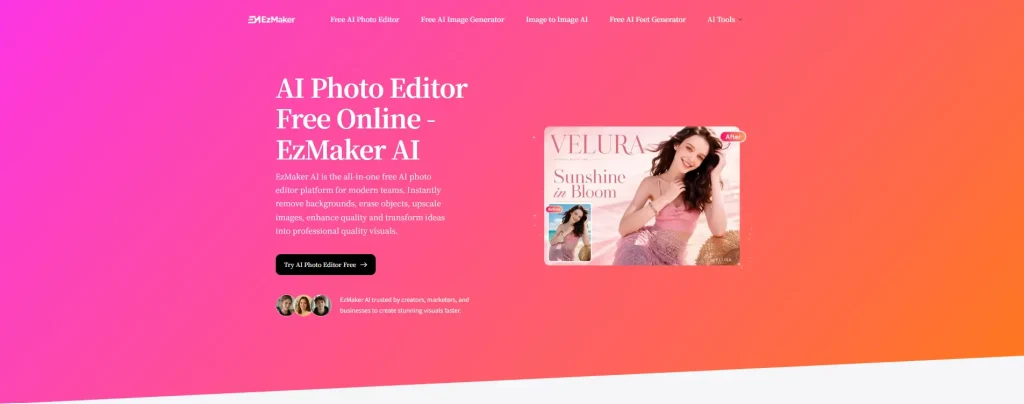
EzMaker AI is an online image creation and editing platform built around the visual work behind product listings, social media posts, blog articles, and personal projects. It accepts both text prompts and uploaded photos, giving users two starting points: developing a picture from an idea or taking an existing image in a new direction.
The work can be as specific as removing a distracting object or as open-ended as imagining an entirely new scene. A product photograph might need a different backdrop, an older picture might need greater clarity, or a portrait might become the starting point for an illustrated character. These tasks involve different levels of change, from preserving most of the original photograph to reinterpreting its appearance. EzMaker’s tools span that range, with prompts describing the desired changes and uploaded images providing the visual reference.

Key Strengths👍

  • Free access across all image tools: Generate, edit, and enhance images without a paid subscription or credit purchases.
  • Beginner-friendly starting points: Preset prompts and creative options are provided, so new users don’t have to write complicate instructions from scratch.
  • No watermark added: Export images without an EzMaker watermark.
  • Accessible across devices: Use the tools in a desktop or mobile browser without downloading additional software.
  • Privacy protection: Uploaded images are automatically deleted after 24 hours, and personal user information is not retained.

Weaknesses😶‍🌫️

  • Daily limits can interrupt larger jobs: Ten uses per feature may be restrictive for large batches or repeated revisions. Once that allowance is used, work on the same feature has to wait for the next reset.
  • No model selection: The model is fixed, so users cannot switch between models to explore different results.
  • Long queues during busy periods: High demand can lead to longer waiting times before images are processed.

Magic Hour AI

magic hour

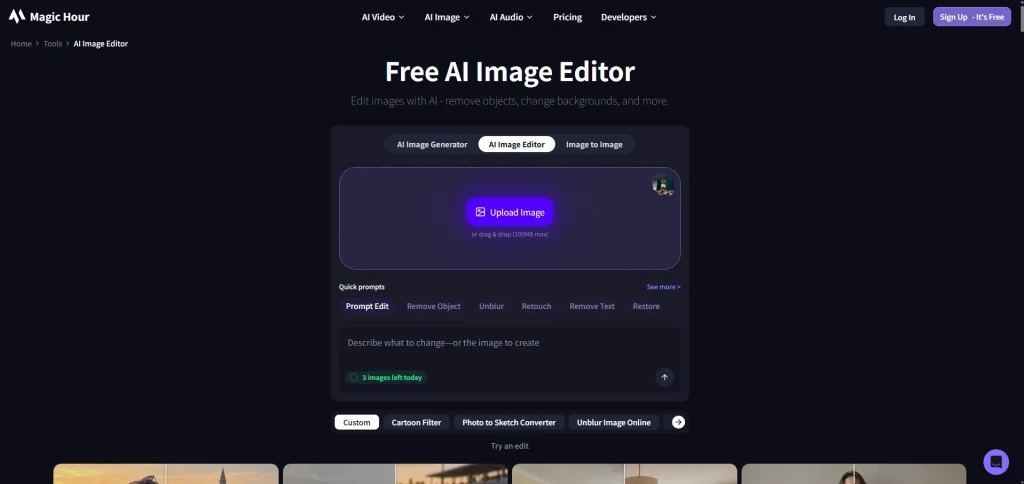
Magic Hour AI gives creators several starting points: a written idea, a product photo, a portrait, or existing footage. From there, its online tools cover image creation and editing, video generation, and audio production. A still image can become an animated clip, a portrait can become a talking photo, and a product shot can get a different setting—all within the same platform.
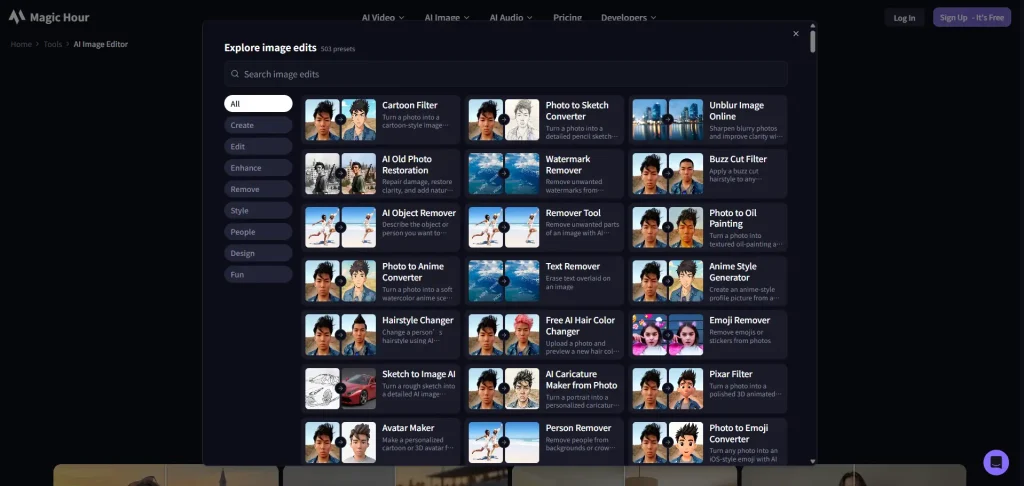
For image work, Magic Hour pairs a generator and editor with dedicated tools for tasks such as face swap, upscaling, and outfit changes. Its full workspace offers multiple generative models, giving users different options for approaching a creative brief. It also offers 75+ image styles and 500+ preset prompts, giving creators a variety of looks to explore. Selected tools are free to try without an account, while access to additional settings and models depends on the workflow and plan.

Magic Hour preset image styles

Key Strengths👍

  • A broad image toolkit: Generate, edit, upscale, and remove backgrounds, with specialist tools for other image tasks.
  • Plenty of creative options: Explore multiple generative models and 75+ image styles to develop different looks.
  • Free to get started: Try three free generations without signing in, then receive 400 credits when you create an account.

Weaknesses😶‍🌫️

  • Limited resolution and model access: The free version supports outputs up to 640px and offers four models to try. Higher resolutions and more advanced models require a premium upgrade.
  • Credit usage takes some planning: Credit costs vary by model and output settings, so the same balance does not always cover the same number of images.

Hands-on Testing: Five Practical Tasks Compared

This comparison focuses on what users can achieve with the free image tools available on each platform. All Magic Hour AI’s examples were generated using models accessible for free; we did not test its premium models. We compared prompt adherence, visual quality, preservation of original details, and ease of use across five practical tasks. The results reflect the specific models and settings used, rather than either platform’s full capabilities. Paid plans are discussed for context, but their output quality was not evaluated. 

The results shown here are individual examples, not a statistical benchmark. In addition, we performed each test only once. Outputs may vary across models, settings, and repeated generations. Use the downloadable source images and prompts to see which tool gives you usable results with the least additional work.

1. Creative Image Editing

Prompt

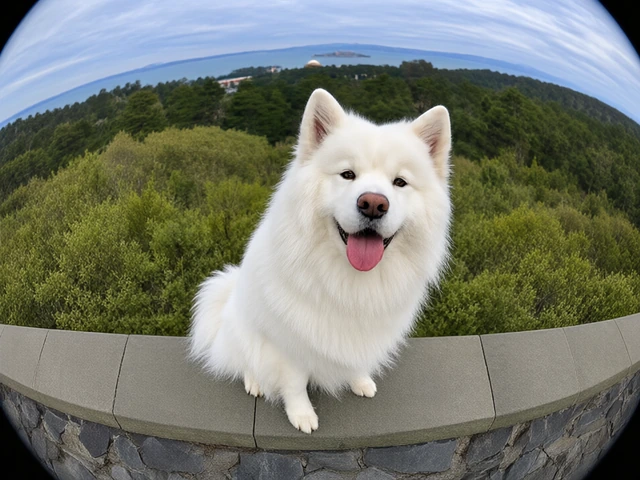
Apply a full-frame fisheye effect from slightly above, with the dog looking into the lens. Moderately enlarge its head and nose, keeping its body and front paws visible. Gently curve the landscape while preserving its recognizable face, white fur, and tongue-out expression.

EzMaker AI Creative Image Editing Result of EzMaker Bolder perspective
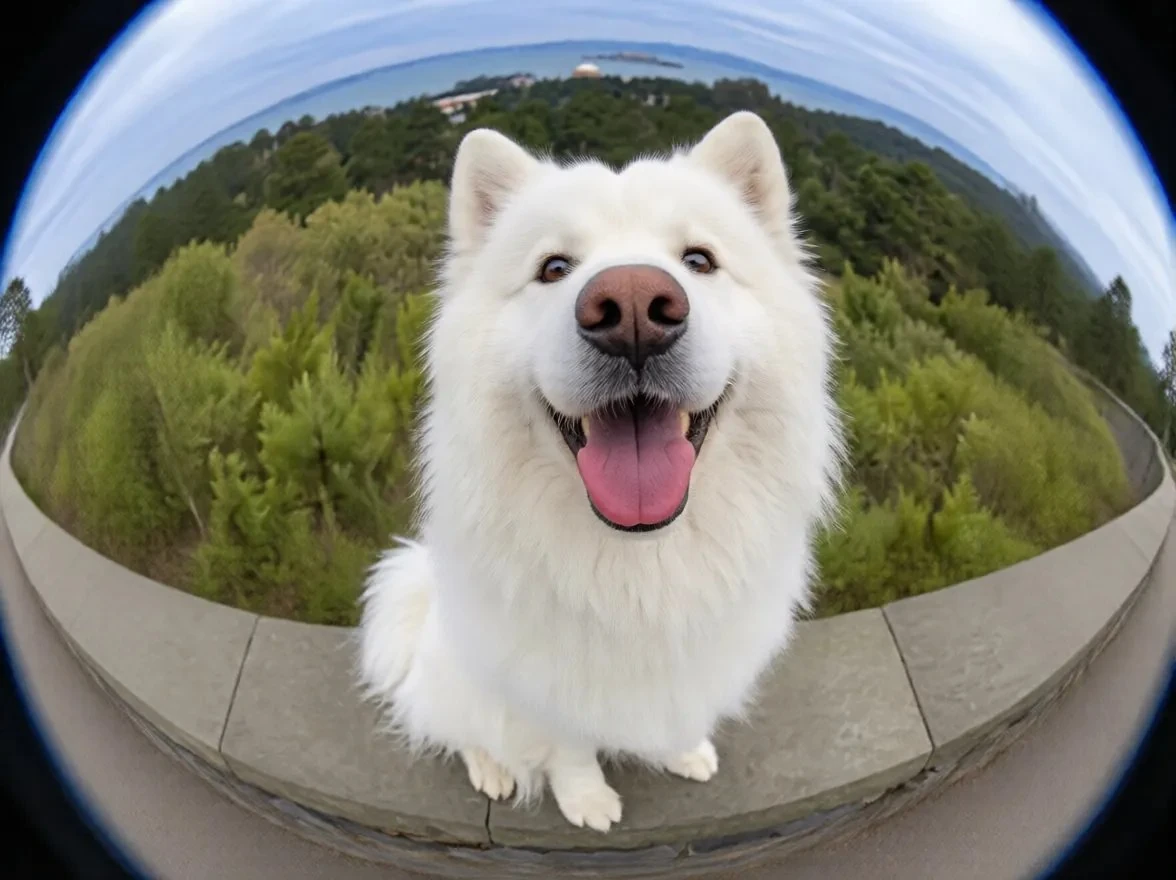
It places greater emphasis on creative effects, with more pronounced fisheye perspective and image distortion. The result is more visually striking and closer to what the prompt aims to achieve.

The dog’s key features remain recognizable, but the stronger effect makes the subject look less natural.

Magic Hour AI Creative Image Editing Result of Magic Hour More natural proportions

It preserves the dog’s appearance and proportions more closely to the original image. The result looks more natural overall.

Although the background shows some fisheye distortion, the subject remains largely unchanged, and the exaggerated perspective requested in the prompt is not fully realized.

2. Generating a Photorealistic Photo

PROMPT

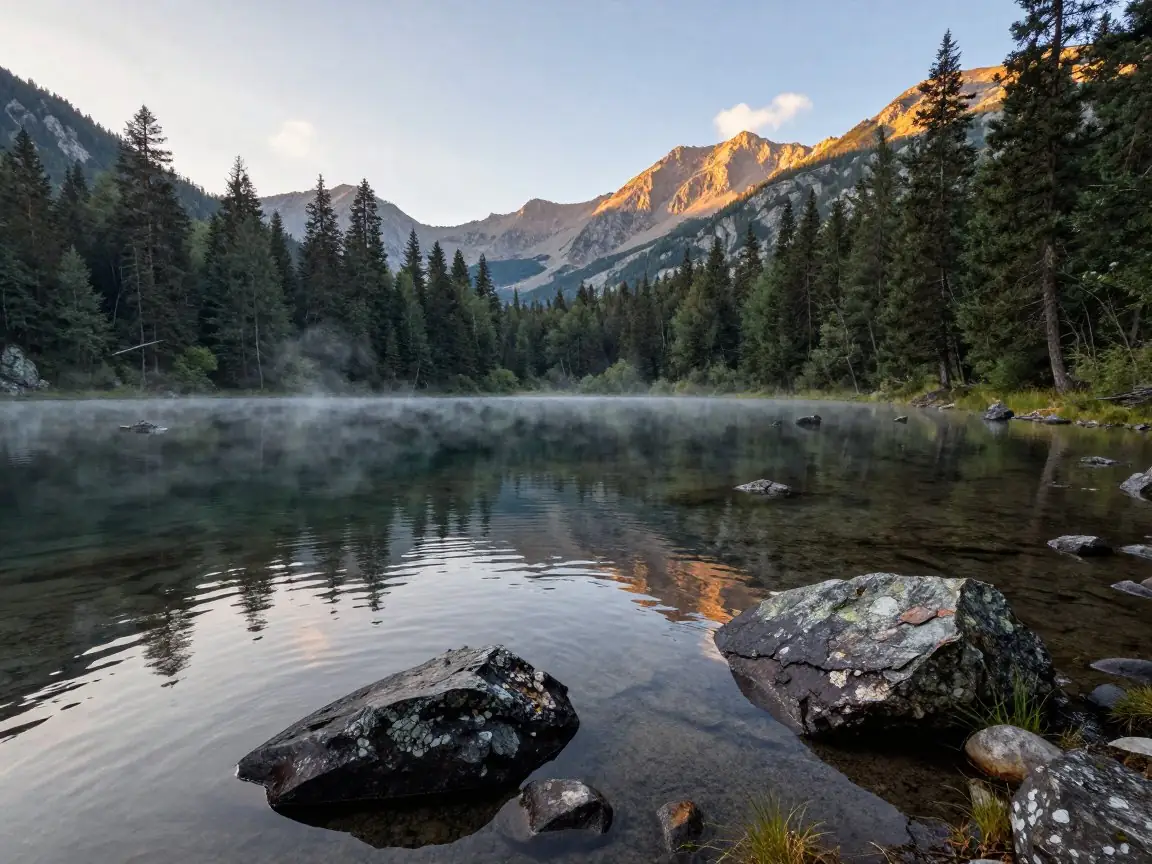
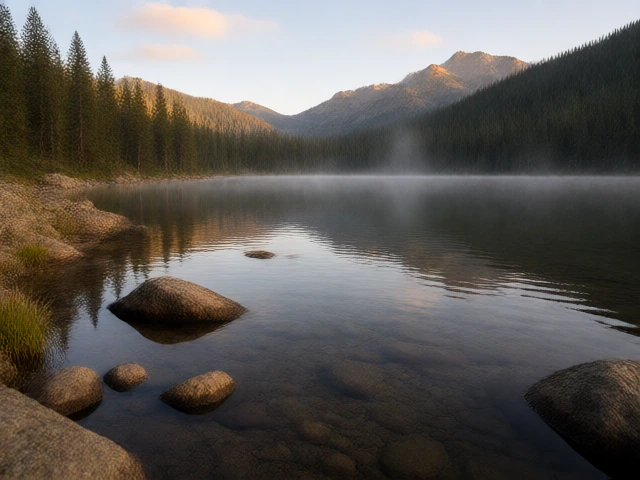
A photorealistic landscape photograph of a mountain lake at sunrise. Clear, shallow water in the foreground reveals smooth stones beneath the surface, with weathered rocks and patches of grass along the shore. A dense pine forest surrounds the lake, while rugged mountains rise in the distance. Thin morning mist drifts above the water, and soft golden sunlight touches the mountain peaks and treetops, leaving the shaded areas cool. Gentle ripples slightly break up the reflections of the trees and mountains. A pale blue sky with a few soft clouds, natural colors, realistic textures, and balanced exposure. Shot from the lakeshore with a wide-angle lens, 4:3 composition. No people, buildings, or boats.

EzMaker AI Image Generation Result of EzMaker Stronger photographic realism

The image features rich details, natural-looking textures and lighting, and an overall appearance closer to real landscape photography.

However, the shadows are somewhat heavy, making the image feel slightly dark and visually dense.

Magic Hour AI Image Generation Result of Magic Hour Softer colors, simpler composition

The composition is simple, the colors are soft, and the overall atmosphere is calm and serene.

However, some textures appear slightly repetitive, making the image feel less realistic.

3. Erasing Unwanted Objects

Prompt

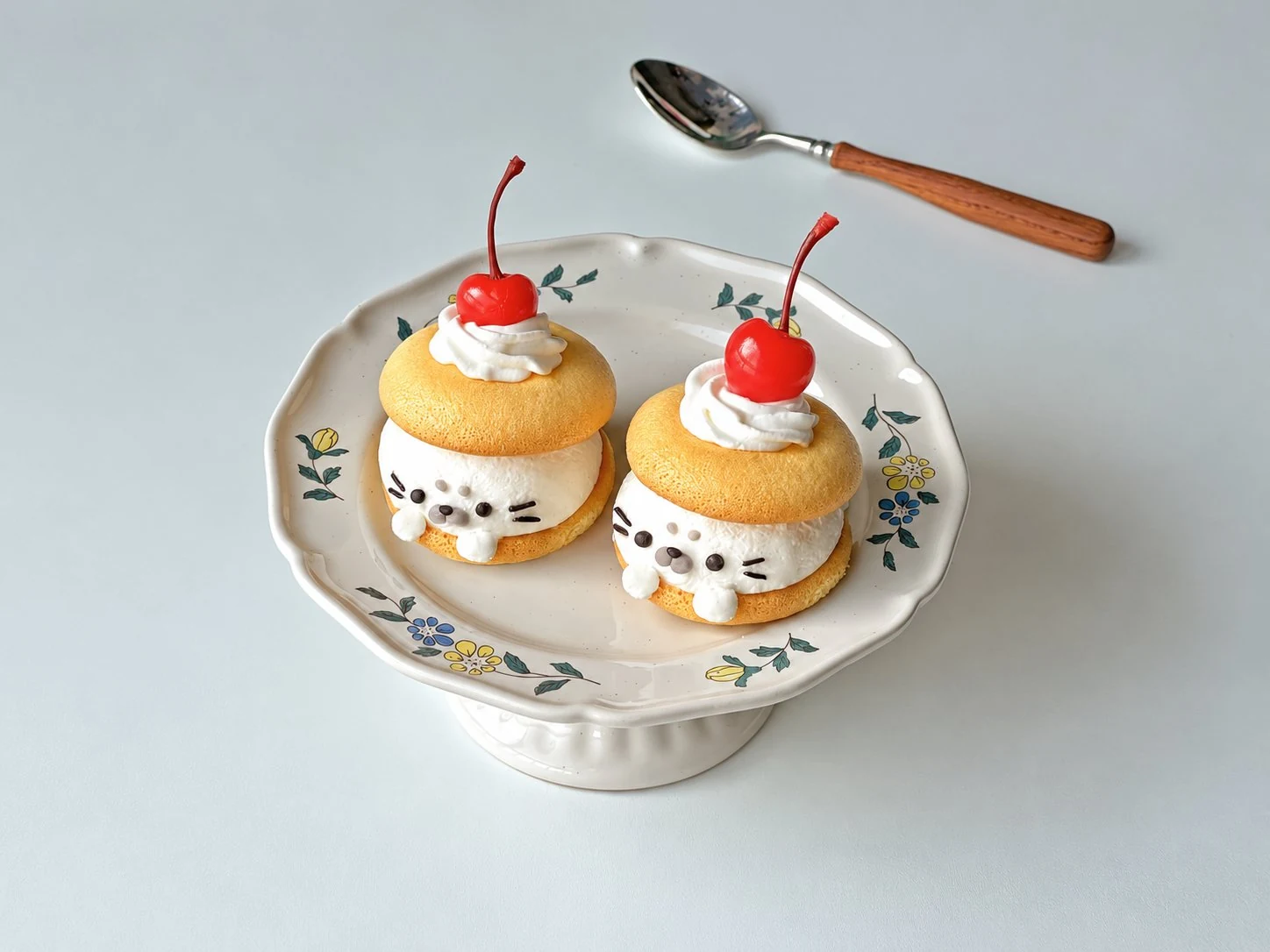
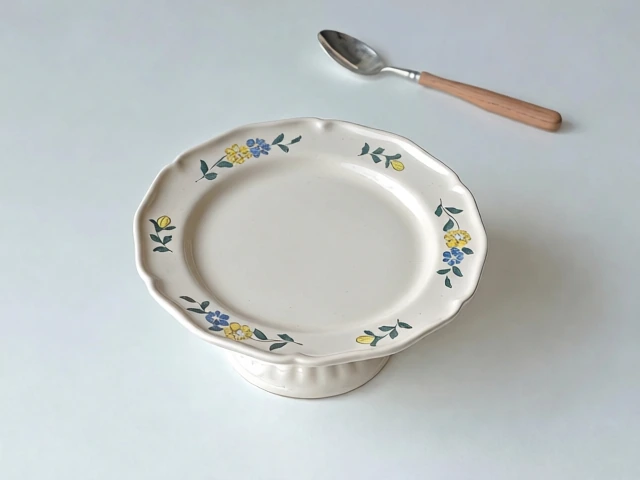
Remove both cakes and the spoon, including their shadows. Naturally restore the empty plate and tabletop, matching the surrounding textures and lighting. Keep everything else unchanged.

EzMaker AI Object Removal Result of EzMaker Complete object removal
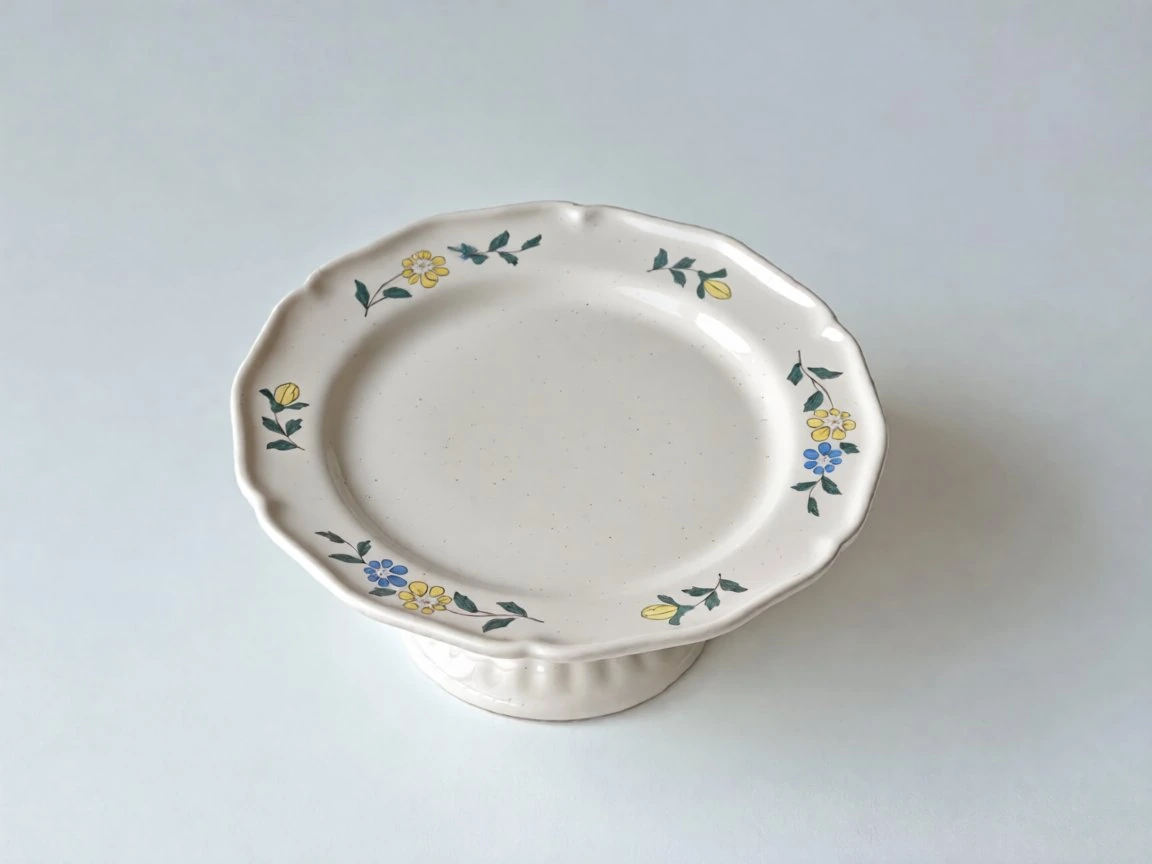
It successfully removed both cakes and the spoon, seamlessly filling in the plate and tabletop with no obvious traces of the removed objects.

The plate’s shape and the original lighting and shadows were largely preserved, resulting in a more complete execution of the removal instructions.

Magic Hour AI Object Removal Result of Magic Hour Partial object removal

It successfully removed both cakes and repaired the plate naturally. However, the spoon in the upper-right corner and its shadow remained, meaning the removal request was not fully completed.

In addition, some of the patterns on the plate were altered.

4. Transforming an Image's Style

Prompt

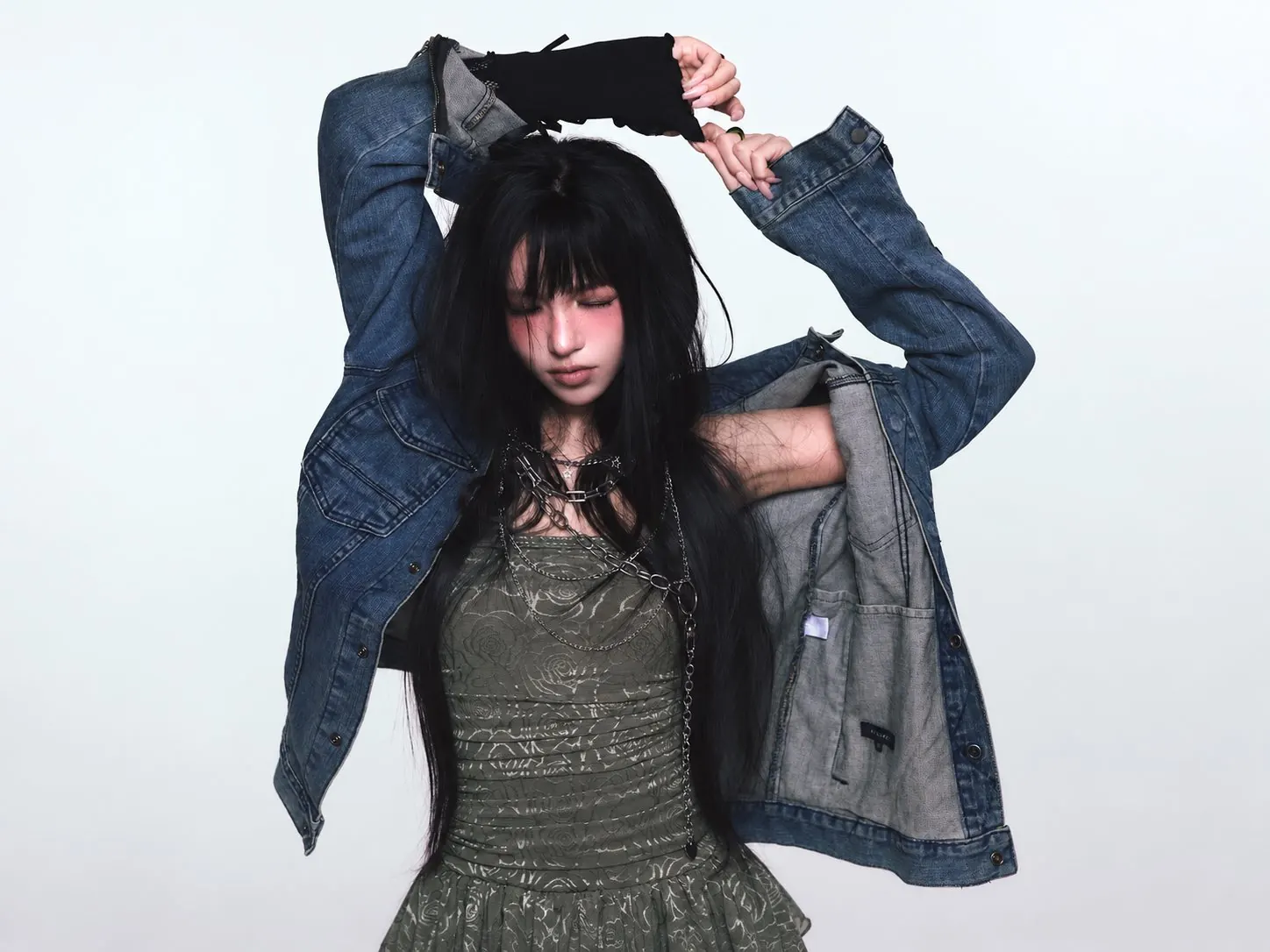
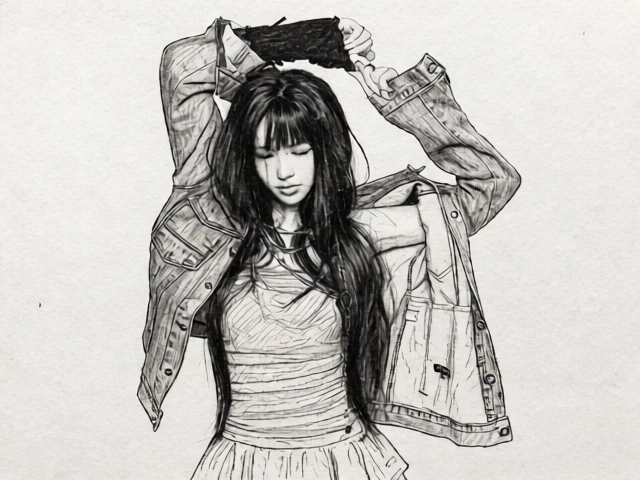
Turn this photo into a black-and-white pencil sketch with fine graphite lines, natural cross-hatching, and subtle paper texture. Preserve the person’s recognizable features, closed eyes, raised-arm pose, hairstyle, clothing, and composition. Keep the background simple.

EzMaker AI Style Transfer Result of EzMaker Detailed, realistic pencil sketch
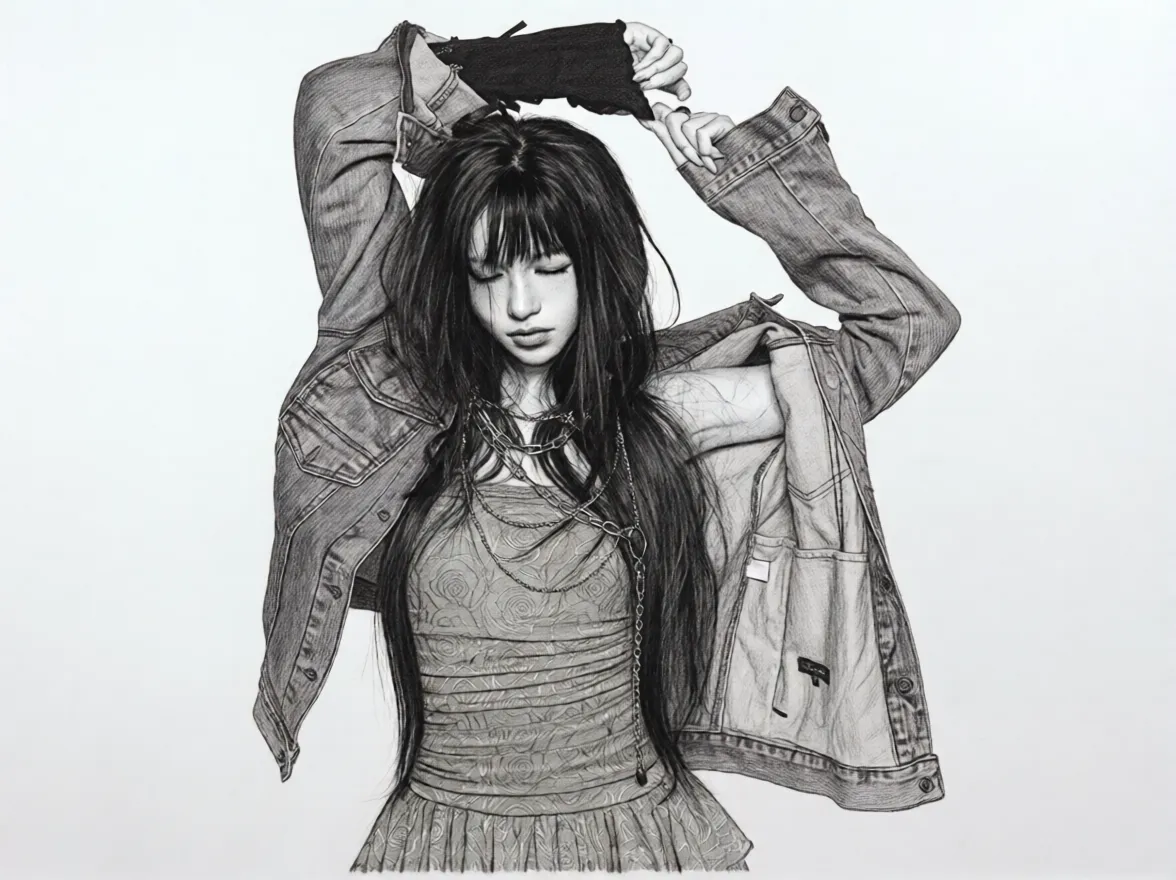
The image features richer linework and tonal shading, with more texture preserved in the hair, denim jacket, and skirt. The overall result resembles a detailed, realistic pencil sketch.

However, the face appears somewhat beautified, and the paper texture in the background is less pronounced.

Magic Hour AI Style Transfer Result of Magic Hour Expressive lines and paper texture

The lines are simpler, with more visible hatching and paper texture, giving the image the feel of a hand-drawn quick sketch.

The subject’s pose and main clothing outlines are preserved, but facial features, accessories, and skirt patterns are simplified to a greater extent.

5. Replacing the bacground in a Photo

Prompt

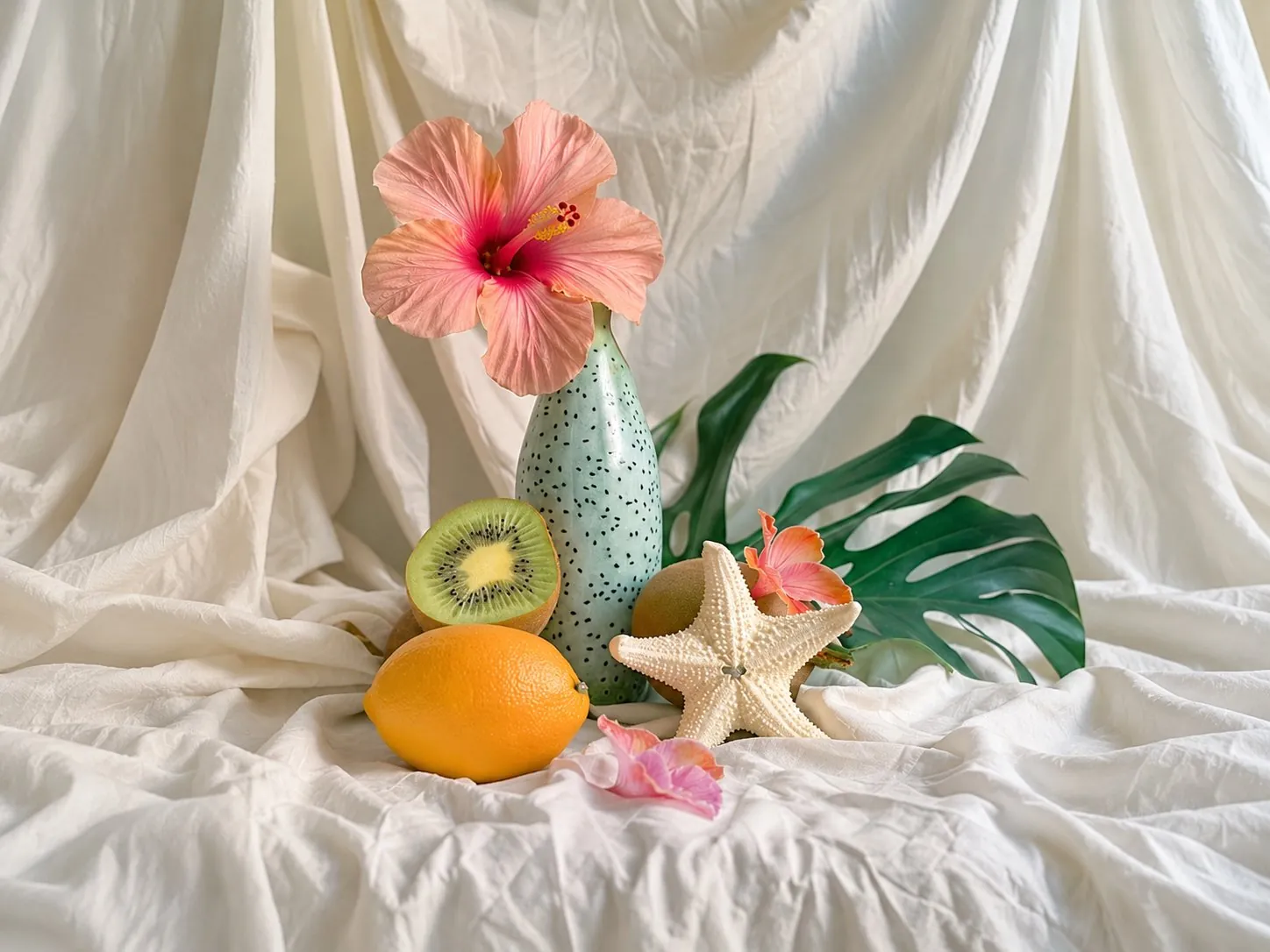
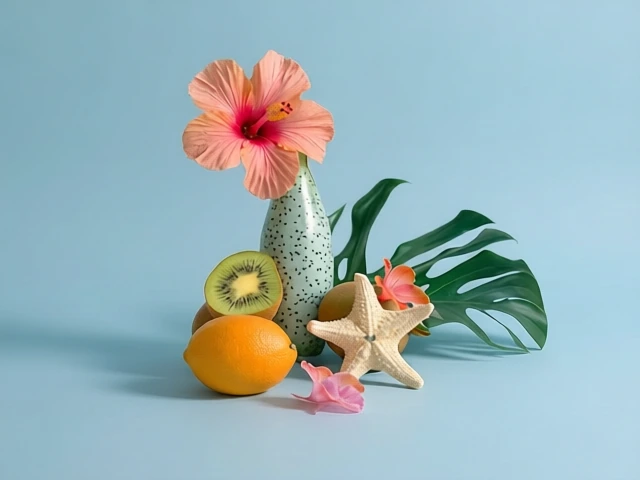
Replace the fabric backdrop and surface with a seamless light blue studio background. Keep the vase, flowers, fruit, starfish, and green leaf unchanged in appearance and position. Add natural contact shadows and maintain consistent lighting.

EzMaker AI Background Replacement Test Result of EzMaker Closer to the original subject
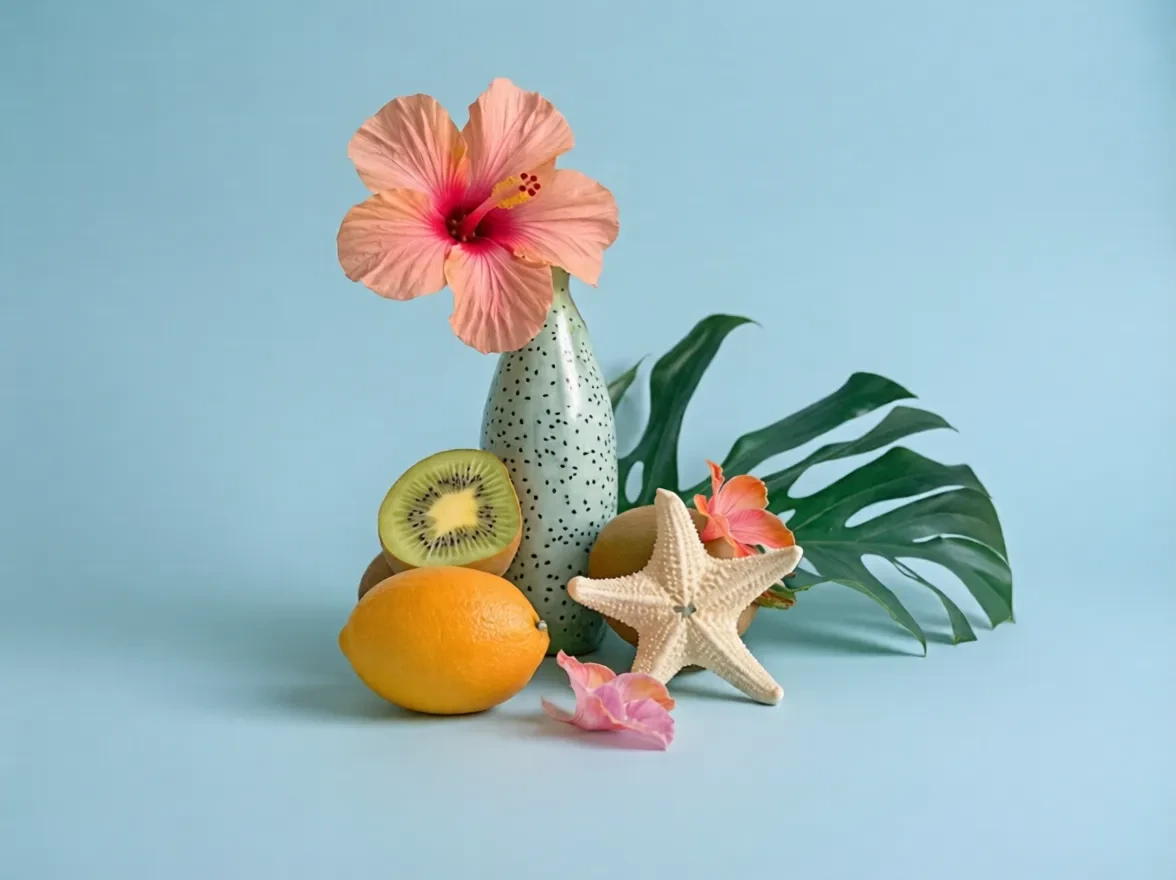
Successfully replaced the background with a light blue one. The subject’s appearance and arrangement remained closer to the original image, with soft shadows and natural overall integration.

However, some edges and textures appeared slightly softened.

Magic Hour AI Background Replacement Test Result of Magic Hour More defined studio lighting

Also successfully replaced the background, with clean subject edges and clearly defined shadow directions, creating an overall studio-lit photographic effect.

However, certain details, such as the shapes of the flowers and green leaves, were altered, resulting in less faithful preservation of the original image’s details.

Free Access & Pricing

What Can You Do for Free?

On EzMaker AI

Free Plan All image tools included

Paid options are not available on EzMaker yet.

On Magic Hour AI

Free Plan 3 free images per day without signup
400 credits upon registration
Claim 100 credits per day, up to seven claims for Basic users

When Would You Need to Pay?

Magic Hour offers subscriptions for users who need additional capacity and access. Its published USD prices are:
Plan Monthly Billing Annual Billing, Monthly Equivalent Annual Total
Creator $19 $12 $144
Pro $39 $25 $300
Business $99 $66 $792

The annual rate is a monthly equivalent, with the full year charged upfront. Magic Hour also offers credit packs, starting at $10 for 4,000 credits. Credit packs and subscriptions provide different benefits, so purchasing credits should not be assumed to unlock every subscription feature.

What Matters When Choosing an AI Image Editor

Your Main Editing Tasks

Start with the edits you actually need. Removing distractions from product photos requires different strengths from creating landscapes or turning portraits into sketches. In our examples, EzMaker AI completed the multi-object removal more fully and produced a more photographic landscape. Magic Hour delivered a distinctive sketch texture and more pronounced studio lighting in the background replacement. Give the results most relevant to your work more weight than an overall impression.

Your Image Preservation Needs

Decide which parts of your original image must remain unchanged. For a product photo, that might include its shape, color, and surface details; for a portrait, it could be facial features and clothing. Our editing examples showed that a successful transformation can still introduce unintended changes. Compare the source and result carefully, including areas outside the requested edit.

Your Preferred Visual Style

Consider whether you prefer detailed realism or a more expressive interpretation. EzMaker AI’s sketch retained more texture and shading, while Magic Hour produced simpler lines with a stronger paper texture. Neither treatment will suit every project. Look for a result that matches your creative direction while still following the prompt.

Your Budget and Revision Needs

Think about how often you create images and how many revisions you usually need. Occasional edits may fit comfortably within free access, while frequent experimentation makes generation allowances and waiting times more important. Before choosing a paid plan, identify what you need from it, such as additional generations, higher resolution, or access to a particular model. Judge value by the usable results you get, rather than the number of features listed.

Your Intended Use

Think about where the finished image will appear. Social media posts may benefit from bold effects, while product listings need accurate colors, shapes, and details. Blog illustrations should remain clear at the size readers will see them, and larger designs may require higher resolution. Check the downloaded image in its intended layout to spot blurred edges, altered details, or distracting textures that may be easy to miss in a small preview.

Frequent Asked Questions

Can I use EzMaker AI and Magic Hour for free?

Yes. EzMaker AI provides its image features for free. Magic Hour offers free access alongside paid options, with allowances that vary by tool and account status.

Yes. For image-focused tasks, EzMaker AI is a free alternative offering image generation, background editing, object removal, and photo enhancement. It is worth considering if you want to create and edit images without a paid subscription.

Yes. EzMaker AI lets you start without creating an account. Magic Hour also offers no-sign-up access to its public image editor and image generator, with limited free usage.

No. Both of them offer clean image generations.

For everyday image tasks, it makes sense to try EzMaker AI’s free tools first. If they deliver the results you need, a subscription may be unnecessary. Consider paying for Magic Hour when a specific premium model, output option, or usage allowance meets a need your free workflow cannot.

Related Resources